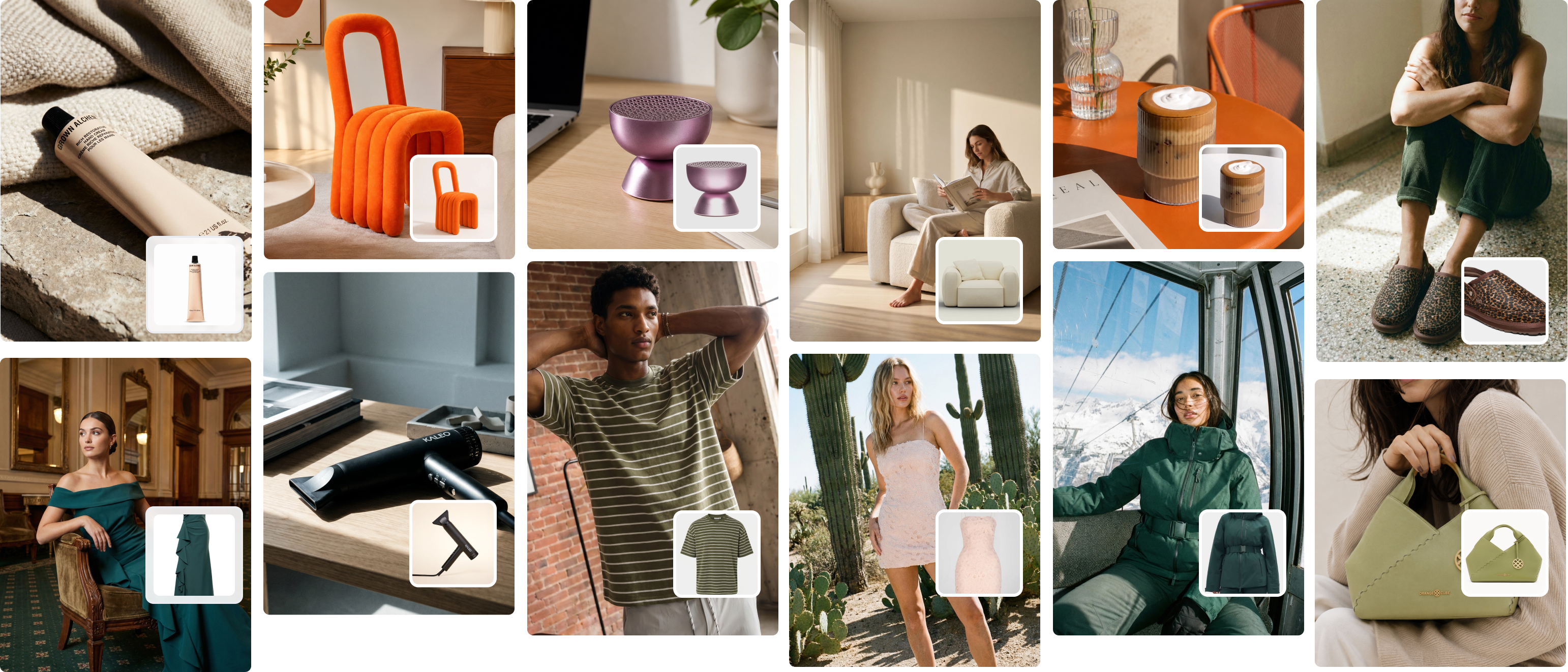
10 Best Product Photography Apps for Fashion Brands in 2026
Most product photography app lists miss what fashion brands actually need: on-model imagery at scale. Here are the 10 best options, ranked honestly — with the cost comparison that changes everything.
Your product imagery determines whether a customer clicks through or bounces. Getting it wrong costs you sales. Getting it right — affordably, at scale — is what this guide solves.
As of 2026, a traditional fashion photoshoot in Australia runs $1,500–$3,000 per day. The right product photography app can replace your entire studio workflow for $99/month. This article ranks the 10 best options honestly — what each does well, what it can't do, and who it's actually built for.
Table of Contents
- What makes a great product photography app?
- The 10 best product photography apps for fashion brands
- The critical gap: AI fashion model photography
- How to choose the right app
- Full comparison table
- How Picjam solves on-model photography
- Frequently asked questions
- Bottom line
What makes a great product photography app?
A product photography app is software that helps brands create, edit, or generate professional-quality product images without a full studio setup. The best apps for fashion brands go further — producing on-model imagery, lifestyle scenes, or clean product shots that meet marketplace requirements.
The criteria that actually matter:
Output quality. Does it produce images good enough for Shopify, Amazon, or TikTok Shop? Many apps look great on small screens but fall apart at zoom or full resolution export.
Fashion specificity. Generic product photography apps handle mugs and candles fine. Clothing is harder — fabric texture, drape, fit representation, and model diversity all matter in ways they don't for hard goods.
Batch processing. A brand with 150 SKUs can't process them one by one. The best apps handle bulk uploads and generation without requiring manual intervention per image.
Pricing against traditional photography costs. The benchmark is $1.50–$2.00/image for professional traditional photography. AI should be a fraction of that.
AI generation vs. editing. These are two distinct categories. Editing apps (Lightroom, Snapseed) improve photos you've already taken. AI generation apps (Picjam, Photoroom, Pebblely) create or transform imagery. For fashion brands with large catalogs, the generators deliver far more value.
The 10 best product photography apps for fashion brands
1. Picjam — Best AI fashion photography platform
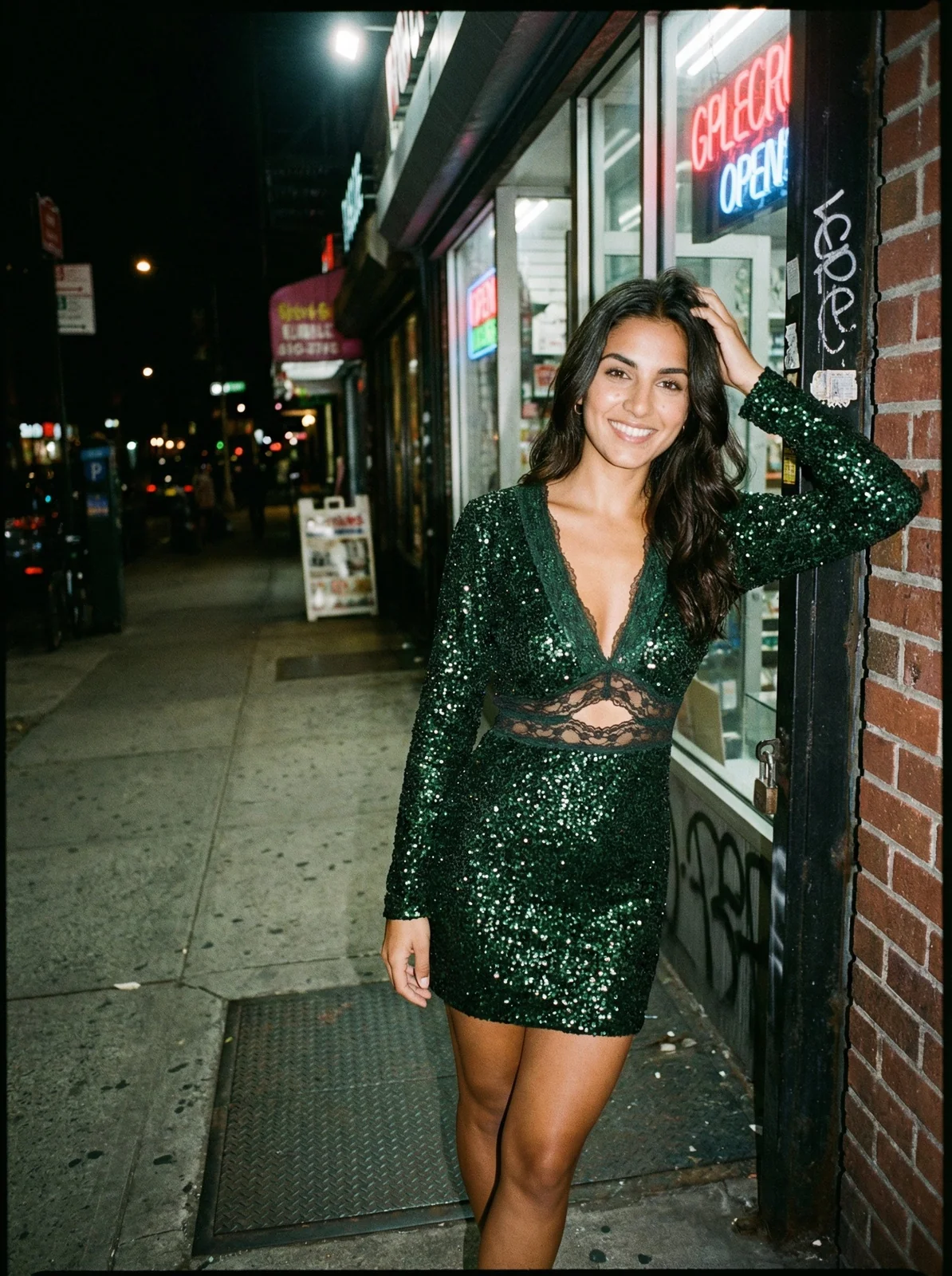
Picjam converts flat-lay clothing photos or ghost mannequin images into on-model product shots using AI — no studio, no photographer, no models required. It's the only platform in this list built specifically for fashion ecommerce brands who need model imagery at catalog scale.
Best for: Shopify fashion brands, DTC apparel labels, and wholesale clothing brands managing 50+ SKUs who need on-model imagery without running monthly photo shoots.
How it works: Upload a flat-lay or product image, choose from 100+ AI models across diverse body types and ethnicities, select a background, and generate. Images export at ecommerce-ready resolution.
Pricing: Studio plan at $99/mo. Enterprise pricing available for high-volume catalogs. See Picjam pricing →
Pros:
- Built specifically for fashion — handles garments, accessories, and footwear
- 100+ AI models with diverse body types, ethnicities, and poses
- Batch processing for entire seasonal catalogs
- Converts flat lays or ghost mannequin shots to on-model in one step
- 4.3 stars on Trustpilot | 4.7 stars on Shopify App Store
Cons:
- Not suited to non-apparel product categories
- Best results require quality flat-lay input images
After working with 1,200+ clothing brands at Picjam, the pattern is consistent: brands switching from traditional shoots to AI model photography cut their content costs by 70–90% while increasing images produced per SKU. See how it works in our guide to AI fashion photography for on-model imagery.
2. Photoroom — Best for background removal
Photoroom is a mobile and web app that removes backgrounds, creates clean white backgrounds, and generates AI lifestyle scenes. It dominates the general ecommerce photography market for good reason — it's fast, accurate, and integrates directly with Shopify.
Best for: Any ecommerce brand needing clean, white-background product shots quickly. Excellent for marketplace listings on Amazon, eBay, and Etsy.
Pricing: Free tier with limited exports; Pro at ~$13/mo.
Pros: Extremely fast background removal; good AI product scene generation; works on mobile and desktop; Shopify integration built in.
Cons: AI models are available but not fashion-first; limited for brands needing diverse styled on-model imagery; free plan adds watermarks.
3. Pixelcut — Best free option for quick edits
Pixelcut is a mobile-first app focused on background removal, object cleanup, and simple product image enhancement. If you're a solo founder shooting product photos on your phone, Pixelcut is the fastest way to get marketplace-ready images.
Best for: Solo founders and small brands needing fast, one-tap edits on mobile. Early-stage stores with small catalogs.
Pricing: Free with limited exports; Pro at ~$8/mo.
Pros: Generous free tier; extremely fast background removal; simple UX with no learning curve; AI object removal tool included.
Cons: Limited AI generation capabilities; no on-model photography; not built for high-volume batch processing; mobile-only experience can feel limiting at scale.
4. Pebblely — Best for lifestyle scene generation
Pebblely uses AI to generate lifestyle product scenes — placing your product in styled environments like a café table, kitchen bench, or outdoor setting — without a separate shoot. Works exceptionally well for flat products with defined edges.
Best for: Homeware, beauty, skincare, and accessories brands. Also useful for jewellery and hard goods.
Pricing: Free tier (40 images/month); Pro at $19/mo.
Pros: Diverse themed backgrounds; good visual quality for flat products; generous free tier; fast output.
Cons: Poor performance on soft goods and clothing; no AI model capability; lifestyle backgrounds can look artificial at high resolution.
5. Flair.ai — Best for creative product staging
Flair.ai is a drag-and-drop product photography tool that lets brands create custom scenes by placing product images into AI-generated environments with full creative control over props, lighting, and composition.
Best for: Beauty brands, packaged goods, and lifestyle products requiring highly custom visual scenes with editorial-style aesthetic.
Pricing: From $25/mo.
Pros: Strong creative control; aesthetically high-quality backgrounds; excellent for beauty and lifestyle products; intuitive drag-and-drop interface.
Cons: Slow for high-volume fashion catalogs; no on-model fashion capability; better suited to packaged goods than apparel.
6. Claid.ai — Best for marketplace-ready image enhancement
Claid.ai focuses on AI-powered image enhancement, background removal, and upscaling optimised for marketplace requirements. Strong for brands doing high-volume processing via API.
Best for: Technically capable teams focused on marketplace compliance and image consistency at scale.
Pricing: API-based pricing from ~$0.05/image.
Pros: Strong AI upscaling; batch processing via API; good marketplace output quality; consistent colour correction across catalogs.
Cons: Technical setup required; less intuitive for non-technical brand operators; limited fashion model generation; not designed for small brands without developer support.
7. Adobe Lightroom Mobile — Best for batch editing
Lightroom Mobile is a professional photo editing app with AI-assisted colour correction, batch sync, and masking tools. The industry standard for consistent editing across a large product catalog.
Best for: Brands that already have quality product photography and need consistent editing across all images.
Pricing: Free basic tier; Creative Cloud plans from $9.99/mo.
Pros: Industry-standard colour grading; batch editing with preset sync; excellent AI masking; cross-device sync.
Cons: Requires you to already have good source photography; no AI generation capability; steeper learning curve than mobile-first apps.
8. Canva — Best for all-in-one marketing content
Canva combines product image editing with design tools — letting brands create social media content, ads, and marketing materials from product photos in one place.
Best for: Early-stage brands needing a single tool for product editing and marketing design. Great for social media assets.
Pricing: Free tier; Pro at $16.99/mo.
Pros: Huge template library; background removal built in; very low learning curve; combines product editing with marketing design.
Cons: Not a serious product photography tool; AI image quality inconsistent; no on-model fashion capability; output lacks professional standard for marketplace listings.
9. Fotor — Best for quick AI enhancement
Fotor is an online photo editor with AI enhancement tools including one-click retouching, background change, and basic product photo improvement — no software download required.
Best for: Brands needing quick, light-touch enhancement — brightness, colour correction, basic background changes.
Pricing: Free; Pro at $8.99/mo.
Pros: Easy one-click AI enhancement; HDR effect for product images; browser-based; affordable Pro tier.
Cons: Outputs can feel generic; no on-model generation; AI quality inconsistent at higher resolutions; better for simple products than apparel.
10. Snapseed — Best for free mobile touchups
Snapseed is Google's free mobile photo editor — precise colour correction, healing brush, selective adjustments, and perspective correction. If you take your own product photos and want professional-level editing on zero budget, Snapseed delivers.
Best for: Founders who shoot their own product photos and need professional-level editing without a subscription.
Pricing: Completely free.
Pros: Professional-grade editing tools; works offline; excellent for colour and exposure correction; selective adjustment tools are genuinely powerful.
Cons: No AI generation capability whatsoever; editing only; best for single-image work, not batch catalog production.
The critical gap: what most product photography apps can't do for fashion brands
Here is the insight that most product photography app roundups miss entirely.
Every app on this list — except Picjam — is designed for a different problem than the one clothing brands actually face. Background removers, scene generators, and editing tools are built for products with defined edges: bottles, books, packaged goods, electronics. They work well for those categories. They don't solve the fashion brand's core problem.
The fashion brand's core problem: shoppers buy clothing from on-model images.
When we look at conversion data across Picjam's 1,200+ brand customers, the pattern is consistent. On-model images convert at 20–40% higher rates than flat-lay or ghost-mannequin images for the same product. A clothing brand that switches its product grid from flat-lay to on-model doesn't just improve aesthetics — it measurably lifts revenue from the same traffic.
To get on-model images through traditional photography, a fashion brand needs:
- A photographer: $500–$1,500/day
- Studio hire: $300–$800/day
- Professional models: $500–$2,000/day per model
- A stylist: $300–$800/day
- Post-production editing: $20–$60/image
For a mid-season collection of 40 styles, that's a $4,000–$8,000 shoot day. You might clear 120–160 images. At that output rate, most growing fashion brands can only afford 2–4 shoot days per year — which means catalog imagery is perpetually outdated relative to actual inventory.
As of 2026, AI fashion model generators have matured to a point where the quality gap with traditional photography has closed substantially for catalog ecommerce use. The technology now supports:
- Uploading flat-lay or ghost mannequin images and converting them to on-model in under 60 seconds
- Selecting from AI models with genuine diversity — body types, ethnicities, heights, poses — not the limited casting traditional shoot budgets allow
- Generating a full season's catalog imagery in hours rather than days
- Batch processing 500+ SKUs with consistent styling and output quality
- Outputting at marketplace-ready resolution for Shopify, Amazon, TikTok Shop, and Etsy
One Sydney-based activewear brand in the Picjam customer base was spending $6,000 per quarter on two studio shoot days. After switching their catalog imagery to Picjam while keeping their hero campaign content for traditional photography, they cut content costs to $99/month — an 88% reduction. Their per-product-page conversion rate increased 34% in the first quarter after the switch.
This is the distinction that matters for fashion and apparel operators: the apps that dominate product photography app rankings are general-purpose editing tools. They're excellent at what they do. But if your core need is on-model imagery at scale, most of them are solving a different problem. Understanding that distinction is the most valuable thing this article delivers.
For a deeper look at the cost breakdown, read our guide to understanding product photography costs in 2026. And for a full look at what AI can do specifically for on-model clothing imagery, see our AI product photography guide for fashion brands.

How to choose the right product photography app for your brand
The right choice depends on what problem you're trying to solve.
If you need on-model images for apparel: Picjam is the only purpose-built solution in this list. Nothing else converts flat-lay or ghost mannequin imagery into realistic catalog-ready on-model shots at scale.
If you need clean white backgrounds: Photoroom or Pixelcut handle this faster and cheaper. Both have generous free tiers and are excellent for marketplace compliance images.
If you're editing photos you've already taken: Adobe Lightroom Mobile for professional batch editing and colour consistency; Snapseed if you need it free with no subscription.
If you need lifestyle scenes for non-apparel products: Pebblely and Flair.ai are the strongest options. Flair gives more creative control; Pebblely is faster and more affordable.
If you need one tool for everything at early stage: Canva works well when volume and consistency aren't yet priorities — it handles product editing and marketing design in one place.
The biggest mistake fashion brands make is using a general-purpose app to solve a fashion-specific problem. Background removal and lifestyle scene generation are not the same as showing customers how a garment fits and moves on a body. If your return rate is high or your product pages have above-average bounce rates, on-model imagery is typically the highest-leverage fix.
Product photography app comparison
| App | Best for | On-model fashion | Batch processing | Starting price | Marketplace-ready |
|---|---|---|---|---|---|
| Picjam | Fashion AI photography | Yes | Yes | $99/mo | Yes |
| Photoroom | Background removal | Limited | Yes | Free / $13/mo | Yes |
| Pixelcut | Quick mobile edits | No | Limited | Free / $8/mo | Yes |
| Pebblely | Lifestyle scenes | No | Yes | Free / $19/mo | Yes |
| Flair.ai | Creative staging | No | Limited | $25/mo | Partial |
| Claid.ai | Marketplace enhancement | Limited | Yes | ~$0.05/image | Yes |
| Adobe Lightroom | Batch photo editing | No | Yes | Free / $9.99/mo | With editing |
| Canva | All-in-one design | No | Limited | Free / $16.99/mo | Partial |
| Fotor | Quick AI enhancement | No | Limited | Free / $8.99/mo | Partial |
| Snapseed | Free mobile editing | No | No | Free | With editing |
How Picjam solves on-model photography for fashion brands
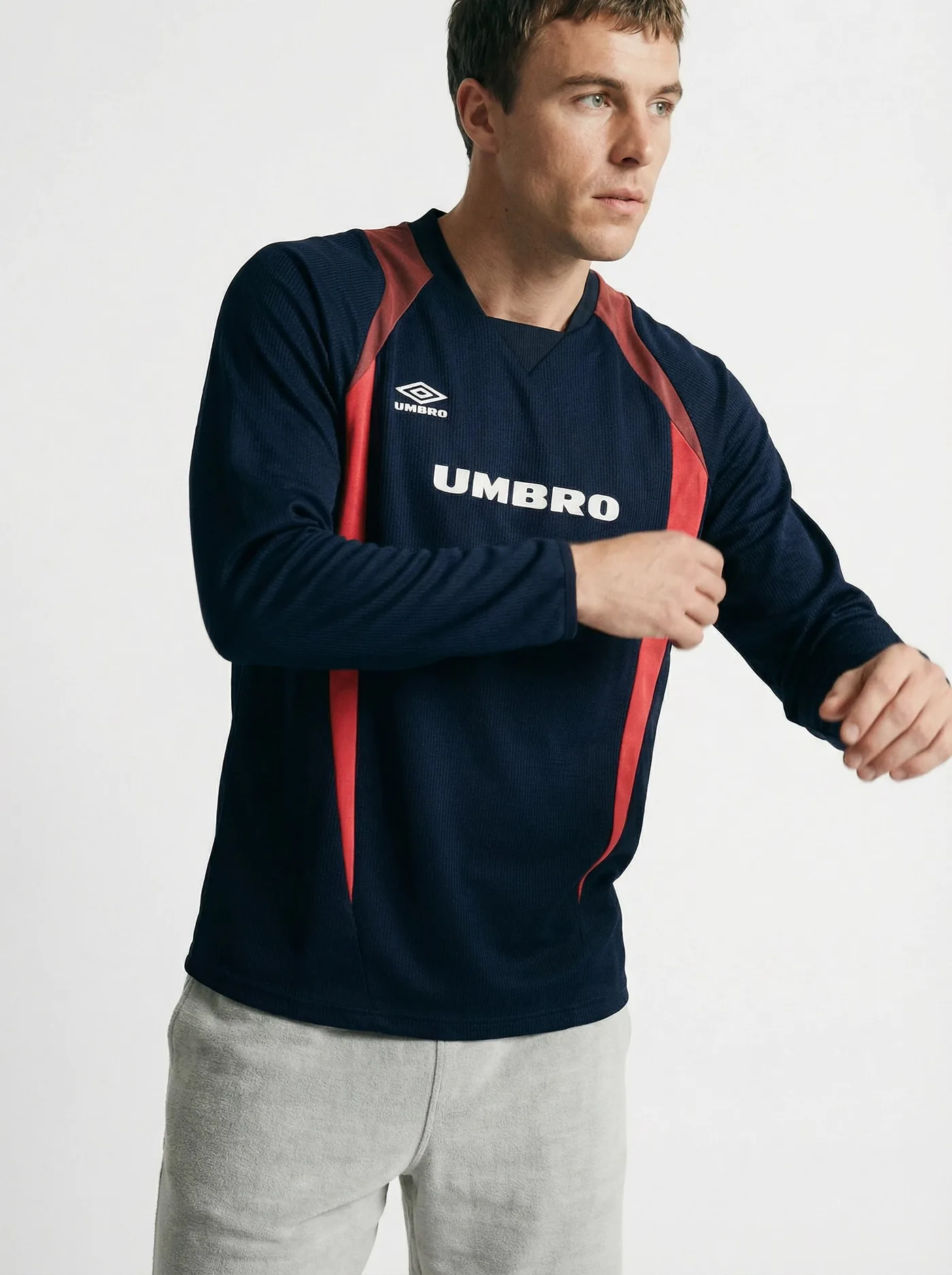
When we built Picjam, the brief was straightforward: give fashion brands a way to produce on-model catalog imagery without the cost and logistics of traditional photo shoots. After working with brands like Umbro, Happy Socks, and Volcom, the bottleneck was clear — photography was slowing down product launches and inflating content costs beyond what most growing brands could sustain.
The workflow Picjam delivers:
- Upload a flat-lay or ghost mannequin image of your garment
- Select from 100+ AI models — choose body type, ethnicity, pose, and scene
- Generate realistic on-model product imagery in under 60 seconds
- Export at marketplace-ready resolution for Shopify, Amazon, or TikTok Shop
For brands with seasonal collections, Picjam's batch processing handles entire catalogs — not just one SKU at a time. A brand with 80 new styles per season can generate a complete set of on-model product images in a single session rather than booking multiple shoot days.
As of 2026, a traditional fashion photoshoot with a professional model in Australia costs $2,500–$4,500 per day. At $99/month for Picjam's Studio plan, the payback happens after the first catalog update.
More than 1,200 clothing brands use Picjam. It holds a 4.3-star rating on Trustpilot (114 reviews) and 4.7 stars on the Shopify App Store — reflecting the real-world results fashion operators see when they switch from traditional shoots to AI model photography.

Try Picjam free — generate your first on-model photos from flat-lays →
Frequently asked questions
What is the best product photography app for beginners?
For beginners needing clean backgrounds and quick edits, Photoroom or Pixelcut are the easiest starting points — both have free tiers and require no learning curve. For clothing brands specifically, Picjam is the stronger choice because it produces on-model imagery that converts at higher rates, even for operators with no photography experience.
Which product photography apps are free?
Pixelcut, Pebblely (40 images/month), Fotor, Snapseed, and the basic tier of Photoroom are all free. Pixelcut and Snapseed offer the most generous free access. For AI fashion model photography, Picjam offers a free trial so you can test output quality before committing to a plan.
What product photography app works best for Shopify?
Photoroom integrates directly with Shopify for background removal and AI scenes. For fashion stores on Shopify specifically, Picjam is the stronger option — it produces on-model product imagery at correct Shopify product image dimensions and holds a 4.7-star rating on the Shopify App Store across more than 1,200 fashion brands.
Is Photoroom better than Pixelcut?
For most ecommerce brands, yes. Photoroom has better AI scene generation, stronger background removal for complex images, and a more complete web experience. Pixelcut is faster for basic mobile edits and has a more generous free tier. Neither fully solves the on-model fashion photography problem — for that, a purpose-built fashion AI tool like Picjam is the right choice.
Can AI replace professional product photography for fashion?
For catalog imagery — product grids, PDPs, size and variant shots — yes, AI fashion photography tools have reached a quality standard that works for most ecommerce applications. Most brands using Picjam retain professional photographers for campaign and hero content but run all catalog imagery through AI. The cost difference: $99/month for AI vs $2,500–$4,500 per shoot day for traditional photography.
How much does AI product photography cost compared to traditional?
As of 2026, a traditional fashion photoshoot in Australia costs $1,500–$4,500 per day. AI product photography platforms range from free (for basic editing) to $99/month for AI model generation at catalog volume. For a brand with 100 SKUs, the per-image cost with AI drops to under $1 vs $15–$40/image with traditional photography.
Bottom line
Most product photography app roundups point you toward general editing tools. For non-apparel categories — homeware, beauty, packaged goods — Photoroom, Pixelcut, and Pebblely genuinely deliver. For clothing brands, the critical need is on-model imagery, and only one platform on this list was built specifically for that problem.
If you run a fashion or apparel brand and are spending more than $1,000 per year on photography, test Picjam before your next shoot. The math is straightforward: $99/month vs $4,000+ per shoot day. More than 1,200 clothing brands have already made the switch, reflected in a 4.3-star rating on Trustpilot and 4.7 stars on the Shopify App Store.
Try Picjam free — generate your first AI on-model photos from flat-lays →
Michael Pirone
Co-Founder