
A Guide to Ecommerce Photo Editing for Modern Brands
Master ecommerce photo editing with this guide. Learn how AI workflows, time-saving tips, and proven tactics can elevate your product images and boost sales.
When a massive brand like Zara churns out thousands of new product images daily, it highlights a simple truth in fashion: high-quality, consistent imagery is the absolute baseline for selling online.
The real work of ecommerce photo editing is taking raw files from the camera and turning them into polished, conversion-driving visuals that are clean, color-accurate, and perfectly on-brand.
This is where AI-powered tools are becoming a game-changer. Platforms like Picjam help brands get studio-quality results faster and for a fraction of the cost, bridging the gap between high-volume demands and the real savings modern tools deliver.
How Inefficient Editing Impacts Your Bottom Line
Getting the quality right is only half the battle — the real challenge is doing it at scale.
According to Statista, online returns cost U.S. retailers a staggering $761 billion a year, and a huge chunk of that comes from inaccurate product photos.
When an item shows up looking different from how it did online — whether it's the color, the texture, or the fit — it gets sent right back. This guide is about moving past slow, manual methods to build an efficient workflow that works.
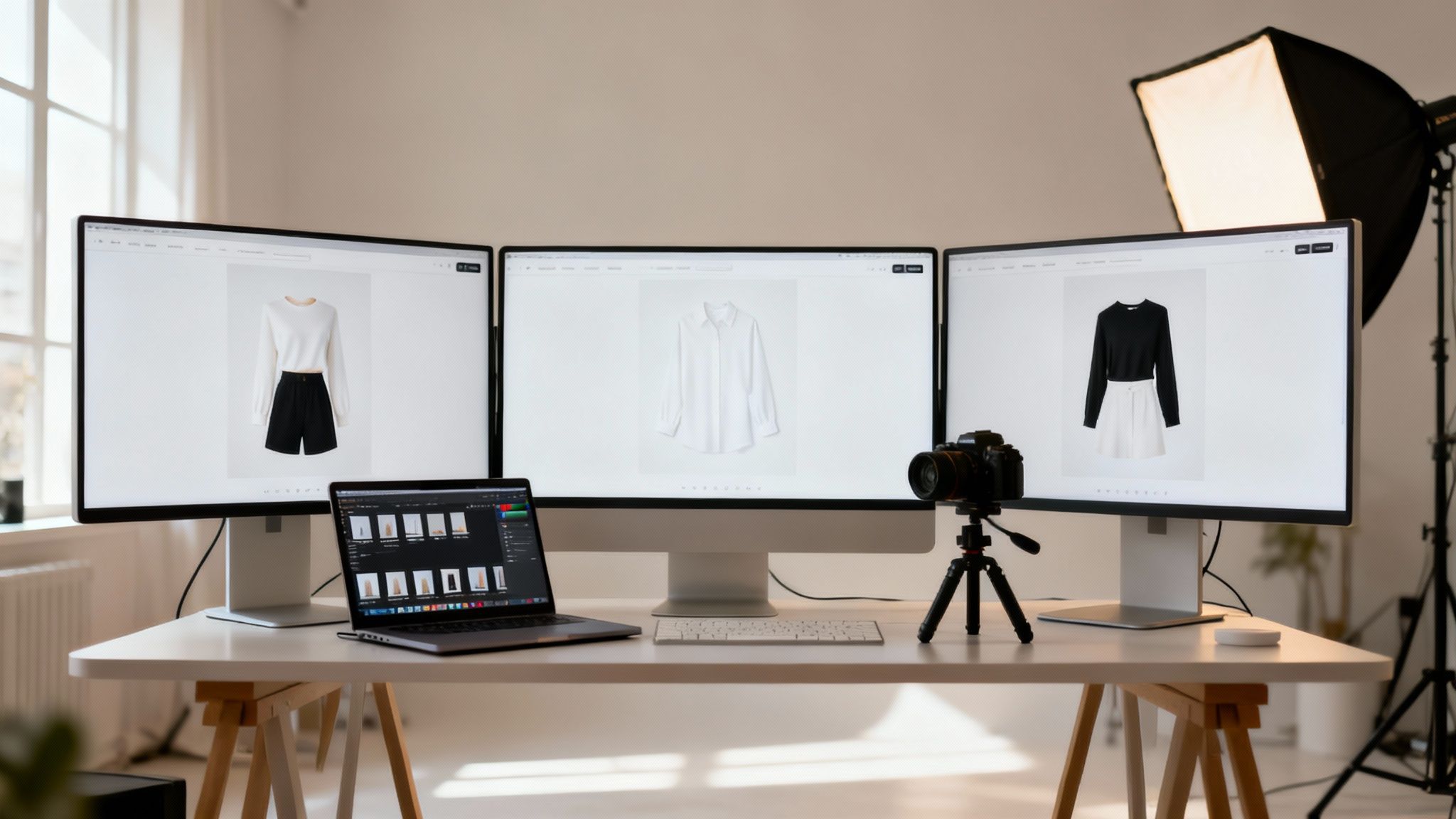
Why a Scalable Imagery Workflow is Non-Negotiable
Think about a brand like Allbirds. They are known for a specific minimalist look and unique material textures. For them, consistency is everything.
Every listing has to have the same clean background, soft lighting, and true-to-life color, whether it’s a wool runner or a tree dasher. Trying to nail that across thousands of SKUs by hand is a massive operational headache.
A structured ecommerce photo editing process becomes a secret weapon. It’s a system that ensures every image checks the right boxes before it goes live:
- Brand Consistency: Every image — from cropping to shadow depth — aligns with your style guide.
- Marketplace Compliance: Photos meet technical specs for platforms like Amazon, Shopify, or Farfetch.
- Conversion Optimization: Visuals are crafted to highlight key details, build trust, and drive sales.
The True Cost of Manual Editing
The time spent on repetitive tasks like background removal, color matching, and resizing adds up faster than you think. A single image might take a skilled editor 10–15 minutes.
Imagine a new collection with 50 products, each needing 8 images. That's over 60 hours of manual editing.
Vogue Business reports that fashion giants are adopting AI to streamline content production, with some seeing up to a 40% reduction in content creation costs. That’s a massive saving that goes straight to the bottom line.
This old-school process creates a serious bottleneck, delaying launches and tying up creative talent on grunt work. The future belongs to brands that can produce incredible content at the speed of the market.
Takeaway
Before diving into specific techniques, audit your current process. What's the single most time-consuming task in your editing workflow? Is it cutting out backgrounds, getting colors right, or resizing images for 10 different channels?
Pinpointing that one bottleneck is the first step toward building a smarter, more profitable content strategy.
Ready to see what you could save? Compare your current photography costs with Picjam’s AI-powered solution using our savings calculator.
How a Smarter Pre-Editing Workflow Saves Hours
Amazing final images don’t just happen in Photoshop — they start long before you open an editor. A well-planned photoshoot is the single biggest thing you can do to slash your post-production time.
It’s how brands like ASOS maintain that flawless, consistent look across millions of product shots.
Getting your pre-editing workflow sorted isn't about being rigid; it's about being smart. Every decision on set — from the lighting rig to the camera angle — either adds minutes of tedious work to your editing queue or shaves them off.
Plan Your Shoot for a Faster Edit
The goal is to capture images that need as little fixing as possible. You want to control the environment to get clean, consistent raw files that already look like your brand.
First up, your lighting. For essential product-on-white shots, soft, diffused light is non-negotiable. It wraps around your product, minimizes harsh shadows, and makes background removal a breeze for both human editors and AI tools.
Next, lock down your camera settings. Consistency is king:
- Consistent Aperture: Stick to the same f-stop for every shot in a series to keep your depth of field uniform.
- Manual White Balance: Use a grey card to set a custom white balance. This prevents weird color shifts and saves you from color-correction battles later.
- Shoot in RAW: Always shoot in RAW. It captures more data than a JPG, giving you flexibility to tweak exposure and pull back details without wrecking image quality.
Treat these steps like an investment. Every minute you spend standardizing your shoot will easily save you 5 minutes in editing.
Create a Bulletproof File Naming Convention
Nothing kills momentum faster than a chaotic folder full of files named "IMG_8765.CR2". For any brand with a growing catalog, a clear file naming convention is a necessity.
Big fashion retailers like Urban Outfitters and Zappos use an average of 8 photos per product. If you're launching a new collection with 100 SKUs, that's 800 images you need to manage. Without a system, that’s a recipe for disaster.
A logical naming system prevents costly mix-ups. A great structure to start with is:
[Brand][SKU][ViewAngle]_[Version].filetype
Example: BrandX_WTSH001_Front_V1.CR2
This name instantly tells you the brand, the product, the angle, and the edit version, making your assets searchable. If your team uses a platform like Picjam, this organization is crucial for ensuring the right source images are used for AI model swaps or new background generations.
Takeaway
Before your next photoshoot, create a one-page "shoot cheat sheet." List your standard camera settings (aperture, ISO, white balance), include a diagram of your lighting setup, and spell out your exact file naming convention. Hand this to your photographer. It guarantees every image is captured with the final edit in mind, which dramatically simplifies your ecommerce photo editing and gets products online faster.
Ready to see how a streamlined workflow impacts your bottom line? Compare your current costs with Picjam's AI-powered solution using our savings calculator.
How AI Eliminates Tedious Ecommerce Photo Editing Tasks
Let's get real about where ecommerce photo editing turns into a bottleneck. The most mind-numbing, repetitive tasks are usually the ones that make or break a final image.
Imagine you're a fast-fashion brand like SHEIN or Zara with a new 500-SKU drop.
Manually cutting out the background for one photo can take an editor 5 to 10 minutes. Multiply that by an average of 8 images per product, and you're at 4,000 images. The manual editing time balloons to over 330 hours.
An AI tool does the same job in seconds. This speed transforms a brand's ability to get products online. Platforms like Picjam are built for this — handling repetitive jobs at scale to ensure every product has a clean, consistent background.
A smooth editing process starts with a solid foundation.
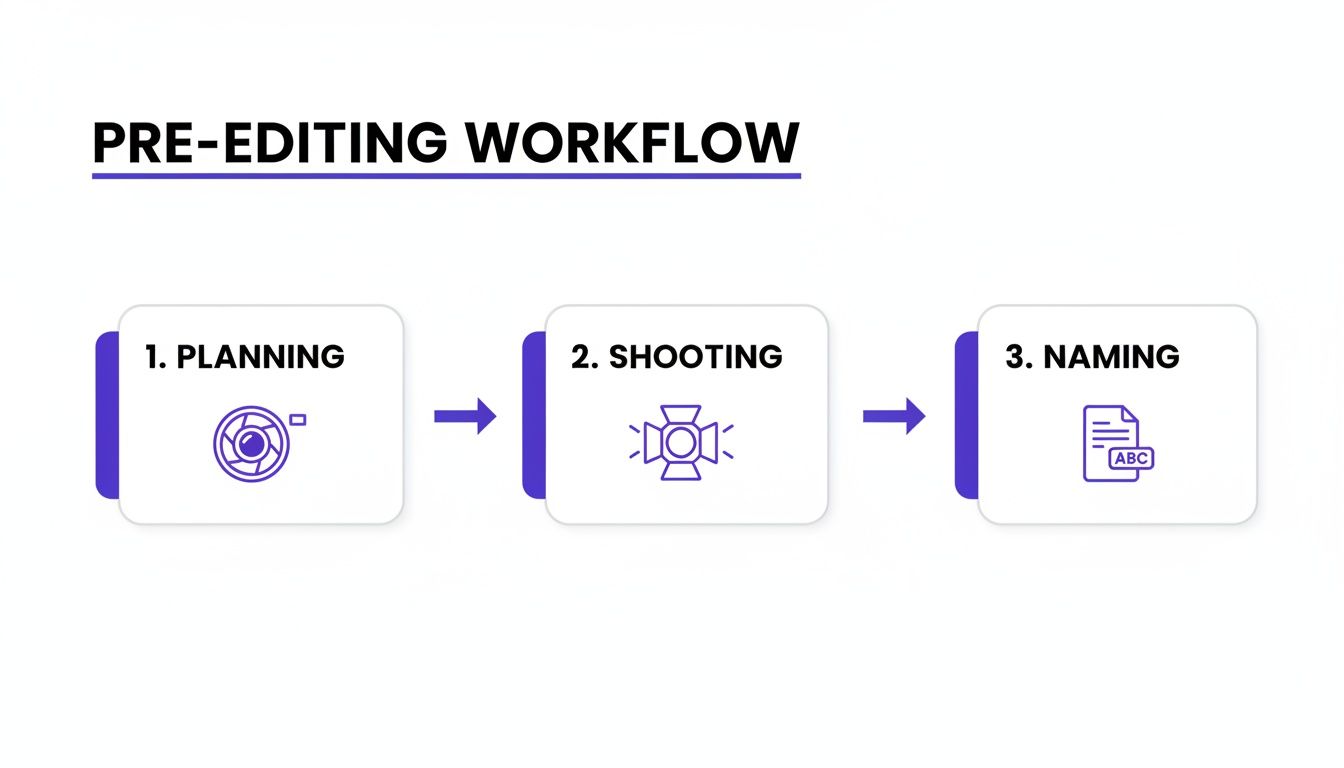
Your editing results are only as good as your planning, shooting, and organization.
From Background Removal to Flawless Cleanup
Once the background is gone, the real cleanup begins: removing dust, smoothing wrinkles, zapping stray threads, and fixing imperfections. For brands using mannequins, this stage also includes creating the "ghost mannequin" effect.
Traditionally, this is meticulous, pixel-by-pixel work. Ensuring every seam is perfect and every button is clean across 4,000 images is a huge quality control headache.
Modern AI models are trained on millions of fashion images. This allows them to spot and fix these issues automatically. They can smooth wrinkles on a linen shirt or reconstruct the inside of a collar for a perfect ghost mannequin effect — all in one go.
This level of automation is quickly becoming the norm, driven by the need for brands to process huge catalogs affordably while hitting precise marketplace image specs.
Achieve Perfect Color Correction at Scale
In fashion, color accuracy is everything. If a customer buys a "burnt orange" sweater and gets something that looks like a traffic cone, that's a guaranteed return. Manual color correction is a highly skilled job.
Getting that right across a collection is tough. Different lighting on shoot day can cause subtle color shifts that, left uncorrected, make a collection page look sloppy.
AI-powered color correction tools bring a new level of precision. By analyzing a reference photo or a specific hex code from your brand's style guide, the AI can automatically adjust the color balance for an entire batch of images. It solidifies brand consistency and, more importantly, builds customer trust.
For more on the tech, see our guide on AI product photography. The impact is direct: you save time, cut return rates, and protect your brand's reputation.
How AI Creates High-Converting Lifestyle and On-Model Imagery
Getting cleanup and color correction right is just the starting point. The real magic happens when you create images that let shoppers picture your products in their own lives.
This is where AI becomes a creative powerhouse, letting you generate on-model and lifestyle shots without the cost of a physical photoshoot.
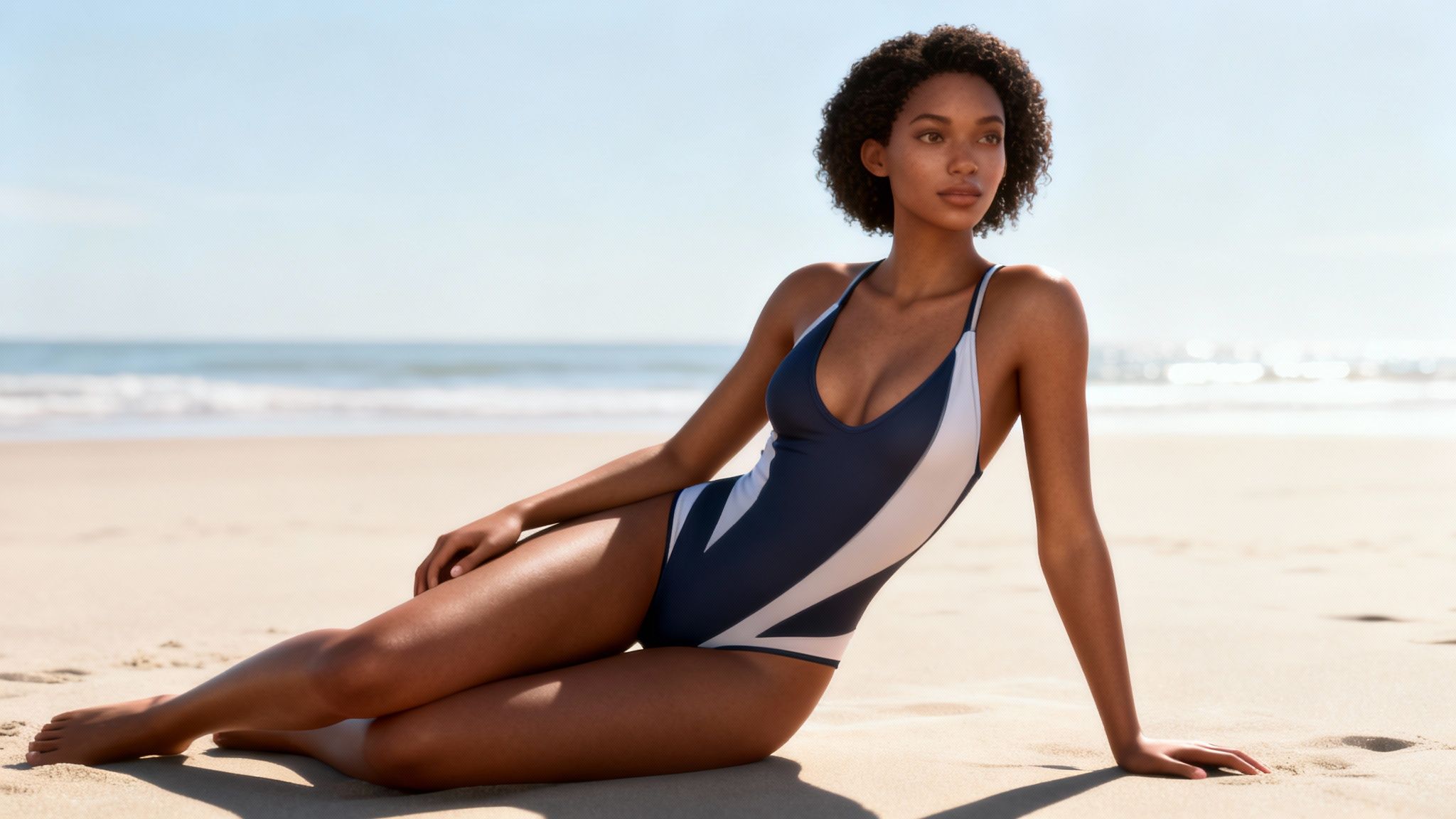
Look at a brand like Levi's. They started using AI to generate more on-model images to supplement traditional photoshoots. Why? To show their jeans on a much wider range of body types and ethnicities. It's a smart way to boost representation and connect with a more diverse customer base.
How Virtual Models Transform Product Feeds
It usually starts with a simple flat-lay or ghost mannequin photo. From there, AI platforms like Picjam can intelligently wrap that garment onto a virtual model, ensuring the drape, fit, and texture look authentic.
This shift from a physical to a virtual studio hits the budget in a big way. You immediately cut the biggest line items in content production:
- Model Fees: Say goodbye to day rates, agency fees, and complicated usage rights.
- Photographer & Studio Costs: No need to book expensive photographers or rent gear.
- Location Scouting & Travel: Generate any backdrop without ever leaving your desk.
The savings are huge. A single-day lifestyle shoot can easily run $10,000 or more. AI tools can churn out a wider variety of high-quality visuals for a fraction of that, opening creative doors for smaller brands.
Curious to learn more? Our guide breaks down exactly what is a virtual model and how this tech is reshaping fashion marketing.
Craft Aspirational AI-Powered Lifestyles
It’s not just about putting products on models. AI is fantastic at building out entire lifestyle scenes that tell a story.
Think of a brand like Reformation, with its breezy, romantic vibe. Instead of flying a crew to the Amalfi Coast for a swimwear line, they could take a studio shot of a bikini and generate a scene with a model wearing it on a sun-drenched Italian beach.
That change transforms a product photo into an aspirational moment. The customer isn't just looking at a swimsuit; they're buying into the feeling of that vacation. For more on this, explore top AI-driven ad creative generation techniques.
Manual vs. AI-Powered Lifestyle Shoot Cost Comparison
The difference is staggering. The AI approach eliminates almost all variable costs, replacing them with a predictable subscription fee while delivering far more creative flexibility.
Takeaway
One of the biggest reasons for online returns is uncertainty. Shoppers want to see a product from every conceivable angle. This is another area where AI is a game-changer.
You can take a single, front-facing product shot and use AI to generate realistic side, back, and three-quarter views. This gives shoppers the full 360-degree perspective they crave, building trust and tackling the "fit uncertainty" that kills conversions and drives up return rates.
How to Optimize Images for Faster Load Times and Better SEO
Getting the shot is only half the battle. The final step is optimizing that image so it loads lightning-fast and gets discovered by search engines.
Think about brands like Farfetch. Their product images are crisp, yet pages load in a blink. We've all bounced from a slow-loading site, and the data backs it up: a mere 1-second delay in page load time can slash conversions by 7%.
Meet the Demands of Marketplaces and Platforms
Every sales channel plays by its own rules. Whether you're on Amazon or Shopify, you'll find a specific rulebook for image dimensions, file size, and formats.
For instance, Amazon's specific product image requirements are notoriously strict about pure white backgrounds (RGB 255, 255, 255), minimum pixel dimensions for zoom, and approved file types.
Here’s a quick breakdown of what to focus on:
- File Formats: JPEG has been the workhorse for years, but WebP is the new king. It delivers fantastic quality at a much smaller file size.
- Dimensions & Size: Aim for 2000px on the longest side for crisp zoom. The trick is to get that resolution while keeping the file size under 500KB.
Manually resizing and compressing an entire catalog is a soul-crushing task. AI tools can batch-process entire collections to meet multiple platform specs at once. For more, see our guide on the best export settings for Lightroom and Instagram.
Nail Your SEO for Visual Search
Your product images are powerful SEO assets. They can pull in organic traffic from Google Images and other visual search engines. It all starts with the filename and ALT text.
Uploading an image named IMG_4057.jpg is a massive missed opportunity. Instead, create a descriptive, keyword-rich filename.
A simple, effective filename looks like this: brand-product-name-color.jpg. A blazer from Zara becomes
zara-linen-blazer-beige.jpg. It's a small habit that makes a huge difference.
ALT text is just as critical. It's what screen readers use to describe the image and gives search engines vital context. Write clear, natural descriptions, like: “Woman wearing a beige Zara single-breasted linen blazer.”
Takeaway
Technical optimization is one thing, but strategic optimization is where the money is. How do you know which image will convince a customer to click "buy"? You test it.
Try testing a standard studio shot on a clean white background against an AI-generated lifestyle image. Imagine a brand like Reformation comparing a dress on a ghost mannequin to the same dress on a virtual model sipping coffee at a Parisian café.
By tracking metrics like click-through rates and add-to-cart actions, you get hard data on what your audience actually wants to see. This data-driven cycle proves the direct link between imagery and sales.
Takeaway
We've covered a lot of ground, from prepping a shoot to A/B testing final images. Let's boil it down to 3 actionable steps you can take right now.
1. Find and Fix Your Biggest Time-Suck
First, get honest about your process. Where do things grind to a halt? Is it manually cutting out backgrounds or the endless back-and-forth trying to nail consistent color tones?
Pinpoint that one major bottleneck. Once you know what it is, find an AI tool built to solve that exact problem and give it a shot. For a brand like Reformation, automating background removal alone could free up dozens of hours.
2. Create a "Good Enough" Style Guide
Consistency makes a product page feel professional. Before your next shoot, pull together a simple, one-page style guide with the absolute essentials. Look at a top performer in your niche, like ASOS, and make notes.
Your guide should be practical:
- Lighting map: A quick sketch showing where your key and fill lights go.
- Camera cheatsheet: The exact aperture and white balance you always use.
- File naming rules: A simple
Brand_SKU_Angle_Version.filetypeformat.
This document becomes your baseline, ensuring every shot starts from a consistent place and making the editing process faster.
3. A/B Test One AI Lifestyle Shot
Pick your hero product. Now, use an AI tool to generate a single, aspirational lifestyle shot for it. If you sell swimwear, picture it on a stunning beach in Bali. If you’re in outerwear, maybe it’s a model against a crisp, urban backdrop.
Run a simple A/B test on that product page. Pit your classic studio shot against this new AI lifestyle image for one week. Keep a close eye on engagement and add-to-cart rates. It's a low-cost experiment that gives you real data on what visuals move the needle.
Ready to see what you could save? Compare your current photography costs with Picjam’s AI-powered solution using our savings calculator.
Got Questions? We've Got Answers
Stepping into AI-powered ecommerce photo editing can feel like a whole new ballgame. Here are some of the most common questions we hear from fashion brands.
How Much Should I Budget for Photo Editing Per Product?
It completely depends on how you're doing it now.
If you're going the manual route, you're likely paying anywhere from $2 to $25 per image. For one product with 8 shots, you're looking at a bill between $16 and $200.
AI flips that model. Instead of paying per photo, platforms like Picjam work on a subscription. Your cost per product plummets as you shoot more, giving you a predictable monthly spend and massive savings.
What Are the Make-or-Break Edits for Fashion?
A few edits are absolutely non-negotiable in fashion. These are the details that directly boost sales and cut down on returns.
- Color Accuracy: Your "navy blue" dress on the screen has to be the exact same navy blue when it arrives.
- True-to-Life Fit: The photo must honestly represent how a garment drapes and fits. AI model swaps are powerful here, letting you show an item on different body types.
- A Cohesive Background: A clean, consistent background creates a professional, high-end shopping experience.
How Can a Small Brand Afford Professional-Looking Photos?
Not long ago, you needed deep pockets for photographers, models, and studios. Those days are over.
Today, emerging designers can tap into AI to get that polished, premium aesthetic without the overhead. A platform like Picjam makes professional ecommerce photo editing genuinely accessible. You can take a simple photo on a mannequin, and a few clicks later, have on-model shots and stunning lifestyle backgrounds.
Curious how much your brand could save by automating these tasks? Plug your numbers into our savings calculator and see how your current costs stack up against Picjam's AI solution.

Picjam team
The Picjam team blends AI, product, and creative expertise to eliminate the cost and delay of traditional photography for modern eCommerce brands.

