What Is Product Photography and Why It Sells in 2026
Learn what is product photography and how it drives sales. Discover key techniques and see how AI is transforming visuals for modern e-commerce brands.
By Michael Pirone, Founder of Picjam & Vidico
When a shopper lands on your product page, your photos are your digital salesperson, brand ambassador, and silent convincer — all rolled into one. For an online fashion brand, product photography isn't about pretty pictures; it's the single most powerful tool for turning a casual browser into a loyal customer.
Why Quality Photos Matter More Than Ever

Think about the last time you bought a piece of clothing online. You couldn't feel the fabric's texture or check the fit in a dressing room. You relied on the photos. That's the real job of what is product photography in e-commerce: translating the touch-and-feel experience into a compelling digital one.
For any fashion brand, from a bootstrapped DTC label to a giant like Zara, your images are the first point of contact. They must do more than show a product; they need to communicate quality, build trust, and spark desire.
With 75% of online shoppers relying on product photos to make a purchase decision, high-quality imagery is no longer a nice-to-have. It's the cost of entry.
This isn't about pointing a camera and clicking. It's a craft blending strategic lighting, sharp composition, and meticulous editing. For a hands-on walkthrough, see our guide on how to take product photos to create visuals that don't just look good but move the needle on sales.
The True Job of a Product Photo
A product photo has a bigger job than being eye-candy. It has to answer a shopper's unspoken questions, erase their doubts, and give them the confidence to click "Add to Cart."
When someone can zoom in on the knit texture of a sweater or understand the fit of a dress on a model, they're making an informed, confident decision.
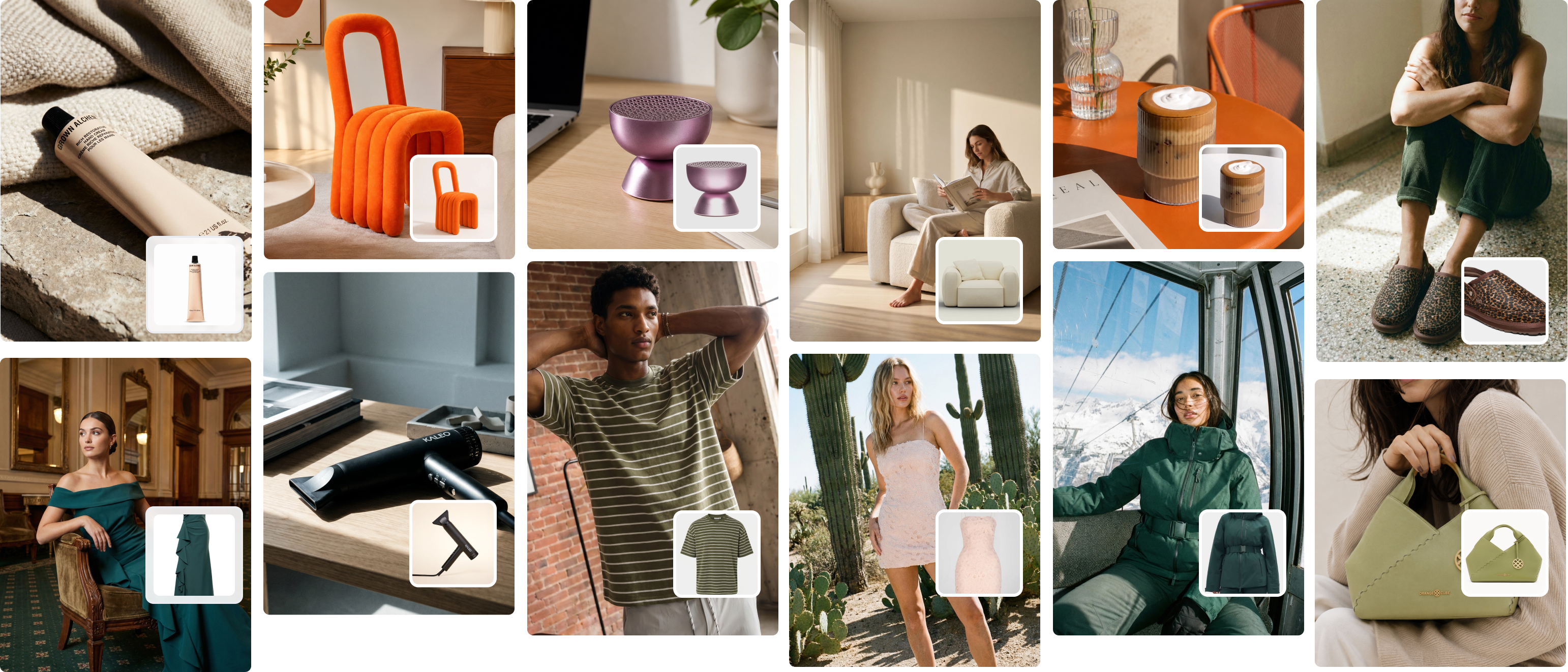
This is why brands traditionally pour so much money into photoshoots. But the traditional process — with its massive costs and long lead times — is a bottleneck for modern brands. This is where AI-driven tools like Picjam are streamlining the entire workflow. Brands can now create entire on-model campaigns from a single product shot in minutes, for a fraction of the cost.
Suddenly, creative teams can experiment, swapping out models, backgrounds, and styling with a click. It's a new way to think about producing visual content at scale.
The Core Functions of Product Photography
| Function | Description | Key Impact |
|---|---|---|
| Inform & Educate | Clearly displays a product's features, materials, color, and scale. | Reduces customer uncertainty and helps manage expectations, leading to lower return rates. |
| Attract & Engage | Grabs attention on crowded social feeds, marketplaces, and category pages. | Increases click-through rates and drives more qualified traffic to product detail pages. |
| Persuade & Convert | Creates an emotional or aspirational connection that makes the product desirable. | Boosts conversion rates by turning passive browsers into active buyers. |
| Build Brand Trust | High-quality, consistent imagery signals professionalism and credibility. | Fosters long-term customer loyalty and reinforces the brand's perceived value. |
When your images nail all 4 of these functions, you're not just selling a product; you're building a brand customers want to return to again and again.
Understanding the Essential Types of Product Photos

Great product photography isn't about a single perfect shot. It's about building a visual story with a collection of images, where each one has a specific job. For any apparel brand, mastering this visual language is key to turning browsers into buyers.
Think of it like a conversation. You wouldn't just show a customer a shirt and state the price. You'd introduce it, point out the quality stitching, and suggest how it would look for a weekend trip. Different photo types do exactly that.
The Foundation: Individual Product Shots
Your starting point is the individual product shot. These are clean, no-fuss images of your item against a neutral background. Their only job is to inform, showing the product's true shape, color, and silhouette without distraction.
These shots are the workhorses of any product page. They give shoppers an honest, straightforward look at what they're buying. They might seem basic, but their clarity builds instant trust.
The Persuader: Detail and Texture Shots
While individual shots get the facts across, detail shots are what truly persuade. These are the tight close-ups that zero in on elements that justify your product's quality and price. This is where you make the digital feel tangible.
Does your jacket have a unique bouclé texture? A close-up will show it. These images answer, "Why is this worth the money?" by highlighting craftsmanship. A McKinsey report noted that 22% of online returns happen because an item looks different in person. Good detail shots prevent this by setting clear expectations.
The Aspiration: In-Context and On-Model Photos
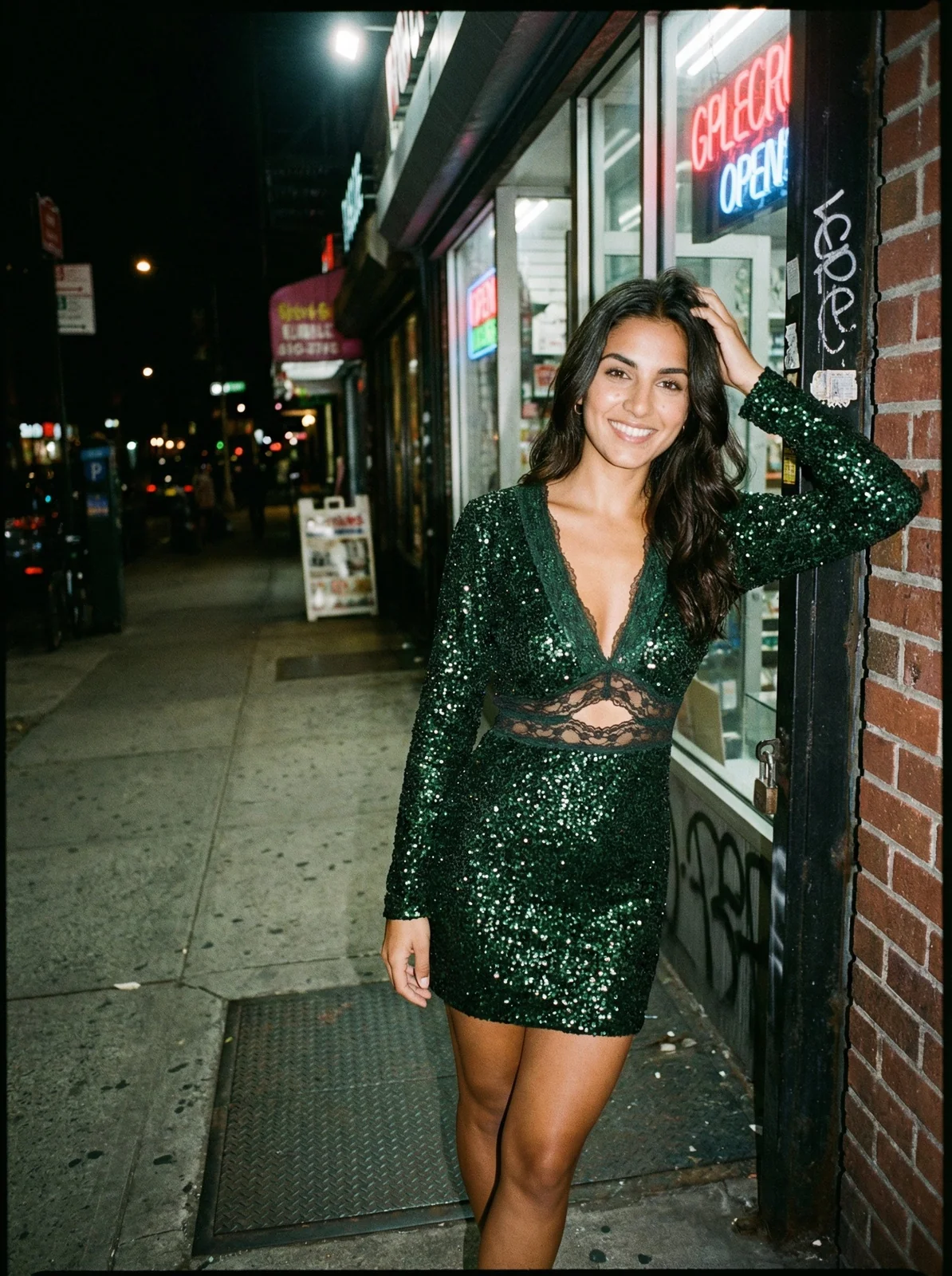
Finally, you have in-context and on-model photos, which create aspiration. These images put the product in a real-world setting or on a person, answering the customer's biggest question: "How will this look on me and in my life?"
- On-Model Shots: These are non-negotiable for apparel. They show fit, drape, and scale in a way a flat image never could.
- In-Context Shots: These place the product in a styled scene to bring a specific lifestyle to life. A brand like Totême uses moody scenes to link its clothing with modern sophistication.
The goal isn't just to display an item; it's to help the customer visualize it in their own world. When they can picture themselves wearing your jacket, the desire to buy becomes personal.
AI platforms are completely changing this game. With a tool like Picjam, creative teams can now take a single product photo and generate every variation they need — from on-model shots to lifestyle scenes. This gives brands incredible creative freedom and speed. For a deeper look, check our guide on types of product photography.
How Great Images Directly Boost Your Sales and Brand
In e-commerce, your product photos are your most powerful sales tool. They draw a straight, measurable line between what a customer sees and what they buy. The data is clear: professional visuals are essential.
Sharp, well-lit imagery sends a powerful signal of credibility and professionalism. It tells a shopper you're a serious brand they can trust. When a product is presented without ambiguity, it melts away buyer hesitation.
Translating Visuals into Revenue
Great product photography isn't an expense; it's a high-return investment. Compelling visuals stop the scroll on crowded social feeds, make products feel more valuable, and give shoppers the confidence they need.
This isn't just a hunch; it's backed by hard numbers. Brands that upgrade their photography almost always see a significant sales lift. Considering 75% of global online buyers rely on images to make a judgment, it's no surprise better photos lead to better conversions.
What's more, a staggering 22% of returns come from items not matching their pictures, according to a detailed report. That's a huge, costly problem that accurate imagery can fix.
Increasing Conversions and Reducing Returns
Every fashion founder knows the sting of a high return rate. Returns don't just eat into revenue; they create logistical nightmares that destroy profit margins. A huge reason is a mismatch between what a customer expects and what they get.
This is where exceptional product photography becomes your best defense.
- Setting Accurate Expectations: Clear photos of fabric texture, true-to-life color, and on-model fit show customers exactly what they're receiving. This slashes "not as described" returns.
- Building Purchase Confidence: When a shopper can see a garment from every angle and visualize the fit, their confidence soars. That confidence is a direct line to conversion.
Your visuals do the heavy lifting to bridge the gap between the digital screen and the physical product. The better they do that job, the more your conversion rates will climb. You can learn more about how to improve e-commerce conversion rates.
The ROI of AI-Powered Visual Production
Traditionally, getting this quality meant crippling costs. The price of studios, photographers, models, and post-production could drain a small brand's budget. For fast-moving brands, this old model doesn't work.
This is where the ROI of AI-powered platforms becomes impossible to ignore.
By transforming a simple product shot into a complete on-model photoshoot, tools like Picjam give every brand access to high-end visuals. This allows emerging brands to compete visually with industry giants without the painful overhead, saving them significant time and money.
The efficiency boost is massive. Instead of waiting weeks for edited photos, you can generate an entire campaign's worth of assets in minutes. This speed doesn't just save money — it makes your marketing more agile.
Key Techniques for Scroll-Stopping Product Images
Ever wonder what makes one product photo work while another falls flat? It's not about the camera. It's about mastering the techniques that separate amateur shots from professional, sales-driving images.
Understanding the core principles of light and composition is a game-changer. It means you can create compelling images yourself or, even better, tell an AI exactly what you want it to create.
Harnessing Light to Set the Mood
Lighting does more than make your product visible — it makes it feel like something. The style of light you choose is a shorthand for your brand's personality.
Soft, Diffused Light: This is the bread and butter for most e-commerce. It wraps around the product, creating gentle shadows and even tones. Brands like Everlane nail this to create a clean, modern aesthetic.
Hard, Dramatic Light: On the flip side, a single, strong light source creates deep shadows and stark contrast. This is your bold, cinematic choice. It can create a moody, high-fashion vibe that screams confidence.
In the past, getting these looks required a studio full of expensive gear. While there are many affordable product photography tips, achieving consistency remains a challenge for many brands.
Using Composition to Guide the Eye
Composition is the art of arranging things in your photo to tell a story. It's how you decide where a person looks first.
A classic example is the rule of thirds. Imagine your image split into a 3x3 grid. Placing your product along one of the lines or where they cross instantly makes the photo feel more dynamic.
Another powerful tool is using leading lines. In a lifestyle shot, this could be a road or a railing that acts as a natural pointer, drawing the eye directly to your product.
These aren't just artsy rules; they are psychological tools. They help you build a visual hierarchy that ensures a customer sees the most important features first.
Replicating Pro Techniques with AI
Not long ago, getting the perfect lighting and composition for every shot was a slow, expensive process. Now, AI platforms like Picjam can replicate these sophisticated styles in seconds.
You can upload one basic photo and instantly generate a dozen variations — one with soft lighting for your product page, and another with dramatic shadows for a social media ad. The AI understands compositional rules, so it can intelligently place your product in scenes with natural leading lines or perfect balance.
This gives your brand access to professional-grade results that once required an entire creative team. It's not just about saving money; it's about giving your brand the creative firepower to build a compelling visual identity at scale.
How AI Streamlines Modern Photography Workflows
The fashion industry has long been chained to a slow, expensive, and logistically messy photography process. For brands needing to move at the speed of e-commerce, this old model is a massive bottleneck.
A shift is happening. Agile, AI-powered content creation isn't just a trend; it's a necessary evolution for saving time and money. Savvy brands now use AI to create entire photoshoots from a handful of basic product images.
This new workflow collapses the production timeline from weeks into minutes. It swaps physical limitations for digital freedom, letting creative teams test concepts with unbelievable speed.
The Traditional Workflow vs. The AI-Powered Approach
The difference between the old and new ways is night and day. The traditional path is linear, rigid, and bleeds money at every step.
The Conventional Photoshoot Process:
- Pre-production: A marathon of concept development, hiring a crew, casting models, and securing locations.
- The Shoot: A high-pressure day where reshoots are too expensive.
- Post-production: Weeks of sifting images, followed by extensive retouching and color correction.
- Launch: By the time assets are ready, weeks or months have passed.
The AI workflow, on the other hand, is fluid and iterative. With a platform like Picjam, a brand can take a simple product photo and instantly generate hundreds of on-brand variations.

This infographic shows how AI can automate the professional lighting, composition, and mood-setting techniques that once required a full studio and crew.
Practical Benefits for Modern Fashion Brands
This new approach delivers real business advantages. Brands can now operate with an agility that was fantasy just a few years ago.
- Launch Campaigns Faster: Create assets for a new collection in a single afternoon, not over several weeks.
- Test More Creative Concepts: A/B test different models, backgrounds, and styling to see what resonates with your audience.
- Showcase Authentic Diversity: Instantly generate on-model photos with a wide range of ethnicities, ages, and body types.
- Achieve On-Brand Consistency: Apply a consistent look across thousands of SKUs with automated background swaps and lighting adjustments.
To see what this looks like at scale, check out how one brand managed to optimize 20k products with AI, a perfect example of the massive efficiency now within reach.
The real power of AI here is its ability to remove friction from the creative process. It empowers marketers to think like creative directors, experimenting without the fear of budget overruns.
For any forward-thinking fashion brand in 2026, adopting this technology is no longer a question of if, but how fast.
If you're ready to go deeper, you can learn more about AI product photography in our dedicated article.
Takeaway
Here are 2–3 actionable learnings you can use today to turn your product photography into a real growth engine for your brand.
Treat Photography as a Sales Tool
It's easy to see photography as just another cost. That's a mistake. Your product images are your best salesperson, working 24/7 to inform, persuade, and convert. Shift your mindset, and every visual decision becomes a sales decision.
Build a Complete Visual Story
A single photo can't do all the work. A great product page uses a strategic mix of photo types: clean individual shots, detailed close-ups, and aspirational on-model images. This combination answers questions before they're asked and builds the confidence needed to click "add to cart."
Explore AI to Gain a Competitive Edge
The future of fashion content is powered by AI. For brands looking to stay competitive in 2026, exploring tools like Picjam isn't just an option — it's essential for saving time and money.
AI gives you the power to slash production costs, test more creative ideas, and maintain a level of visual polish that was once only possible for the biggest names in the industry.
Wondering what that looks like in real numbers? Use our savings calculator to compare Picjam with your brand's current photography cost and see how much you could reallocate to growth.
Frequently Asked Questions
Here are some of the most common questions we hear from apparel brands, along with our straightforward answers.
How Many Photos Should I Have Per Product?
There's no single magic number. The real goal is to visually answer every question a potential customer might have. A solid starting point is 5–8 high-quality images per product.
Think of your photo lineup like this:
- Front, Back, and Side Views: These are non-negotiable.
- A 45-Degree Angle Shot: This gives a better sense of dimension.
- Detail Shots (1-2 images): Zoom in on unique textures or quality hardware.
- On-Model or In-Context Shot: This is critical for demonstrating fit and creating aspiration.
The more visual information you provide, the more confident a shopper will feel.
How Does Product Photography Affect SEO?
Product photography has a huge, indirect impact on your search engine optimization. Google pays close attention to user interaction and image metadata.
Here's how it works:
- User Engagement Signals: High-quality photos make visitors stay longer, lowering your bounce rate and increasing time on page — both are powerful signals to Google.
- Image Alt-Text: This is the text description you give an image. A descriptive alt-text like "women's-blue-cashmere-turtleneck-sweater" helps your image show up in Google Images search.
- Descriptive File Names: Naming your image
IMG_8457.jpgis a missed opportunity. A keyword-rich file name likeblack-leather-crossbody-bag.jpgis another clear signal to search engines.
Is a Smartphone Good Enough for Product Photography?
Modern smartphones have ridiculously capable cameras. If you're starting out, they can capture basic product shots, especially with great lighting.
However, the real challenge isn't taking one good photo. It's producing a large volume of consistent, high-quality images that feel like they belong to your brand. This is where smartphones fall apart.
Relying on a smartphone almost always leads to inconsistencies in lighting and angles. The post-production work to fix those inconsistencies can become a massive time-suck.
This is precisely the problem that AI platforms like Picjam were built to solve. You can take one simple product shot — even from your smartphone — and use it to create a suite of perfectly consistent, professional-grade images. The AI handles the lighting, background, and model generation, giving you studio-quality results without the studio.

Picjam team
The Picjam team blends AI, product, and creative expertise to eliminate the cost and delay of traditional photography for modern eCommerce brands.