
The Complete Guide to 360 Product Photography for Immersive Visuals
Master 360 product photography with a practical guide to setup, lighting, and angles that boost engagement and sales.
When a customer lands on a Reformation product page, they’re not just looking at a dress — they're imagining the fabric's feel, its movement, and how it will fit their body. This is the gap that 360 product photography fills, transforming passive browsing into an interactive, digital fitting room.
It moves beyond static images to show every angle, seam, and detail.
For years, creating these immersive visuals was a complex and expensive ordeal. But that’s changing fast. AI-powered tools like Picjam are flipping the script, letting brands generate dynamic, interactive visuals without the classic studio headaches and high costs.
Why 360° Views Drive Sales and Reduce Returns
A flat, static image can't do justice to the drape of silk or the structured tailoring of a blazer. This visual disconnect is a massive contributor to high return rates in fashion eCommerce.
Shifting to 360-degree views isn't a gimmick; it's a strategic move to build shopper confidence and boost key metrics. It’s about giving customers the visual information they need to click "add to cart."
The Financial Case for Immersive Visuals
The numbers tell a clear story. The market for 360-degree product photography solutions is projected to grow from USD 3.51 billion in 2025 to USD 16.22 billion by 2033, according to a Data Insights Market report.
That leap reflects a compound annual growth rate of 22.8%.
This is a direct response to a fundamental shift in shopper expectations. They demand more detail before they are willing to spend.
By letting a customer virtually "handle" a product — spinning it around to see every seam, texture, and detail — 360° views cut through the guesswork that leads to abandoned carts and profit-eating returns.
For fashion brands, the benefits are tangible:
- Deeper Engagement: Interactive visuals keep shoppers on your product pages longer. More time on page means more time to appreciate your designs.
- Higher Conversion Rates: When a customer can see a garment from every possible angle, they feel more confident in their decision, which translates directly into more sales.
- Fewer Returns: A clear understanding of the fit, fabric, and silhouette before the purchase means fewer surprises when the package arrives.
Look at a brand like Ganni. They use detailed product videos and multiple angles to show the movement and feel of their pieces. This creates a premium experience that helps justify their price point. To dig deeper, check out our guide on how to improve ecommerce conversion rates.
How AI Unlocks Savings in Content Creation
Historically, the biggest roadblock to adopting 360 product photography has been the cost and time involved. A traditional shoot means booking a studio, renting a turntable, setting up complex lighting, and sinking hours into post-production.
AI platforms rewrite that expensive formula. With a tool like Picjam, you can take a single flat-shot photo and transform it into a fluid 360-degree video or a full set of on-model images from multiple angles.
This approach eliminates the need for physical photoshoots, model castings, and tedious editing, unlocking massive savings. It gives brands the power to create high-quality, immersive content at a scale that was previously unimaginable.
How to Plan Your 360 Shoot for Maximum Impact
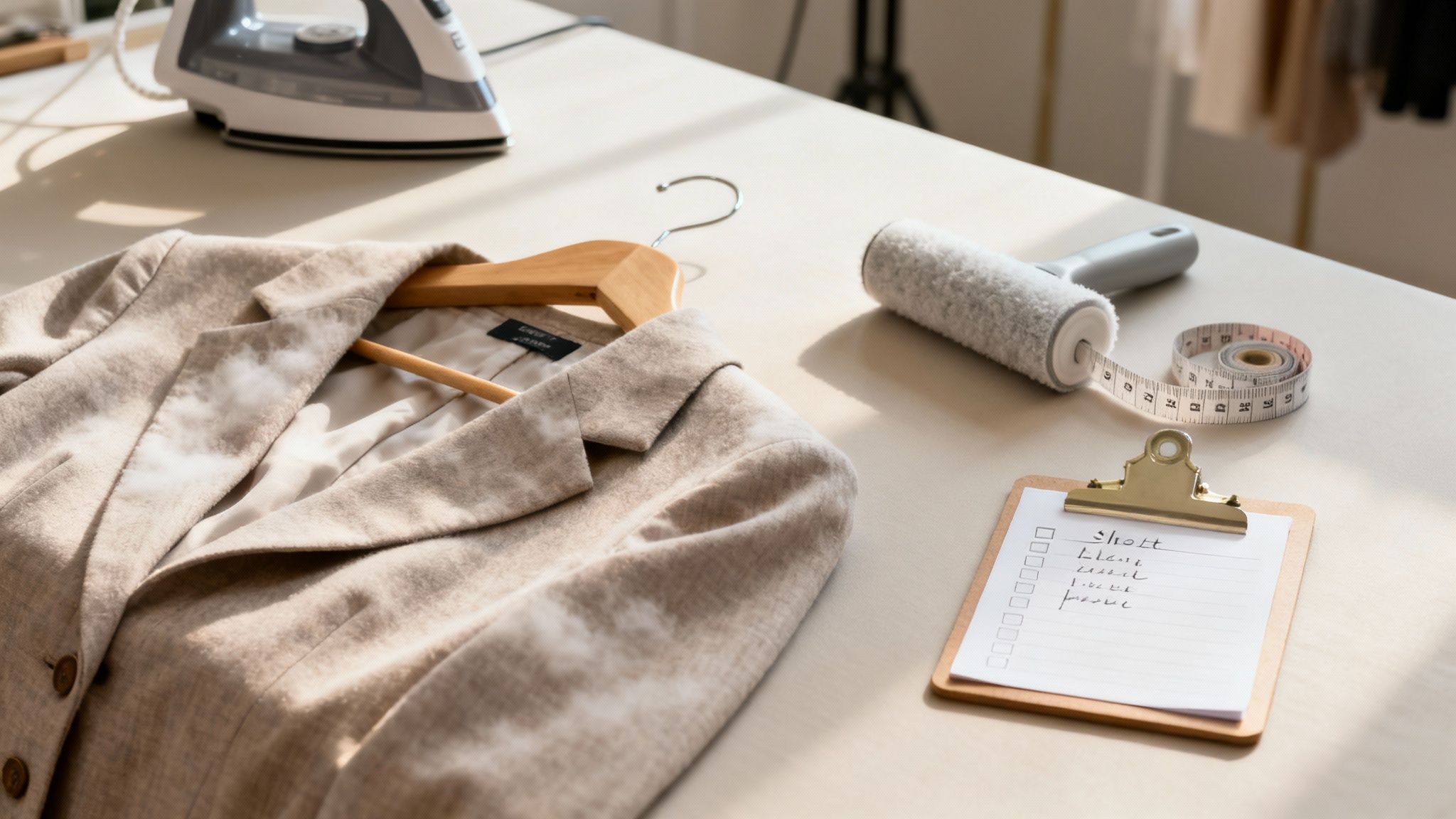
A great 360 spin is the result of careful planning. This pre-production phase lays the groundwork for imagery that not only looks great but also converts.
Think about a brand like Allbirds. They don't just shoot their Wool Runners randomly; every angle is deliberately chosen to show off the shoe's flexible material. That’s the kind of intention you need to bring to your 360 product photography.
Building a Bulletproof Shot List
Your shot list is your roadmap. It ensures every product is captured with the same quality and consistency, which is crucial when a shopper is comparing different items.
First, decide on the number of frames. 24 frames is a solid starting point for a smooth spin. For high-end apparel, bumping that up to 36 or even 72 frames can create a more fluid, premium experience.
For each garment, your shot list needs to be specific:
- Product SKU: This is non-negotiable for keeping your files organized and linking them correctly in your eCommerce platform.
- Garment Type: You wouldn't style a structured blazer the same way you'd style a flowy silk blouse.
- Key Features to Highlight: Note any special details — custom buttons, intricate embroidery, or a unique fabric texture.
- Styling Notes: Should a jacket be shot open, closed, or both? Does a dress have a tie-back that needs to be featured? Get it all down.
As the saying goes, "Every minute spent in planning saves ten minutes in execution." A flimsy plan leads directly to inconsistent visuals and wasted time.
Garment Selection and Meticulous Prep
The camera sees everything — especially the tiny imperfections you might miss with the naked eye. The final quality of your 360 product photography is directly tied to how well you prep each garment.
Picture a brand like Reformation, famous for its elegant dresses. If one of their dresses showed up online with wrinkles or a stray thread, it would instantly cheapen the product in the customer's mind.
Your prep workflow has to be airtight:
- Selection: Pull the best-looking version of each product from your inventory. Inspect it for any manufacturing defects, loose threads, or small stains.
- Steaming and Ironing: Every wrinkle has to go. Use a good quality steamer and pay extra attention to seams, collars, and hems.
- Lint Rolling: Right before it goes on the mannequin or model, give the entire garment a once-over with a lint roller.
- Styling for Consistency: This is key for a cohesive look. Make sure sleeves are cuffed to the same length and collars are styled identically on every similar item.
How AI Can Streamline Pre-Production
The planning stage is also where modern tools can give you a serious leg up. Before you commit your budget to a full-scale studio shoot, AI can help you test ideas.
Tools like Picjam let you generate multiple angles or on-model shots from a single flat-lay photo. This gives you a virtual preview of how a garment will look, helping you refine your shot list and styling notes before you spend a dime on studio time.
How to Dial In Your Studio and Equipment
To get a flawless 360° spin, you need a rock-solid technical setup. The traditional studio approach is all about precision hardware and a controlled environment.
The Core Equipment Checklist
For any brand bringing production in-house, investing in the right equipment is essential for high-quality, consistent product shots.
- Camera: You'll need a DSLR or mirrorless camera with full manual control and the ability to shoot in RAW format.
- Tripod: A heavy-duty, stable tripod is a must to eliminate camera shake and ensure every frame is perfectly aligned.
- Motorized Turntable: This is the heart of any 360 product photography rig. A programmable turntable automates the rotation, snapping photos at exact intervals.
- Lighting Kit: A basic kit should have at least 2 lights, stands, and diffusers (like softboxes) to create soft, even light.
To really get a handle on your setup, it helps to understand the mechanics of 360 cameras. For a deeper dive into gear, see our guide on essential product photography equipment.
Lighting And Camera Settings For Fashion
In fashion, where texture and color accuracy are everything, your lighting and camera settings are critical.
Take a brand like Everlane. To show off a cashmere sweater's texture, they'd use large softboxes to create diffuse light that minimizes harsh shadows. For a sequined dress, a harder light source would create bright highlights that make the sequins pop.
Here are a few baseline camera settings to start with:
- Aperture: Begin with a narrow aperture, like f/8 to f/11, to keep the entire garment in sharp focus.
- ISO: Keep the ISO as low as possible, usually 100 or 200, to avoid grainy digital noise.
- Shutter Speed: With your camera on a tripod, you can use a slower shutter speed. Adjust it until you get the perfect exposure.
The Cost of Tradition vs. The Efficiency Of AI
The old-school, hardware-heavy approach works, but it comes with serious costs beyond the equipment. You have to factor in studio space, photographer fees, and time on set.
This is where AI-powered solutions change the game. An AI tool like Picjam eliminates the need for most of this physical setup. A brand can upload a single photo and generate a full 360-degree spin or on-model shots in minutes.
The savings are immediate. You're not renting a studio, buying thousands of dollars in gear, or spending hours on repetitive captures.
Traditional Setup vs AI-Powered Alternatives
The shift from a hardware-heavy process to a software-driven one isn't just about saving money; it's about gaining speed, flexibility, and scalability.
How to Execute the Perfect 360 Capture
This is where planning becomes a real asset for your store. Getting the capture right requires precision and consistency, because every frame plays a part in the final, fluid experience.
Think about a brand like Reformation, known for its flowy dresses. A traditional 360 product photography shoot for them presents a challenge: capturing the garment’s natural movement without it swinging off-center as the turntable spins. Every single frame has to be perfectly aligned.
This simple workflow shows how the pieces come together in a traditional setup.
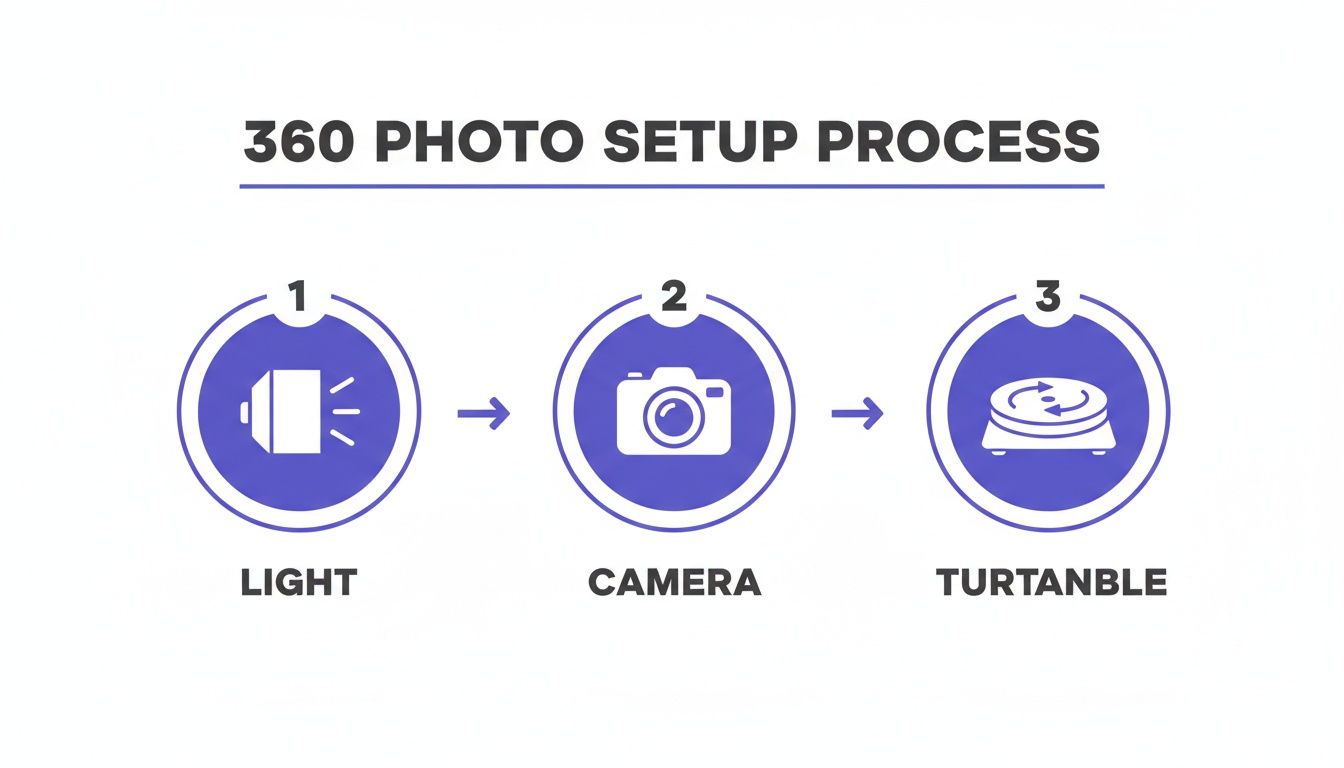
As you can see, the lighting, camera, and turntable must work in perfect sync.
Nailing The On-Set Workflow
Once your gear is locked in, it’s all about execution. First, get the product dead center on the turntable. This is straightforward for a mannequin, but a live model must hold a consistent pose while the platform rotates.
The secret to a successful capture is automation. Program the turntable to stop at precise intervals — for a 36-frame spin, that’s a stop every 10 degrees. Your camera, tethered to a computer, should be set to automatically fire at each stop.
The core challenge of traditional 360 capture isn't taking one good photo; it's taking dozens of perfectly identical photos in a sequence. Any variation will break the illusion.
Choosing Your Frame Count
The number of photos per rotation directly impacts the smoothness of the spin and the total file size. You’re always balancing smooth animation against website load speed.
Here’s the breakdown:
- 24 Frames: This is the industry standard. It provides a fluid rotation without creating a massive file.
- 36 Frames: A definite step up in quality, ideal for premium products where you want to signal a more luxurious feel.
- 72 Frames: This is the cinematic, ultra-smooth experience, typically reserved for high-ticket items like fine jewelry or detailed accessories.
For most apparel brands, 24 or 36 frames is the sweet spot.
An AI-Powered Alternative To Frame-By-Frame Capture
While the traditional method produces beautiful results, its demands on time and resources are a huge barrier. This is where a different approach comes into play.
Instead of meticulously shooting dozens of images, AI tools like Picjam let you achieve a similar result from a single photo. You can upload one flat shot and generate a 360-degree video or a series of multi-angle, on-model images in minutes.
This workflow eliminates the most time-consuming parts of the capture process. There’s no more worrying about centering the product, managing movement, or ensuring consistency across 36 different shots.
How to Turn Raw Images Into a Seamless Experience
Nailing the photoshoot is only half the job. Post-production is where static images transform into the smooth, interactive spin your customers see.
The traditional process starts by pulling all photos — often 24, 36, or more — into a program like Adobe Lightroom for initial adjustments. Consistency is key. Every frame must have the exact same color balance, exposure, and contrast.
The Art of Stitching and Retouching
After the initial color grade, the detail work begins in Photoshop. Each image is inspected for imperfections, like a speck of dust or a stray thread. For a brand like Burberry, famous for its flawless trench coats, this level of detail is non-negotiable.
Then comes background removal. To ensure the final spin looks clean on your website, each product must be perfectly isolated from its original background, frame by frame.
Once edited, the images are imported into specialized 360 product photography software. This software "stitches" the individual files together, creating the final interactive asset.
The Real Cost of Doing It by Hand
This multi-step process is not just slow; it's a huge operational cost. You’re paying for expensive software subscriptions, specialized 360-stitching programs, and the salary of a skilled photo retoucher.
According to a McKinsey report, 75% of online shoppers count product photos as a key factor in their buying decisions. High-quality visuals can lift conversion rates by as much as 30%, making post-production a high-stakes part of eCommerce.
All that manual effort creates a bottleneck, slowing down how quickly you can get new products live.
How AI Changes the Entire Workflow
AI-driven platforms like Picjam automate the post-production pipeline, turning hours of work into minutes. Instead of an editor manually tweaking dozens of photos, you upload a single image and let the AI do the heavy lifting.
The savings are baked into the process:
- Automated Background Removal: The platform instantly and accurately removes the background.
- Instant Cleanup: AI tools can intelligently spot and remove minor blemishes or imperfections.
- Angle Generation: Picjam can generate multiple new angles from one photo, creating a seamless 360 video or on-model shots without any stitching needed.
This approach cuts out the need for expensive software and dramatically reduces the reliance on manual editing. For more on this, see our guide to optimizing your ecommerce photo editing.
Common Questions About 360° Apparel Photography
We get asked these questions all the time. Let’s clear up some of the most common points about creating 360° spins for fashion.
How Many Photos Do I Really Need for a Smooth Spin?
The sweet spot is usually between 24 and 72 frames. For most apparel, starting with 24 frames is perfect. It provides a fluid rotation without bogging down your product pages with massive files.
For a more premium item, like a detailed handbag from a brand like Coach, bumping that up to 72 frames can create a cinematic-smooth experience that feels luxurious.
Can I Get Away with Doing This Without a Turntable?
Honestly? No. A manual attempt will almost always result in a jerky, inconsistent spin that looks unprofessional.
The precision of a motorized turntable is what creates that high-end finish. This is also why AI-powered solutions like Picjam are gaining ground. They can generate a flawless spin from a single photo without the need for specialized equipment.
A jerky or uneven spin can make a product feel cheap, undermining the quality of your garments. The investment in a proper turntable or a reliable AI alternative is an investment in your brand's perceived value.
Will 360° Photography Slow Down My Website?
It can if you're not careful. A slow-loading product page is a conversion killer. Success here boils down to a few critical optimizations.
- Image Compression: This is non-negotiable. You have to shrink your file sizes without sacrificing quality.
- Modern File Formats: Switch to next-gen formats like WebP, which offer the same quality as JPEGs at a fraction of the file size.
- Lazy Loading: Your 360° viewer shouldn't load the second someone lands on the page. Lazy loading ensures it only loads when a user scrolls down to it.
Takeaway
For fashion marketers looking to elevate their visual content, the path forward is clear. By blending foundational photography principles with the efficiency of AI, you can build a scalable and powerful content engine.
- Master the Fundamentals: Whether using a traditional setup or an AI platform, clean, consistent inputs always produce better outputs. There is no substitute for mastering lighting and consistency.
- Plan Meticulously: A detailed shot list that maps out every angle, styling choice, and key feature will save you time and money. It’s the difference between a smooth process and costly reshoots.
- Leverage AI Strategically: Modern AI tools like Picjam are strategic enhancers, not just shortcuts. They enable brands to achieve a premium visual experience without the traditional budget and timeline constraints.
Ready to see how an AI-powered workflow can transform your content production? Compare your current photography costs with Picjam using our savings calculator.

Picjam team
The Picjam team blends AI, product, and creative expertise to eliminate the cost and delay of traditional photography for modern eCommerce brands.

