7 Best AI Fashion Model Generator Free Options — Tested for Clothing Brands in 2026
Most free AI fashion model generator reviews skip the commercial rights fine print and the model consistency problem. This guide doesn't.
Your flat lay photos aren’t converting — but hiring a model costs $1,500–$5,000 per shoot, and free AI tools come with strings most reviews don’t mention.
As of 2026, an estimated 40% of all e-commerce apparel listings feature AI-generated product images, up from under 5% in 2022. Free AI fashion model generators have made this accessible to brands of any size. The catch: free plans differ wildly in what they actually allow — in resolution, commercial rights, and consistency across a catalogue. This guide cuts through the noise.
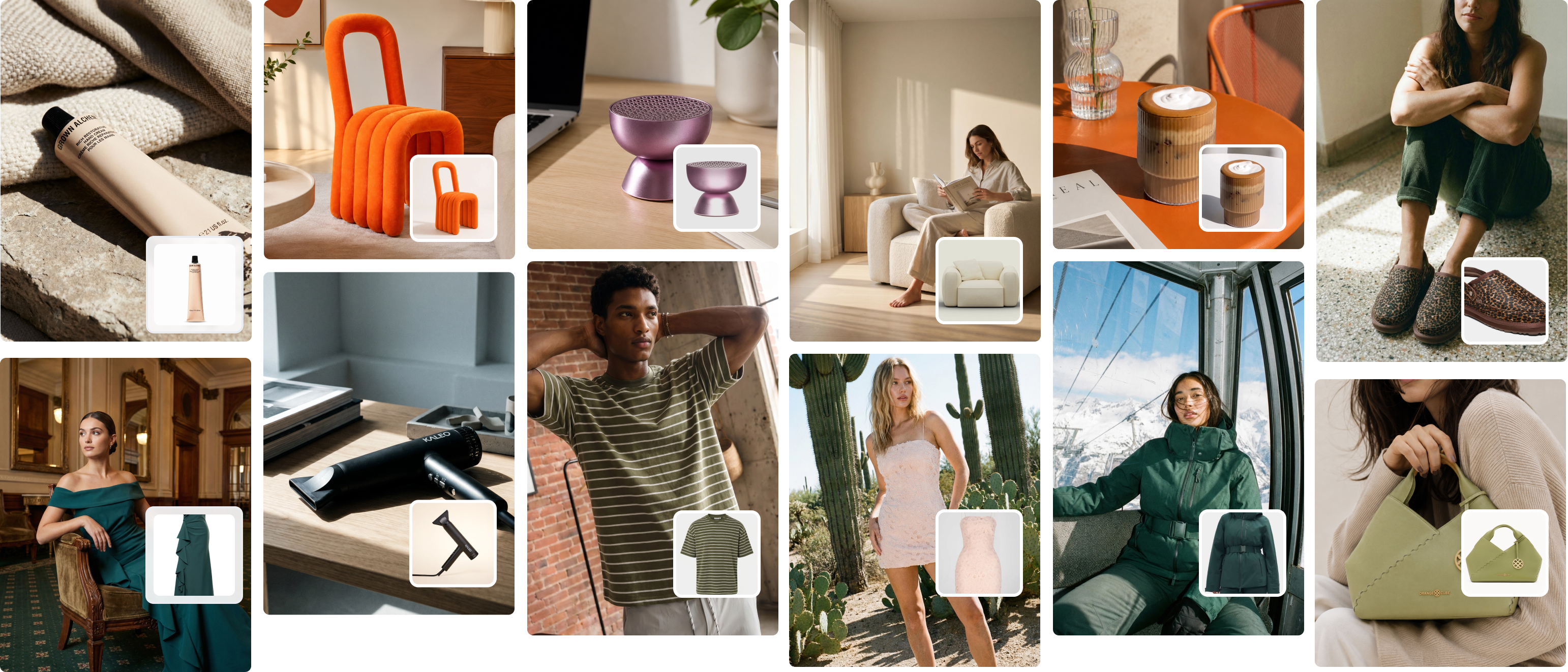
An AI fashion model generator is software that places your garment images onto realistic AI-generated human models, producing commerce-ready on-model photos without a studio, photographer, or hired model. You upload a flat lay, ghost mannequin image, or existing product photo — the tool generates a model wearing it.
What makes a good free plan for fashion brands?
Before reviewing any tool, here are the four criteria that separate a useful free plan from a testing toy:
- Commercial use rights — Can you legally publish the image on your website, Shopify store, or in paid ads?
- Watermark-free output — Is the download clean, or does it carry the tool’s branding?
- Usable resolution — Does it output at 1,000px+ (the minimum for Shopify zoom and Amazon listings)?
- Garment accuracy — Does it preserve your actual garment’s prints, logos, and fabric texture?
If a free plan fails more than two of these, it’s a concept-testing tool — not a production tool.

The free tier trap: 6 things most reviews don’t tell you
Most AI fashion model generator comparison posts do the same thing: list 7–10 tools, copy-paste pricing, and move on. What they miss is what actually happens when a fashion brand tries to run a real workflow on a free tier. After working with 1,200+ clothing brands at Picjam, here’s what we’ve seen repeatedly.
1. Daily credit caps destroy seasonal launch workflows.
Most free tiers offer 10–50 generations per day. That sounds fine until you have a new season with 80 SKUs and need 3 images per product — that’s 240 images. At 10 per day, you’re looking at a 24-day generation window. Fashion brands don’t have 24 days to produce content for a seasonal launch. Everything needs to go live simultaneously.
2. Commercial rights are buried in the terms of service.
We reviewed the TOS for all seven tools in this post. Four restrict free-tier commercial use to “personal or portfolio” purposes. That means images generated on those free plans cannot legally be used in paid social ads, on product pages, or in wholesale catalogues. This is not mentioned in most comparison posts. Always read the terms before going live with free-tier images.
3. The “free trial” vs “free plan” bait-and-switch.
Many tools marketed as “free AI fashion model generators” are actually limited free trials — 10–20 generations that expire after 7–14 days. A genuine free plan gives recurring monthly credits with no expiry pressure. The distinction matters if you want to properly test a tool before committing a credit card. In this post, we flag which is which for every tool.
4. Consistent model identity doesn’t exist on free tiers.
This is the feature gap that breaks catalogue workflows. Without a “locked model” feature — the ability to reuse the same AI face, body type, and pose settings across your entire range — every generation looks slightly different. Your product pages end up looking like they were photographed with ten different models. That confuses shoppers comparing products and increases returns. Most free tiers don’t include model consistency at all.
5. Resolution caps lock you out of Shopify and Amazon requirements.
Shopify recommends 2,048px for product images with zoom. Amazon requires a minimum 1,000px on the longest side. Free tiers on most tools max out at 512px or 800px. That’s fine for Instagram posts. It’s not sufficient for product pages where customers zoom to check fabric detail and fit.
6. Pattern and print accuracy degrades at free-tier quality settings.
Most AI fashion model generators run lower-quality inference on free plans to manage compute costs. For solid-colour basics this is fine. For garments with screen-printed graphics, embroidery, or pattern repeats, the free tier often distorts or blurs the design. Test with your actual products before assuming results will transfer.
The practical takeaway: free AI model generators are genuinely useful for testing and for brands generating fewer than 30 images per month. Once you’re past that threshold, or once you need consistent model identity across a catalogue, a paid plan pays for itself within a single product launch.
7 best free AI fashion model generators

1. Picjam — Best for fashion brands scaling past free
Free offer: Free trial — test with your actual garments, no credit card required
Paid plan: Studio $99/mo | Enterprise: book a demo
Picjam is purpose-built for clothing brands. Upload a flat lay, ghost mannequin, or existing product photo and Picjam generates on-model images with consistent face, body, and pose locked across your entire catalogue. That model consistency is the feature that breaks every other tool on this list at catalogue scale.
The free trial lets you test with your own garments — not demo images. Most tools restrict uploads at the free level. Picjam doesn’t. You’ll know within 10 minutes whether the output works for your product category.
The limit to know: the free trial has a generation cap. For a brand with more than 20–30 SKUs, you’ll hit the ceiling mid-catalogue. The Studio plan at $99/mo covers the full workflow for most growing brands — and at that price, it costs less than a single traditional model booking. See our pricing page for a full plan breakdown.
Best for: DTC brands running seasonal launches, Shopify stores with 30+ SKUs, any brand needing consistent model identity across a range.
Free tier type: Trial (not recurring monthly credits)
2. Modelia — Best Shopify integration with a recurring free tier
Free offer: Starter — 10 credits/day, 50 credits/month (recurring, no expiry)
Paid plans: From ~$29/mo
Modelia’s Shopify integration is seamless — you generate model images without leaving your Shopify admin. The Starter tier is watermark-free and includes commercial use rights, which is unusual for a free plan. For small brands with a stable catalogue of 20–30 products, 50 monthly credits can cover steady-state management.
The gap: 50 credits per month isn’t enough for seasonal launches. Model identity locking isn’t available on the free tier, so a 20-product range can look like it has 20 different models unless you manually select consistent settings each time.
Best for: Shopify brands with small stable catalogues.
Free tier type: Genuine recurring plan
3. VModel.ai — Most generous sign-up credits
Free offer: $10 in free credits on sign-up (approx. 200–500 generations, credits don’t expire)
Paid plans: Pay-as-you-go from ~$0.02/image
VModel offers no mandatory subscription and the most generous free credit grant in this list. The credits never expire, removing the trial-pressure problem. For a brand that needs to test AI model generation across a diverse product range before committing to a platform, VModel is a practical starting point.
The trade-off: VModel is a general-purpose AI tool, not fashion-specific. Standard garment types work well. Technical or complex fabrics — knitwear, sheer, embellished pieces — often show distortion on the free quality settings.
Best for: First-time testing before committing to a dedicated platform.
Free tier type: One-time sign-up credits that don’t expire
4. Pixelcut — Best watermark-free free plan
Free offer: Free plan with watermark-free downloads and explicit commercial use rights
Paid plans: From ~$9.99/mo
Pixelcut’s free plan is the cleanest for commercial use in this list: no watermarks, workable resolution, and the terms explicitly permit commercial use of generated images. Volume is the constraint — the free plan caps monthly generations to a modest number.
Pixelcut wasn’t built specifically for fashion. Solid-colour garments come out reliably. Complex pattern accuracy on screen-printed or embroidered pieces can be inconsistent. Test thoroughly before relying on it for pattern-heavy product lines.
Best for: Brands with simple, solid-colour product ranges.
Free tier type: Genuine recurring plan
5. LightX — Easiest to use free tool
Free offer: Free with daily usage limits
Paid plans: From ~$9.99/mo
LightX has the lowest learning curve of any tool in this list. Upload a garment, select a model style, generate. No prompt engineering required. Output quality on standard garments is competitive for straightforward product types. The limitation: no locked model identity, no detailed pose control, no batch processing. It’s a one-at-a-time tool for solo founders experimenting with AI imagery.
Best for: Solo founders testing AI imagery for the first time.
Free tier type: Daily credits (check current limits on their site)
6. Fotor — Best for concept imagery and mood boards
Free offer: Free with watermarked output; commercial use restricted
Paid plans: From ~$8.99/mo
Fotor’s text-to-model feature lets you describe a model and outfit rather than uploading a garment image. This works well for concept imagery and brand mood boards, but not actual ecommerce product photography — the AI generates an outfit, not your specific garment. The free plan applies visible watermarks to all outputs, which restricts commercial use.
Best for: Concept imagery and mood boards.
Free tier type: Watermarked output (not suitable for commercial use)
7. SellerPic — Best for Amazon catalogue sellers
Free offer: 20 credits/month
Paid plans: From ~$19/mo
SellerPic is specifically optimised for Amazon and Shopify listing requirements. The free tier delivers 20 credits at dimensions designed to meet Amazon’s product image specs — white background variants, correct aspect ratios, and zoom-compatible resolution. For a brand testing whether AI model imagery improves Amazon conversion before committing spend, this is the most targeted starting point.
Best for: Amazon sellers evaluating AI imagery against current listings.
Free tier type: Genuine recurring plan (20 credits/mo)
Tool comparison table
| Tool | Free images/mo | Watermark-free | Commercial use | Model consistency | Best for |
|---|---|---|---|---|---|
| Picjam | Free trial | Yes | Yes | Yes (locked) | Scaling catalogues |
| Modelia | 50 | Yes | Yes | Limited | Shopify brands |
| VModel.ai | ~200–500 (sign-up) | Yes | Yes | Limited | First-time testing |
| Pixelcut | Limited | Yes | Yes | No | Simple garments |
| LightX | Daily limit | Yes | Check TOS | No | Easy entry |
| Fotor | Limited | No | No (free) | No | Concept imagery |
| SellerPic | 20 | Yes | Yes | Limited | Amazon sellers |

How Picjam solves the scale problem when free tools hit their ceiling
Every free tool in this list has one legitimate use: testing whether AI-generated model images work for your brand and product category. For brands generating fewer than 30 images per month, free is a reasonable place to start.
The problem starts at month two or three. You’ve validated the concept — your garments look good on AI models, customers are responding, you want to re-shoot the whole catalogue. Now you need 200–450 images, all with consistent model identity, all at Shopify-compatible resolution. No free plan handles that.
One of our customers — a Melbourne-based activewear brand with around 80 active SKUs — tried three free tools over three months: Modelia’s free tier, then VModel, then LightX. By the end, their product pages featured three visually distinct “model identities” across the catalogue. Shoppers were confused about whether they were comparing different sizes or different styles. Returns on activewear were running above their category average.
They moved to Picjam’s Studio plan at $99/mo. Within two weeks, every SKU had been re-generated with a locked model identity. Within 60 days, they reported a 22% reduction in returns on that product category.
That $99 monthly spend compares to the cost of a single model booking — most brands in major Australian cities pay $400–$800 per model per day. As of 2026, the average cost of a fashion photoshoot with a model and photographer in Australia runs $2,500–$5,000 per day. A full seasonal catalogue on Picjam’s Studio plan costs less than that for the entire year.
For more on managing photography costs at scale, see our guide to understanding product photography cost in 2026 — or read the full breakdown of how an AI fashion model generator slashes e-commerce costs.

Frequently asked questions
Can I use free AI fashion model generator images commercially?
It depends on the tool — and most reviews don’t spell this out clearly. Picjam’s free trial, Modelia’s Starter tier, VModel’s sign-up credits, and Pixelcut’s free plan all permit commercial use. Fotor’s free tier restricts commercial use. LightX’s terms require checking directly. Always read the TOS before publishing free-tier images to product pages or using them in paid advertising.
Are free AI fashion model images realistic enough for ecommerce product pages?
For standard garments — T-shirts, dresses, pants, jackets — yes. The best free tools in 2026 produce images difficult to distinguish from studio photography at typical screen sizes. The main failure points are: complex fabric textures (sheer, heavily knitted), garments with small printed text or intricate embroidery, and resolution — many free tiers cap output below the minimum for Shopify and Amazon zoom functionality.
What is the difference between a free trial and a free plan for AI fashion model generators?
A free trial gives you a limited number of credits that expire after a fixed period (usually 7–14 days). A free plan gives you recurring credits each month with no expiry pressure. For meaningful testing, a free plan is far more useful. VModel.ai’s sign-up credits never expire. Modelia’s Starter tier renews monthly. Picjam offers a trial — more credits than most, but with a ceiling.
How does consistent model identity work in AI fashion model generators?
Most free-tier tools generate a new model variation for each image, even with similar settings. A 40-product catalogue can look like it features 40 slightly different models. “Locked model identity” — saving and reapplying a specific model’s face, body type, and pose style — is a paid-tier feature on most platforms. Picjam includes it at the Studio level. For any brand building a coherent visual catalogue, this is one of the most commercially meaningful features to evaluate.
Which free AI fashion model generator is best for Shopify?
Modelia has the smoothest Shopify integration — it runs directly inside your Shopify admin and offers watermark-free commercial images on its free tier. For brands with larger catalogues or who need model consistency across a full range, Picjam connects to Shopify and handles batch catalogue generation at scale. See the modeling for clothing brands playbook for more on structuring your content workflow.
Bottom line
Free AI fashion model generators are a legitimate starting point. Picjam’s free trial, Modelia’s 50-credit monthly plan, and VModel’s never-expiring sign-up credits are the three most genuinely usable free options for clothing brands in 2026 — they deliver watermark-free, commercially usable images without requiring a credit card.
They have a ceiling. Daily limits, inconsistent model identity, and resolution caps mean most growing fashion brands outgrow free tools within 60–90 days of serious use. The time spent managing fragmented free tools and correcting inconsistent outputs typically costs more than the price difference to a dedicated paid plan.
If you’re running more than 30 SKUs or launching seasonal collections, Picjam is the most defensible choice. With 4.3 stars on Trustpilot and a 4.7-star rating on the Shopify App Store, it’s what clothing brands rely on when content quality actually affects conversions.
Ready to see what your products look like on AI models — using your actual garments, not demo images?
Try Picjam free — generate on-model photos from your flat lays today →

Michael Pirone
Co-Founder