The Ultimate Guide to Shopify Product Image Size
Master the optimal Shopify product image size for fashion. Our guide covers dimensions, file types, and AI-powered tips to create high-converting visuals.
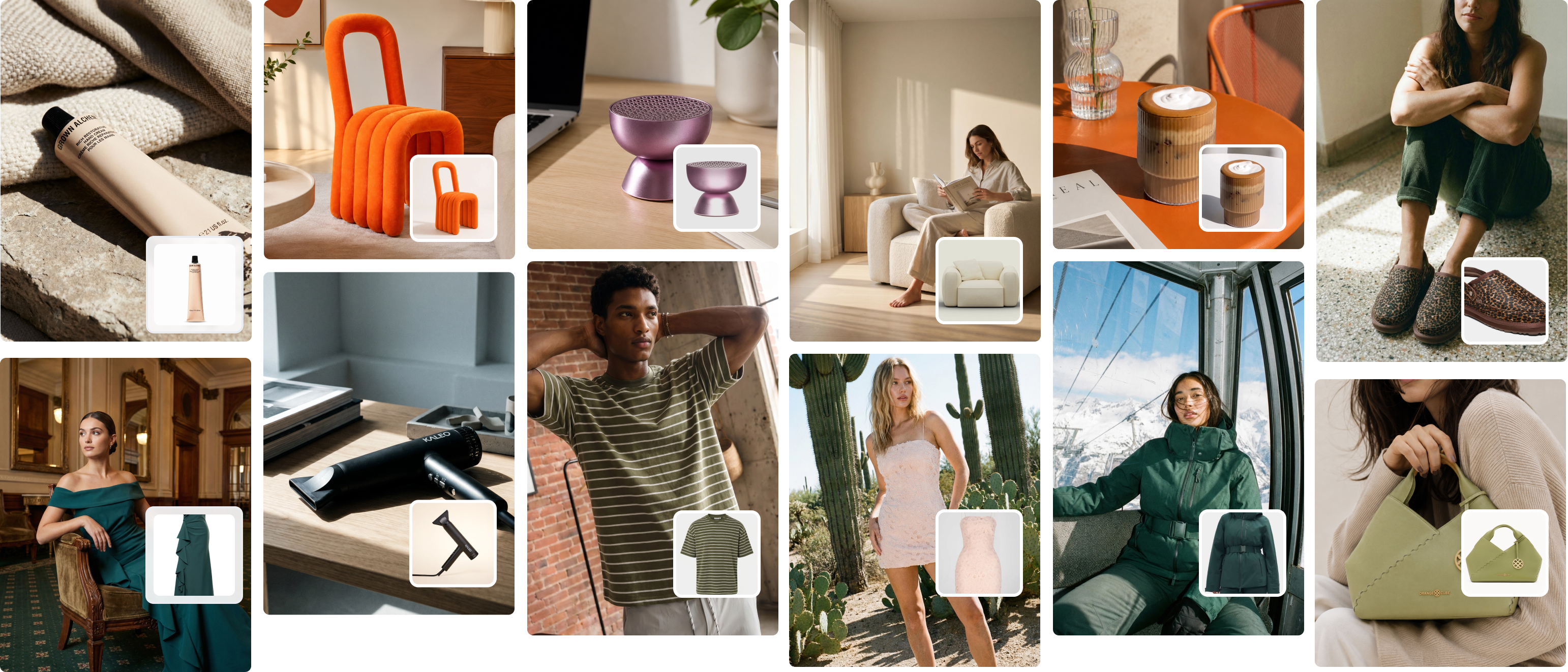
When luxury fashion brand Anine Bing displays a new collection, every product photo is perfectly consistent. This isn't just good design — it's a deliberate strategy that signals quality and builds immediate trust. For any Shopify store, the gold standard for a product image is 2048 x 2048 pixels, a square format that’s essential for showing high-resolution detail and enabling powerful zoom features.
Slow-loading pages and blurry photos are silent conversion killers. They make customers hesitate, questioning your brand's credibility right at the moment they should be clicking "add to cart."
Platforms like Picjam can now generate an entire catalog of studio-quality, on-model photos sized perfectly to this standard, transforming a traditional cost center into a competitive advantage. The right shopify product image size is the foundation of a great customer experience.
Why 2048 x 2048 Pixels Drives More Sales
For any fashion brand, the 2048 x 2048 pixel square image (a 1:1 aspect ratio) should be your non-negotiable starting point. A McKinsey report highlighted that strong visual merchandising can increase conversion rates by up to 80%. This specific dimension is Shopify's top recommendation because it hits the perfect sweet spot between stunning detail and solid performance.
An image this large is powerful enough to enable crystal-clear zoom on high-resolution displays, letting your customers get up close and personal with the texture of a knit sweater or the elegant drape of a silk dress.
The best part? Shopify does the heavy lifting by automatically creating smaller versions of your images for different uses, like thumbnails and mobile-friendly views.
When you start with a high-quality, 2048 x 2048 pixel source file, you guarantee that every single version looks sharp. This is the kind of consistency that separates professional brands from amateur storefronts. It's one of those small optimizations that can dramatically how to improve ecommerce conversion rates.
How AI Slashes Your Content Creation Costs by 70%
In the past, creating a full library of perfectly sized, on-model images was a massive undertaking. It meant booking studios, hiring photographers and models, and getting bogged down in weeks of post-production.
This is where AI-powered platforms deliver a huge financial advantage, generating an entire catalog of studio-quality, on-model photos that are perfectly sized to the 2048 x 2048 pixel standard in minutes, not weeks.
Just upload a single flat-lay photo of your product, and you can create hundreds of diverse, on-brand visuals without the traditional photoshoot overhead. We're talking thousands of dollars in saved production costs.
Expert analysis shows that stores with properly optimized images can load up to 34% faster, which has a direct and positive impact on sales. Understanding how shopify product image size impacts your store's performance is a critical piece of your overall strategy; for a deeper dive into visibility, consult this comprehensive e-commerce SEO marketing guide.
How to Optimize Images for Every Customer Touchpoint
A premium brand experience is all about consistency. Brands like SKIMS are masters at this, creating a seamless shopping journey where uniform, high-quality imagery guides you along effortlessly.
This visual harmony isn’t just about looking good — it builds trust and makes your brand feel legit.
To pull this off, you really need to nail four essential types of images. Each one has a specific job and its own ideal shopify product image size. This flowchart breaks down exactly how image size, quality, and loading speed all tie directly back to your sales.
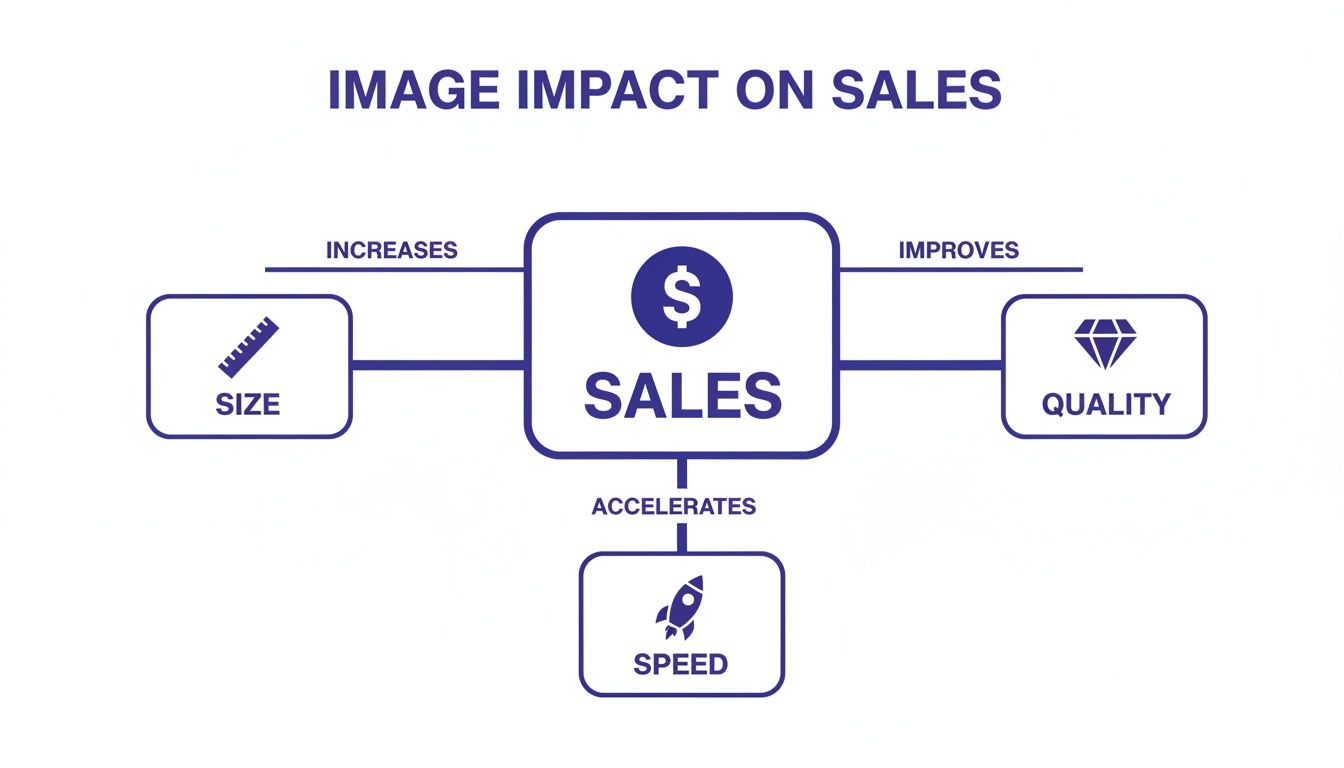
The big takeaway here is that these three elements are a team. If you let one of them slide, it can completely kill the benefits of the other two, and that hits your bottom line directly.
Product Detail Page (PDP) Images
This is where a browser becomes a buyer. Your PDP images need to be packed with detail, letting shoppers zoom in and inspect every last stitch, texture, and seam.
- Recommended Size: 2048 x 2048 pixels
- Aspect Ratio: 1:1 (Square)
- Why It Matters: This big, square format is the gold standard for a reason. It gives you all the resolution needed for Shopify’s zoom feature to work perfectly on those fancy high-definition screens. If you go any smaller than 800 x 800 pixels, you're risking a blurry, unprofessional zoom experience that screams untrustworthy.
Collection Page Images
Think of your collection pages as your digital showroom floor. The whole point is to make it easy and appealing for customers to browse, inviting them to click and explore more.
- Recommended Size: 2048 x 2048 pixels (or whatever keeps your chosen aspect ratio consistent)
- Aspect Ratio: 1:1 (Square) is your best bet for a clean, uniform look.
- Why It Matters: Sticking to a single aspect ratio across all your product thumbnails creates an organized, professional grid. When you start mixing square, portrait, and landscape shots, the whole page looks chaotic and makes your brand feel amateurish. For more on prepping your images, check out our guide on the best export settings for Lightroom.
Thumbnails for Carts and Checkouts
Thumbnails might be small, but they pack a punch. They pop up in the shopping cart, in related product carousels, and during checkout.
- Recommended Size: Shopify handles this for you, but they need to be crystal clear even at tiny sizes like 80 x 80 pixels.
- Aspect Ratio: This is just inherited from your main product image.
- Why It Matters: Clarity is everything. The product has to be instantly recognizable, even when it’s tiny. This is why a clean, centered shot on a simple background almost always works best.
Hero Banners and Slideshows
Your homepage hero banner is your brand's giant billboard. It’s the very first thing people see, so it has to make an impact on every device, from a wide desktop monitor to a vertical phone screen.
- Recommended Size: 1920 x 1080 pixels is a solid starting point for desktop.
- Aspect Ratio: 16:9 is pretty standard, but always check your theme’s requirements because some have unique needs.
- Why It Matters: This image has to tell a story or sell a campaign in a split second. The real challenge is making sure it looks amazing in both landscape (desktop) and portrait (mobile) orientations, so your key message or product doesn't get awkwardly cropped out.
How to Solve Shopify’s Responsive Design Challenges
So you’ve got a stunning, high-resolution product photo. The temptation is to just upload it and call it a day, right? It's a common move, but it’s one of the costliest mistakes you can make.
Your Shopify theme is built to be responsive, meaning it has to automatically twist, shrink, and crop your images to look good on everything from a massive desktop monitor to a tiny smartphone screen.
Without a smart plan for your shopify product image size and aspect ratios, this automatic cropping can be a total disaster. Picture a brand like Burberry showing off a new trench coat, but when you pull it up on your iPhone, the signature collar and epaulets are completely chopped off.
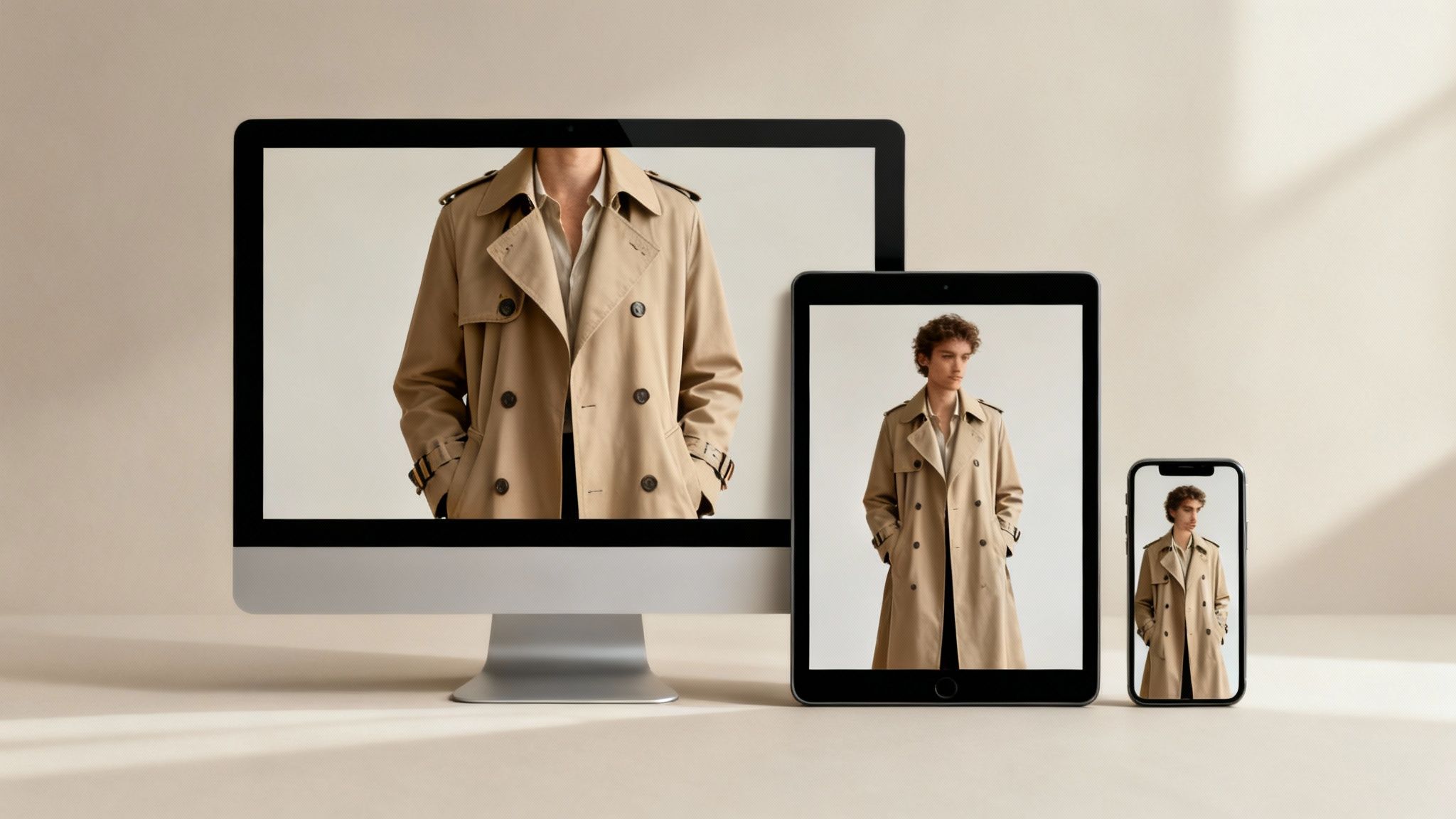
This happens because most themes don't just shrink an image down. They actively crop it to fit a new shape, slicing off the sides or the top and bottom. It’s a gamble that can completely undermine your visual merchandising, especially when you remember that mobile commerce makes up over 70% of all eCommerce sales.
Master the Art of Safe Space
To get ahead of this cropping chaos, you need to start thinking like a photographer and get comfortable with the idea of safe space. This means framing your product shots so the most important details are right in the middle, with plenty of breathing room around the edges.
This buffer zone is your insurance policy. It guarantees that even when Shopify’s responsive design does its thing, the core of your product — the part that actually sells it — stays perfectly in view.
- Center Your Subject: Always put the hero of the shot — the logo on a tee, the buckle on a handbag — smack in the middle of the frame.
- Leave a Margin: Don't crowd the edges. A generous margin acts like a protective shield against aggressive cropping on smaller screens.
- Test on Mobile: Before you upload your entire collection, always check your product pages on a phone.
This is one of those areas where AI can be a massive help. A tool like Picjam can handle it. The platform is designed to generate images where the model and your product are already perfectly centered.
That kind of built-in intelligence saves an incredible amount of time in post-production. It makes sure every single image keeps the garment as the star of the show, no matter how a customer is browsing.
Theme Settings and Cropping Control
Your Shopify theme isn't just a passive player here; it gives you some say in how images are displayed. If you dig into your theme's customization settings, you'll often find options for image cropping and aspect ratios.
Take a fashion brand like Reformation. They often mix on-model shots with lifestyle photos, but they use a consistent tall aspect ratio to keep their collection grids looking clean and editorial.
That’s a deliberate choice made within their theme settings to stop awkward cropping and maintain that premium feel.
How to Choose File Formats That Boost Page Speed
Getting your pixel dimensions right is only half the battle. Your shopify product image size is also a story about kilobytes (KB) and megabytes (MB) — a story that directly impacts how fast your site loads.
In fashion, where visuals are everything, a slow-loading page is a proven conversion killer. A delay of just a few seconds can be enough to make them abandon their cart. This is why choosing the right file format is a critical business decision.
JPG vs. PNG: The Classic Showdown
For years, the choice for web images has been a straightforward duel between JPG and PNG. Each has a clear purpose:
JPG (or JPEG): This is your workhorse for photographs. It uses "lossy" compression, which intelligently removes some image data to shrink the file size. For a detailed on-model shot, a well-saved JPG offers a fantastic balance of quality and size.
PNG: This format uses "lossless" compression, preserving every single pixel of detail. Its superpower is transparency, making it perfect for logos or product shots where you need to remove the background. The trade-off is a much larger file size.
Why WebP Is the New Standard for Fashion
Today, there’s a superior option: WebP. Developed by Google, this next-gen format offers the best of both worlds. It provides exceptional image quality at a fraction of the file size of older formats.
According to Google's own data, WebP lossless images are 26% smaller than PNGs. WebP lossy images are 25-34% smaller than comparable JPEGs at the same quality index. That's a massive performance boost.
Brands like Alo Yoga, known for their stunning visuals and buttery-smooth site experience, rely on this kind of optimization. When fabric textures and colors are your main selling points, you can't afford any compromise on quality or speed.
Shopify automatically converts your uploaded JPGs and PNGs to WebP for compatible browsers, which is a huge help. However, for the best results, always start with a well-compressed source file. Aim to keep your main 2048 x 2048 pixel product images under 500 KB.
How AI Elevates Your Image Production
Traditional photoshoots are painfully expensive and slow. You've got studio rentals, photographers, models, stylists, and then days of post-production just to get a handful of usable shots.
This is where the entire financial model of content creation is getting turned on its head. Instead of blocking out a huge budget for a massive photoshoot, brands can now spin up entire campaigns in minutes using AI. The savings here directly impact your bottom line.
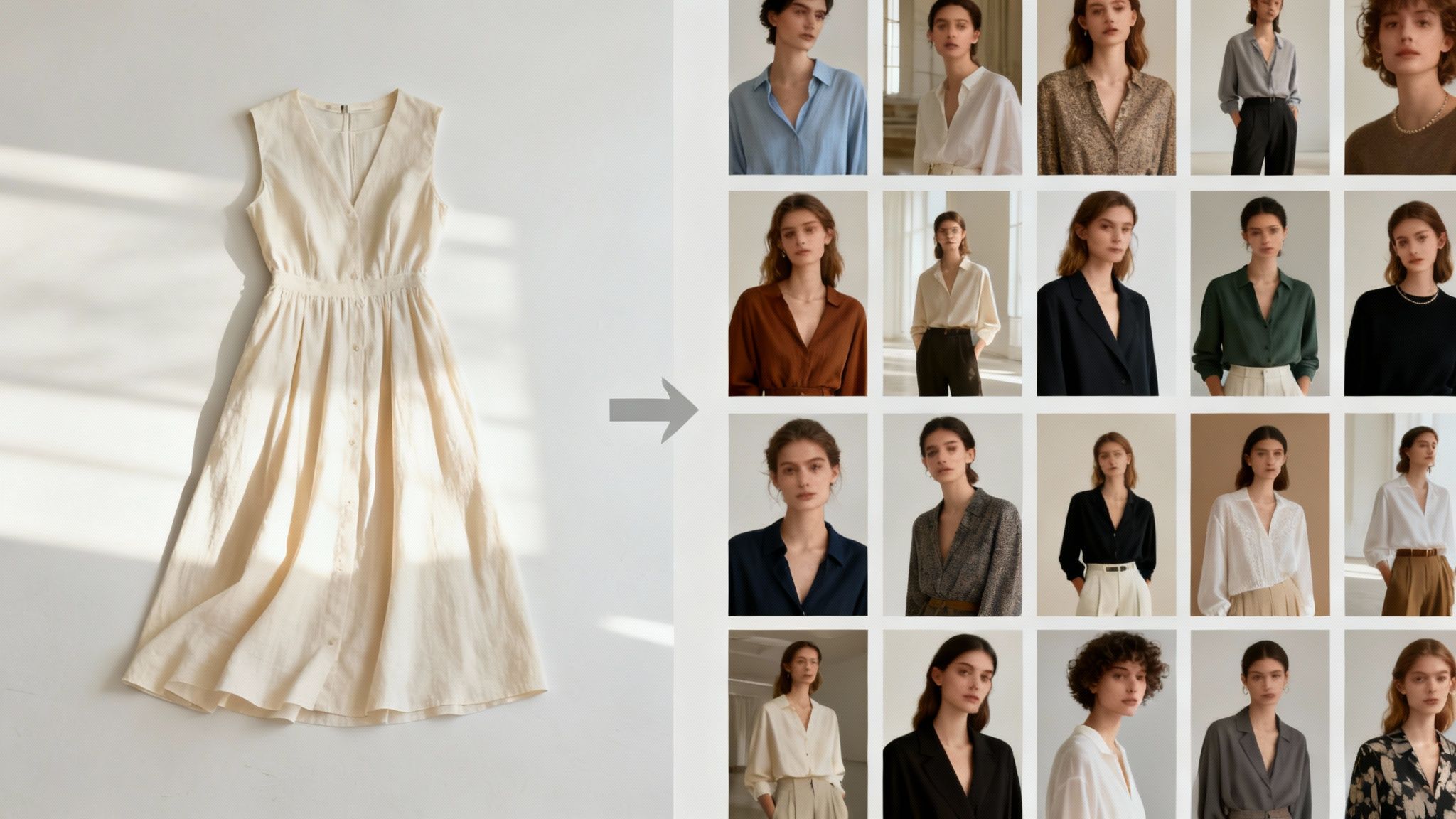
From a Single Photo to a Full Campaign
Picture a workflow that would have sounded like science fiction a few years ago. A brand like Ganni gets a new dress sample. Instead of the usual chaos of scheduling a costly shoot, they just take a single, clean flat-lay photo of the garment.
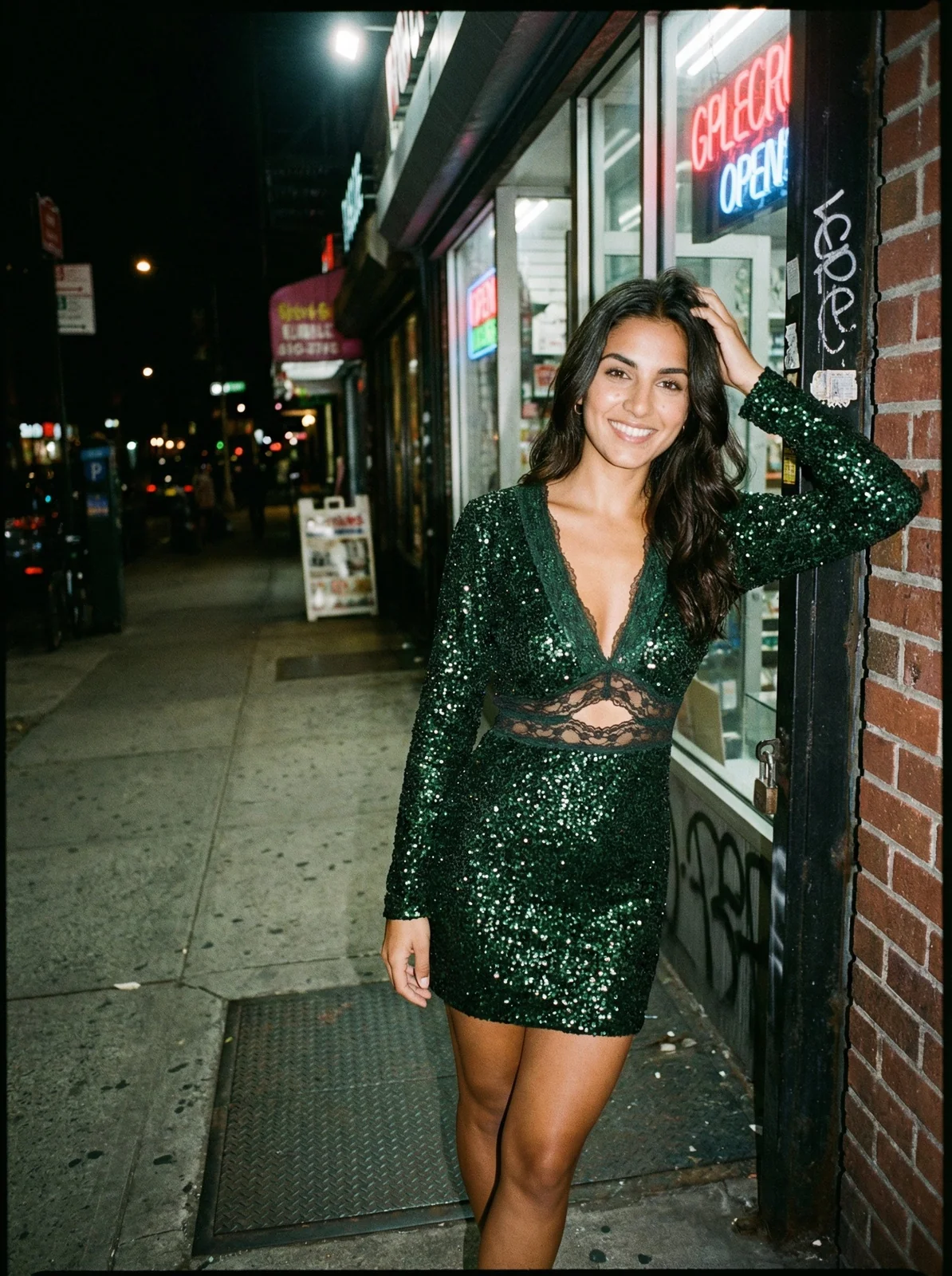
They upload that one image to an AI platform like Picjam. In about a minute, the platform kicks back 20 unique, on-model shots. Each one is automatically generated at the perfect 2048 x 2048 pixel Shopify size, showing the dress on diverse models against a variety of on-brand, lifestyle backgrounds.
This isn't just about moving faster; it's about being strategically nimble. This flips content production from a major cost center into a real competitive edge. We dive deeper into this in our guide to the new age of AI product photography.
A New Era of A/B Testing and Optimization
One of the most powerful things about AI-driven image production is the ability to A/B test your creative quickly and cheaply. Want to see if your new collection sells better with an urban-chic vibe versus a minimalist studio look? That would have meant two completely separate photoshoots.
Now, you can generate both versions in minutes for pennies on the dollar. This lets you make actual data-driven decisions about your visual merchandising. This level of optimization used to be a luxury only massive corporations could afford.
By testing different AI-generated visuals, a boutique fashion brand discovered that images featuring models in outdoor, natural settings increased their conversion rate by 18% compared to standard studio shots. This insight, gained in a single afternoon, directly boosted their revenue without any additional photoshoot expenses.
Upscaling and Quality Assurance on a Budget
What if your source photos aren't exactly high-res? A lot of brands, especially startups, start out with simple iPhone photos. Normally, these images wouldn't be sharp enough for Shopify’s zoom feature.
AI tools make this problem disappear instantly. Picjam’s built-in upscaler can take a basic photo and blow it up to meet Shopify’s crisp 2048 x 2048 pixel standard, making sure every detail of the fabric and fit comes through beautifully. For a bigger-picture look at using these tools across your business, you might want to see how to implement AI in ecommerce brands.
Your 3-Step Image Audit Checklist
Getting your Shopify product images right isn’t just about checking boxes. It’s about building a store that feels fast, professional, and trustworthy.
To help you put all this into action, I’ve put together a quick checklist. Think of these as a few simple audits you can run right now to spot easy wins and boost your store's visual game.
Your Quick Audit
This check-up will help you sniff out the most common — and costly — image problems in just a few minutes.
Check Your 10 Bestsellers. Pull up your top-selling products. Are the main images a crisp 2048 x 2048 pixels? If the core image is anything less than 800 pixels, that’s a major red flag — your zoom function will look blurry and unprofessional.
Eyeball Your Collection Pages. Now, head over to your main collection pages. Do the product thumbnails line up in a clean, orderly grid? A brand like Everlane nails this, using perfect 1:1 squares that create a calm, polished, and incredibly shoppable experience.
Run a Speed Test. Pop your homepage and a couple of key product pages into a free tool like Google PageSpeed Insights. The report will instantly flag any oversized images that are dragging your site down. You're aiming to get all your key photos well under 500 KB.
Answering Your Top Shopify Image Questions
Getting your Shopify product images dialed in can feel like a dark art. Let's clear up the confusion with some straight answers to the questions I hear most from apparel brands.
What’s the Best Shopify Product Image Size?
The magic number is 2048 x 2048 pixels. Think of this as your gold standard.
This square, 1:1 aspect ratio gives you that super crisp detail you need for Shopify’s zoom feature. While Shopify says you can go up to 5000 x 5000 pixels, 2048 x 2048 is the perfect sweet spot between stunning quality and a file size that won’t slow your site down.
Should All My Shopify Product Images Be the Same Size?
Yes. Absolutely. If you take one thing away from this guide, let it be this. Using the same size and aspect ratio for all your main product images is critical for a clean, professional-looking store, especially on your collection pages.
Just look at a brand like Anine Bing; their collection grids look flawless because every single thumbnail is perfectly uniform. Mixing and matching different image shapes is the fastest way to get a messy, misaligned grid that looks amateur.
How Do I Optimize Images Without Losing Quality?
It’s a simple, two-step dance between resizing and compressing.
Resize First: Always start by resizing your image to the right dimensions, like that 2048 x 2048 pixel sweet spot.
Compress Smartly: Once it's resized, save the image as a WebP file. It's a modern format that keeps quality high while shrinking the file size way down. If you're sticking with JPG, aim for an export quality around 70-80.
Can I Use Rectangular Images on Shopify?
You can, but the rule is unwavering consistency. If you want to use a portrait (say, a 2:3 ratio) or a landscape format, you have to commit to it across all of your main product photos.
If you throw square, portrait, and landscape shots onto the same collection page, Shopify's grid will force them into different heights. The result is a jarring, unprofessional layout.
Manually editing every single photo to nail these specs is exactly the kind of tedious work that AI was built to eliminate. Instead of wasting hours in editing software, platforms like Picjam can generate perfectly sized and optimized images automatically.
Takeaway
Getting your product imagery right is a high-leverage activity. By focusing on just 3 key areas, you can significantly elevate your brand's presentation and performance.
Standardize on 2048 x 2048 Pixels: Make this square format your non-negotiable for all primary product photos to ensure a crisp zoom experience and a clean, professional look across your store.
Compress Every Image: Use a tool like TinyIMG or export your images as WebP files to keep them under 500 KB. Faster load times directly correlate with higher conversion rates, especially on mobile.
Audit Your Bestsellers Now: Spend 10 minutes checking your top 5-10 product pages against these standards. Fixing the most visible pages first is the fastest way to make an impact on your sales.
Curious how much you could save by swapping out slow, expensive photoshoots for an automated workflow? Plug your numbers into our savings calculator and see the difference for yourself.
Compare your current photography costs with Picjam now: Calculate Your Savings Now

Picjam team
The Picjam team blends AI, product, and creative expertise to eliminate the cost and delay of traditional photography for modern eCommerce brands.