Resize Images for Ecommerce | Batch Resize Tool — Picjam
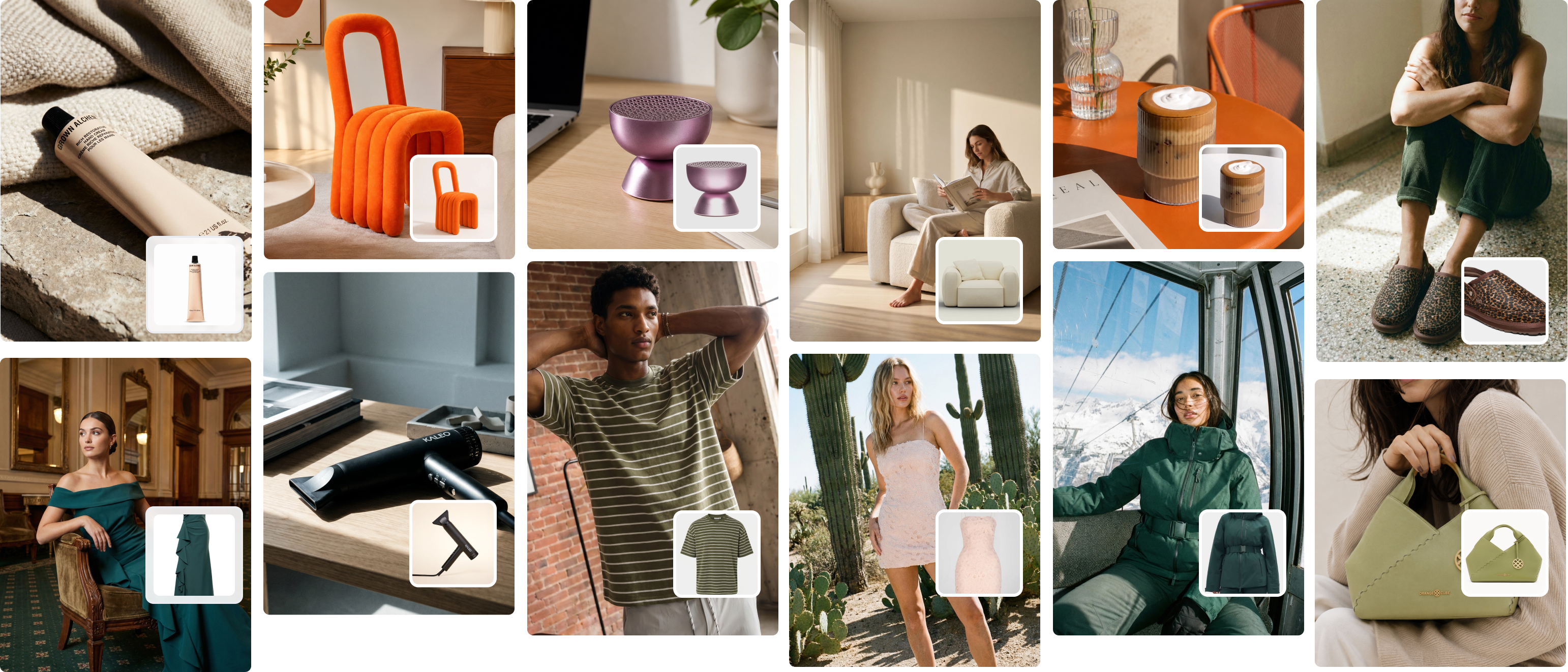
Manual image resizing across four platforms is a silent time tax on every fashion brand. Picjam's resize and reformat tool eliminates the loop — generate AI product photos and export them platform-ready in the same step.
Manual image resizing is one of those tasks that sounds simple until you're doing it for a 120-SKU catalogue across four platforms. Picjam's resize and reformat tool lets fashion brands export product images to the exact pixel dimensions required by Shopify, Amazon, Etsy, TikTok Shop, and Instagram — in one batch, from one upload, in under 60 seconds.
From the Studio plan at $99/mo, the tool is included alongside Picjam's AI model generation and ghost mannequin features. You're not just creating images. You're getting them ready to sell on every channel at once.
What Is an Ecommerce Image Resizer?
An ecommerce image resizer converts a source product image into platform-specific versions sized to the exact specifications of each selling channel — correct pixel dimensions, aspect ratio, and file format. For a fashion brand selling across multiple channels, that means one product photo exported simultaneously as a 2048×2048 JPEG for Shopify, a 1600×1600 image for Amazon, and a 1080×1350 crop for Instagram.
Every platform publishes their requirements. The problem is manual execution — running the same export chain for every product, every season, across every channel. As of 2026, the average Shopify fashion brand carries 180+ active SKUs. At five platforms per product, that's 900+ individual exports per catalogue refresh. At ten minutes each in Photoshop, that's 150 hours of work that creates nothing new.
How the Picjam Resize and Reformat Tool Works
- Upload your image. Drop in your AI-generated or studio product photo in any resolution. Picjam accepts JPEG, PNG, and WebP files at any dimension.
- Select your platforms. Choose from Shopify, Amazon, Etsy, TikTok Shop, or Instagram presets. Or enter custom pixel dimensions for any other output specification.
- Download your exports. Picjam outputs every platform-ready file at the correct dimensions, aspect ratio, and format — delivered as a ZIP file in seconds.
[Placeholder: INSERT PICJAM BEFORE/AFTER DEMO IMAGE]
For a Brisbane-based activewear brand on Picjam carrying 90 SKUs, this reduced image prep time from 14 hours per catalogue drop to under 2 hours. Same output quality across every channel. The time saving alone covered the monthly subscription cost.

Platform Image Size Requirements for Fashion Brands in 2026
These are the current image specifications across the five main channels fashion brands sell on. Picjam's preset outputs cover all five automatically — no manual spec lookup required.
| Platform | Recommended Size | Aspect Ratio | File Format |
|---|---|---|---|
| Shopify | 2048 × 2048 px | 1:1 | JPEG or WebP |
| Amazon | 1600 × 1600 px (minimum) | 1:1 | JPEG only |
| Etsy | 2000 × 2000 px | 1:1 or 4:3 | JPEG or PNG |
| TikTok Shop | 800 × 800 px (minimum) | 1:1 | JPEG or PNG |
| Instagram Feed | 1080 × 1350 px | 4:5 portrait | JPEG |
For a full breakdown of Shopify's image specs — including collection images, hero banners, and thumbnail dimensions — read our complete guide to Shopify product image size.
What Fashion Brands Use the Resize Tool For
Seasonal catalogue launches. When a new drop lands, the same hero images need to be resized for four or five channels simultaneously. Picjam handles this as a batch — one upload, every output, in one step.
Multi-channel expansion. A brand moving from Shopify-only to Shopify + Amazon + TikTok Shop faces a one-time backlog of resizing their entire existing catalogue for each new channel. What used to take a VA three full days now takes one batch operation in Picjam.
Amazon listing compliance. Amazon's main image rules are strict: minimum 1000×1000 px (1600+ for zoom functionality), pure white background (RGB 255,255,255), product filling at least 85% of the frame. One non-compliant image can suppress a listing's search ranking. Picjam checks and corrects dimensions at export before you upload to Seller Central.
Consistent grid appearance on Shopify. A 50-pixel variation in image dimensions across products breaks the visual rhythm of a Shopify collection page. Uniform 2048×2048 crops applied across every SKU produces a noticeably more professional storefront — and that first impression is set within the first three seconds of a site visit.
Why Resize at Scale Is the Hidden Bottleneck for Fashion Brands
When we built Picjam, the same friction point came up consistently across the brands we work with. They could generate content fast and shoot fast, but distributing that content across platforms was still slow. Reformatting the same image six different ways was quietly consuming 20–30% of every product launch timeline.
Manual resizing in Photoshop or Canva takes 15–30 minutes per product per platform when done carefully. At those rates, a 50-SKU launch across four platforms represents 50–100 hours of work sitting between finished photography and live listings. That's not a photography problem. It's a distribution problem.
After working with 1,200+ clothing brands, the pattern is consistent: the fastest brands in content production aren't shooting faster — they've collapsed the distribution step entirely. One garment. One upload. Every channel covered.
This resize workflow integrates into the same Picjam session where you generate AI model photos. If you're generating content at scale, read our guide to batch generation for your entire product catalogue to see how both tools work together. For a complete end-to-end view, see our modern product photography workflow guide for high-growth brands.

Picjam Resize Tool vs Manual Methods
| Photoshop / Canva | Picjam | |
|---|---|---|
| Time per product | 15–30 min per platform | Under 60 seconds total |
| Batch processing | Manual, error-prone | Full catalogue in one operation |
| Platform presets | None — manual spec lookup | Shopify, Amazon, Etsy, TikTok, Instagram |
| Quality at resize | Can degrade with heavy compression | AI-maintained at export |
| Cost | $20–$55/mo (tools alone) | $99/mo (AI generation + resize) |
| Training required | High for Photoshop actions | None |
Pricing
| Plan | Price | Best for |
|---|---|---|
| Free trial | $0 | Test the resize tool with your actual catalogue |
| Studio | $99/mo | Fashion brands generating and resizing images at scale |
| Enterprise | Book a demo | Large catalogues, agencies, and multi-brand operators |
What Fashion Brands Say
[Placeholder: INSERT 2–3 TESTIMONIALS FROM TRUSTPILOT/SHOPIFY REVIEWS]
Picjam holds 4.3 stars on Trustpilot across 114 reviews, and 4.7 stars on the Shopify App Store. More than 1,200 fashion brands use Picjam to generate AI product photos and distribute them to every selling channel — without the manual resize loop in between.
Frequently Asked Questions
What is the best image size for ecommerce?
For most platforms, 2048×2048 pixels in a 1:1 square ratio covers you simultaneously across Shopify, Amazon, and Etsy. It meets Shopify's recommended spec, exceeds Amazon's minimum 1000×1000 threshold, and scales down cleanly to thumbnail size without quality loss on mobile.
How do I bulk resize product images without losing quality?
Use a tool with built-in batch processing rather than Photoshop's manual export chain. Picjam processes your entire catalogue at once, applying AI upscaling where needed to prevent degradation at resize. You can also export individual files at custom pixel dimensions for non-standard platform requirements.
What image format should I use for ecommerce product photos?
JPEG is the standard for product photos on Amazon and Shopify — it balances file size and image quality effectively. Use PNG for transparent backgrounds such as ghost mannequin or white-background flat lays. WebP is now widely supported on Shopify and reduces file size by up to 35% versus JPEG with no visible quality difference.
Can I resize images for multiple platforms at the same time?
Yes. Picjam lets you select multiple platform presets — Shopify, Amazon, Etsy, TikTok Shop, Instagram — from a single upload and downloads all versions at once as a ZIP file. There's no need to re-export or switch tools between channels.
Bottom Line
If you're selling a fashion brand across more than one channel, manual image resizing is a hidden time cost that compounds with every SKU you add. Picjam's resize and reformat tool converts your product images to every platform's exact specifications in under 60 seconds — as a batch, without Photoshop, without manual spec lookup, without switching tools.
More than 1,200 fashion brands use Picjam to generate AI product photos and get them platform-ready in one step. On Trustpilot, that's a 4.3-star rating across 114 reviews. On the Shopify App Store, 4.7 stars. The consistent result: content operations that used to take days now take hours, with no drop in output quality.
Try Picjam free — resize your catalogue for every platform in minutes →

Michael Pirone
Co-Founder