AI Fashion Generator: The Complete Guide for Clothing Brands
Learn what an AI fashion generator is, which type your brand actually needs, and how to use one to replace your entire photoshoot calendar — with real cost comparisons and a step-by-step workflow from Picjam.
A single fashion photoshoot in 2026 costs between $2,000 and $8,000 per day. An AI fashion generator costs from $99 a month, runs in your browser, and delivers the same on-model output in under an hour.
That gap is why more than 1,200 clothing brands have shifted their content production to AI. Not because it's trendy — because the numbers make it indefensible to keep doing things the old way.
This guide explains exactly what an AI fashion generator is, how different types work, and the specific workflow Picjam uses to help brands generate an entire season's worth of catalog-ready imagery from a flat lay photo.
Table of Contents
- What Is an AI Fashion Generator?
- The 4 Types of AI Fashion Generators
- How an AI Fashion Generator Works: Step by Step
- What to Look for When Choosing One
- How to Run a Full Season Content Calendar With an AI Fashion Generator
- What Fashion Brands Are Saving in 2026
- How Picjam Works as an AI Fashion Generator
- Frequently Asked Questions
- Bottom Line
What Is an AI Fashion Generator?
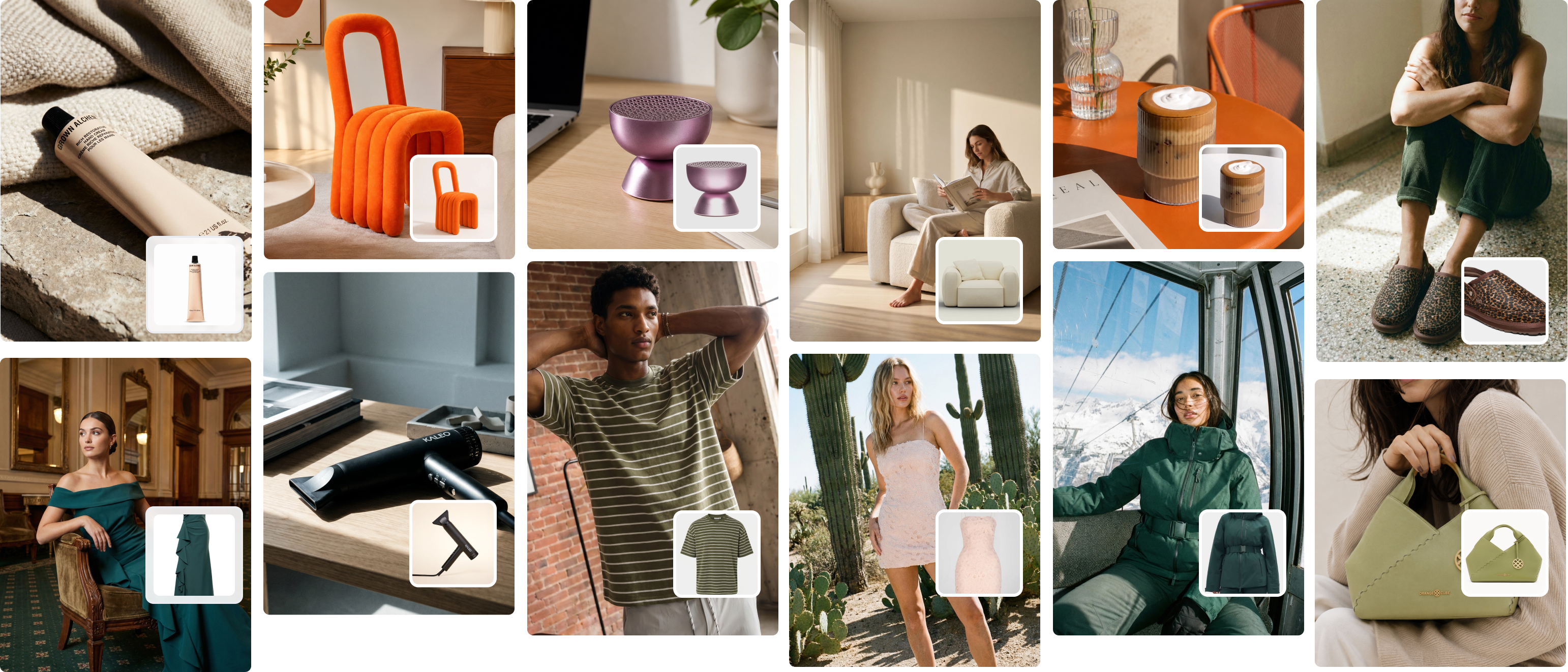
An AI fashion generator is a software tool that uses generative AI to produce photorealistic fashion imagery — on-model product photos, lifestyle scenes, and campaign visuals — from a single garment image, without a camera, studio, or hired model. You upload a product photo (flat lay, ghost mannequin, or packshot), configure your model and scene settings, and the AI outputs finished images ready for product pages, ads, and social media.
The term covers several overlapping tool categories: some focus on dressing AI models in your garments, others swap backgrounds or generate lifestyle contexts, and some are aimed at fashion design ideation rather than commercial photography. Understanding which category your brand actually needs is the first step to picking the right tool.
The core underlying technology is diffusion-based image generation, trained on large datasets of fashion imagery. Unlike general-purpose image generators (which struggle to maintain garment accuracy), purpose-built AI fashion generators preserve fabric texture, print detail, and garment structure across different poses and scenes — which is what makes the output commercially usable.
The 4 Types of AI Fashion Generators (Know Which One You Need)
Not every AI fashion generator does the same thing. Buying the wrong type is the most common mistake brands make when they first explore this space.

1. On-Model Image Generators
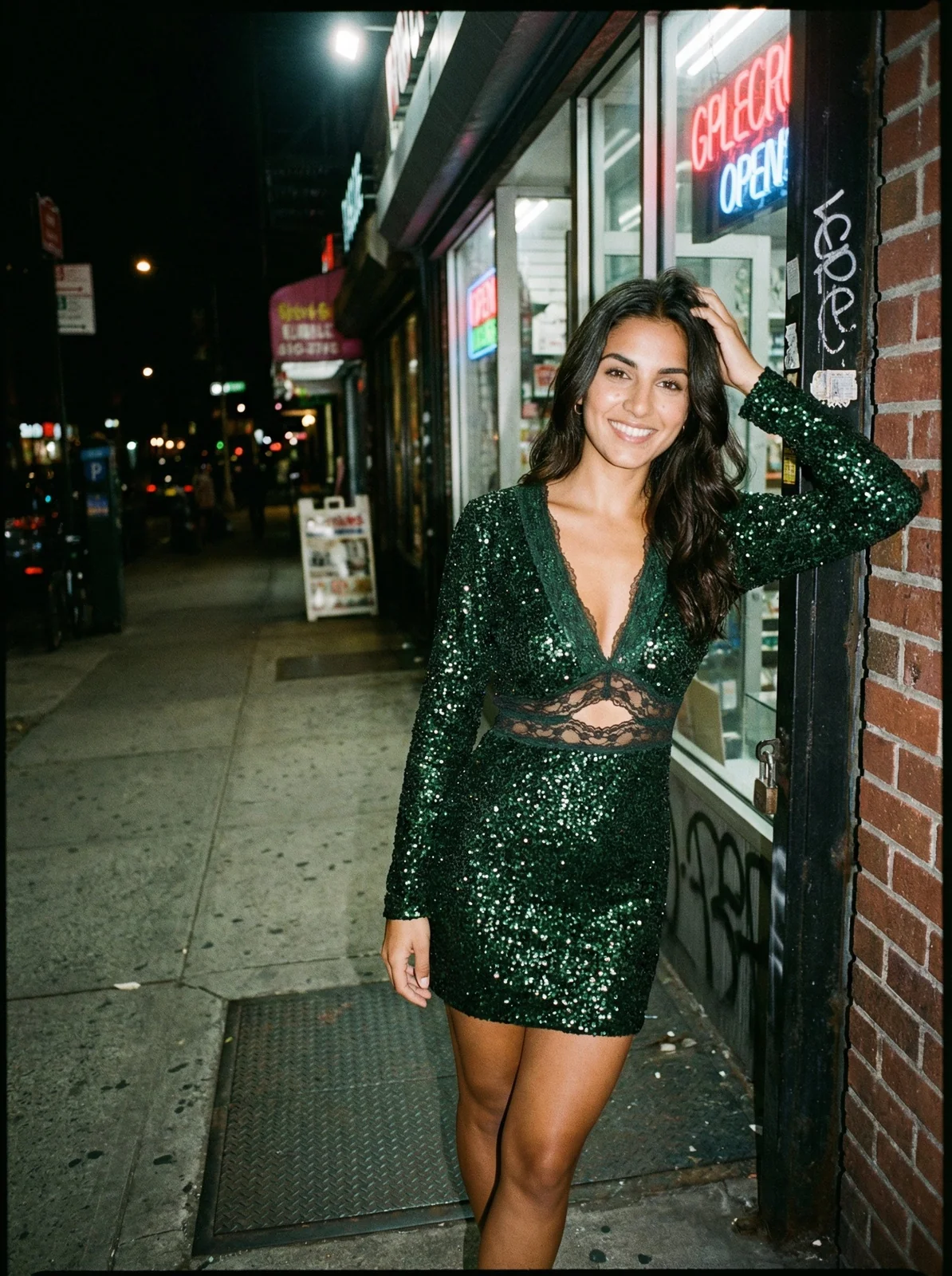
These take your garment photo and place it on a photorealistic AI model. The output looks like it came from a studio shoot with a real model. This is what most clothing brands mean when they say "AI fashion generator" — and it's the highest-value category for ecommerce operators selling apparel.
Best for: product page images, carousel photos, lookbook pages, ad creative.
2. Lifestyle Scene Generators
These place your product (and model, where applicable) into a styled scene — a café, a beach, a minimalist loft. The output is aspirational content: the kind that performs on Instagram, Pinterest, and paid social. Lifestyle generators require higher-quality input images and more deliberate scene selection than model generators.
Best for: social media content, email header images, brand campaign visuals.
3. Background Replacement Tools
Simpler and cheaper than full model generators. These remove the background from your existing product photo and replace it with a generated scene. No model is added. Best suited for packshot-style imagery where the product alone is what matters.
Best for: marketplace listings (Amazon, ASOS), website product thumbnails, white-background packshots.
4. Fashion Design Concept Generators
These are for designers, not marketers. You input a text prompt or sketch and get fashion concept images — new colorways, silhouettes, print ideas. The output is not commercially ready photography; it's a design ideation tool. Brands that need ecommerce product photos should not be using this category.
Best for: concept boards, design sketches, trend reports.
For most clothing brands and DTC operators: you need category 1 (on-model generators), optionally combined with category 2 (lifestyle scenes). The tool you pick should do both well, or integrate with a platform that handles both workflows in one place.
How an AI Fashion Generator Works: Step by Step
The process looks simple from the outside. Under the hood, a few critical steps determine whether the output is commercially usable or not.
Step 1: Upload Your Product Image
The AI needs a clear, well-lit source image of the garment. Flat lays on a neutral background, ghost mannequin photos, and clean product shots all work. The cleaner the input, the better the output. Wrinkled, low-resolution, or heavily shadowed source images cause the AI to introduce artifacts or misread garment details.
Purpose-built tools like Picjam handle garment extraction automatically. You don't need to manually mask or cut out the product. The AI identifies the garment, preserves its texture and print detail, and prepares it for placement on a model.
Step 2: Choose a Model, Pose, and Scene
This is where the creative decisions happen. You select from a library of AI models (or input custom model characteristics), specify the pose style, and choose a background or scene. Better tools let you save these preferences as brand presets — so every output has consistent model appearance, lighting, and scene style across your entire catalogue. That consistency is what separates professional AI content from a random assortment of generated images.
Step 3: Generate and Review
The AI runs the generation — typically in under 60 seconds per image. You review the output and either approve it, regenerate with adjusted settings, or use editing tools to refine specific elements (garment fit, shadow depth, background intensity).
Step 4: Export at the Right Format
Your Shopify product page needs a 2000×2000px square. Your Instagram story needs 1080×1920px. Your Amazon main image needs a pure white background. Good AI fashion generators export to multiple formats from a single generation — or integrate with your store's image spec requirements.
For a detailed look at this workflow applied specifically to flat lay inputs, see our guide to flat lay to model AI conversion.
What to Look for in an AI Fashion Generator
There are now dozens of tools competing in this space. Here's what separates the ones worth paying for from the ones that look good in demos but break down on your real catalogue.
Garment Accuracy
The single most important quality signal. Does the AI preserve your garment's exact print, colour, and fabric texture? A logo that blurs, a stripe pattern that warps, or a texture that disappears makes the output unusable for commercial product photography. Always test with your actual products before committing to a platform.
Model Diversity and Body Representation
A tool with a library of only 10 models in one body type is not built for real-world fashion brands. Look for diverse skin tones, body types (including plus-size), and age ranges. Brands selling to a broad customer base need to show their products on models that reflect their actual customer demographic — both for conversion reasons and brand values alignment.
Brand Consistency Controls
This is where most tools fall short. They generate beautiful one-off images but give you no way to ensure that your summer tee and your winter coat look like they were shot by the same photographer on the same day. Professional AI fashion generators offer brand presets: saved model, pose, lighting, and background combinations that you apply across your entire catalogue. This consistency is what makes AI imagery feel like a deliberate brand identity rather than a random collection of generated photos.
Batch Processing
Manually generating images one-by-one is only marginally better than booking photoshoots one-by-one. Tools built for real catalogue work let you upload your full product list and process all images in a single run. If a tool doesn't have batch capability, it's not built for brands with more than a handful of SKUs.
Commercial Licensing
Every image you generate and publish commercially needs to be covered by your platform's commercial license. Most paid-tier tools grant this automatically — but verify before you publish. Some free-tier tools restrict commercial use. Check the terms of service before publishing AI-generated imagery on your product pages or in ads.
How to Run Your Entire Season Content Calendar With an AI Fashion Generator
This is the section that most "best AI tools" listicles skip. They tell you which tools exist — not how to use one to replace your actual photoshoot calendar. After working with more than 1,200 clothing brands at Picjam, the pattern is consistent: brands that get the best results treat the AI fashion generator as a content system, not a one-off experiment. Here's the workflow.

Phase 1: Inventory Your Products Before You Start Generating
Before touching an AI tool, photograph every product in your upcoming collection as a flat lay or ghost mannequin shot. This is your raw material. One flat lay per product is all you need. Consistency matters here — same lighting setup, same background, same camera angle across all products. The more consistent your inputs, the more consistent your AI outputs.
One of our customers — a Melbourne-based activewear brand with 42 SKUs in their new collection — photographed all products in a single 4-hour flat lay session in their warehouse. Total cost: one team member's time and a $30 portable lightbox. That flat lay library became the source material for over 600 catalog-ready AI images across three content channels.
Phase 2: Set Up Your Brand Preset Once
This is the step that determines whether your AI content looks like a professional brand or a random collection of AI experiments. Before generating anything for real, configure your brand preset in Picjam:
- Choose your model: Select 1–3 models from the library that match your target customer's demographic. Save these as your brand default.
- Set your scene style: Decide on 2–3 backgrounds that align with your brand aesthetic. A minimalist studio white works for product pages. A styled café or urban street works for lifestyle content.
- Lock your lighting: Choose a light temperature and direction that matches your existing brand imagery. Consistent lighting across all images is what makes a product range look curated, not cobbled together.
Once your preset is saved, every image you generate from here on looks like it came from the same shoot. That brand consistency is what turns AI content from experimental to professional.
Phase 3: Batch Generate by Content Channel
Don't generate all your images the same way. Organise your generation runs by intended destination:
- Run 1 — Product page images: 2–3 on-model shots per product, studio-white or clean background, square format (1:1). These go on your Shopify or website product pages.
- Run 2 — Lifestyle images for social: 1–2 lifestyle shots per hero product, styled scene presets, portrait format (4:5). These are your Instagram feed and paid social content.
- Run 3 — Ad creative variations: Your collection's 5–10 hero pieces, multiple background and model variations per product. These are your A/B testing creative for Facebook, Instagram, and Google Shopping ads.
A brand with 40 products can complete all three runs in a single afternoon. That's a full season's content calendar — product page imagery, social content, and ad creative — in one sitting.
Phase 4: Build Your Distribution Schedule From a Single Session
With 200+ images generated in one afternoon, you now have enough content to populate:
- All product pages for your upcoming collection launch
- 6–8 weeks of Instagram feed posts (at 3 posts per week)
- 10–15 ad creatives for paid social testing
- Email marketing imagery for the next 3 campaigns
- Thumbnail images for Google Shopping and marketplace listings
Traditional photoshoots produce 20–40 final images per shoot day at $2,000–$8,000. An AI fashion generator produces 200+ images per collection at $99/month. That's not a marginal improvement — it's a fundamentally different operating model.
Phase 5: Iterate Based on Real Performance Data
The real advantage of AI content isn't just the initial cost saving — it's the ability to iterate based on performance data. When background variation B outperforms variation A by 15% in click-through rate, you can generate 10 more variants of B in an afternoon. With traditional photography, that insight is useless — you can't afford to reshoot. With an AI fashion generator, every performance insight is actionable in hours, not weeks.
What Fashion Brands Are Saving in 2026
The AI fashion market reached $3.99 billion in 2026, growing at 39% annually. The reason is simple: the cost-per-image comparison is not close.
On-model product photos outperform flat-lay listings by 20–30% in conversion rate on average, according to 2026 ecommerce data. For a brand doing $500,000 per year in revenue, a 25% conversion lift from better imagery is worth $125,000 in additional sales — from a tool that costs $1,188 per year.
For a full breakdown of what photography actually costs in 2026, see our guide on understanding product photography cost.

How Picjam Works as an AI Fashion Generator
When we built Picjam, we kept seeing the same problem: fashion brands were spending $3,000–$8,000 per photoshoot for 30 images, then running out of content two weeks after a product launch. Meanwhile, better-resourced competitors were running 20 creative variations in their ads, testing relentlessly, and pulling ahead on every channel.
Picjam's AI fashion generator is built specifically to close that gap for growing brands. Here's what makes it different from general-purpose image generators:
Flat Lay to On-Model in One Step
Upload a flat lay photo. Picjam's AI extracts the garment, preserves its exact fabric texture, print, and colour detail, and places it on a photorealistic AI model of your choice. The output looks like a studio shoot. The input is a flat lay you shot on your desk. That single workflow is worth more to most brands than any other feature in this category. See exactly how it works in our flat lay to model AI guide.
Brand Consistency Across Your Entire Catalogue
Picjam's brand preset system saves your preferred model, pose style, background, and lighting configuration. Apply it across every product in your catalogue and every image looks like it was shot by the same photographer on the same day. That visual consistency is what makes your product pages feel like a real brand, not a collection of random product shots.
Batch Mode for Entire Collections
Upload your full product list, apply your brand preset, and generate images for your entire collection in a single run. A brand with 50 SKUs gets 50 catalog-ready images — or 150, if they generate 3 variants per product — in the time it used to take to book a photographer.
One of our customers, a Sydney-based womenswear brand, used Picjam to launch a 60-piece collection with full on-model imagery in under two weeks from receiving samples. Their previous collection launch took eight weeks and $14,000 in photography costs. The Picjam run cost $99 and two afternoons of their marketing manager's time. That's the kind of operating leverage that compounds over multiple seasons.
Picjam's Studio plan is $99/month. For brands with higher volume or agency needs, Enterprise pricing is available on request — see full pricing details. For a deeper look at the model selection and setup process, see our AI fashion model generator guide.
Frequently Asked Questions
What is an AI fashion generator?
An AI fashion generator is a software tool that uses generative AI to create photorealistic fashion imagery — on-model product photos, lifestyle scenes, or campaign visuals — from a product image, without a traditional photoshoot. You upload a garment photo, choose model and scene settings, and get commercially ready images in under a minute.
How do AI fashion generators work?
They use diffusion-based image generation models trained specifically on fashion imagery. You upload a garment photo, the AI identifies and preserves its exact details (texture, print, colour), then generates a realistic photo of a model wearing it in your chosen scene. Purpose-built fashion AI tools maintain garment accuracy far better than general-purpose generators like Midjourney or DALL-E.
Are AI-generated fashion images legal to use commercially?
On paid plans from reputable platforms, yes. Most professional AI fashion generators — including Picjam — grant commercial usage rights as part of the subscription. This means you can publish generated images on your website, in ads, and on marketplaces. Free-tier tools often restrict commercial use or add watermarks. Always check the terms of service for the specific platform before publishing.
What is the best AI fashion generator for small clothing brands?
For small to mid-size clothing brands, the key criteria are garment accuracy, batch capability, and price per image. Picjam's Studio plan at $99/month gives you on-model image generation, lifestyle scene generation, and batch processing for your full catalogue — without the generation caps of cheaper tools. It's built for brands that need consistent, catalog-quality output at scale, not one-off experiments.
Can an AI fashion generator replace a traditional photoshoot?
For most ecommerce product photography and social media content, yes. AI-generated on-model images perform comparably to traditional photos in conversion rate tests. The exceptions are highly editorial lookbooks where a specific model's personal story is central to the brand narrative. For product page imagery, digital ads, and social content, AI has replaced the photoshoot for more than 1,200 brands using Picjam.
How much does an AI fashion generator cost?
Entry-level plans start from free (with generation caps and watermarks) through to $50–$150/month for professional-grade tools with commercial rights and batch capability. Picjam's Studio plan is $99/month. Compare that to a single traditional photoshoot at $2,000–$8,000 per day and the economics are clear — AI pays for itself after one shoot cycle.
Bottom Line
If your brand is still booking photoshoots for every product drop, you're spending 10–20x more than necessary on content production. An AI fashion generator — used as a system, not a one-off tool — replaces your photoshoot calendar, produces more images than a year of traditional shoots, and does it at a fraction of the cost.
The brands winning on ecommerce in 2026 aren't the ones with the biggest photography budgets. They're the ones publishing more, testing faster, and iterating based on real performance data. That's what Picjam enables for 1,200+ brands, with a 4.3-star Trustpilot rating and a 4.7-star Shopify App Store rating.
The fastest way to see if it works for your brand is to try it on one product. One flat lay in. One on-model image out. In under a minute.
Try Picjam free — generate your first on-model image from a flat lay today

Picjam team
The Picjam team blends AI, product, and creative expertise to eliminate the cost and delay of traditional photography for modern eCommerce brands.