Flat Lay to Model AI: How to Turn Product Photos On-Model
Flat lay to model AI converts flat product photos into realistic on-model shots in seconds — no studio, no model. Here's the complete guide for fashion brands.
Most fashion brands have hundreds of flat lay photos sitting in a folder — and they're leaving money on the table every day those images stay off-model.
As of 2026, on-model photos convert at 25–40% higher rates than flat lays across fashion ecommerce. The gap between brands that show clothing on bodies and brands that don't is measurable, and it compounds with every new SKU you launch.
The good news: you don't need a studio, a model, or a photographer to fix it. Flat lay to model AI converts your existing product photography into on-model content in seconds — and the best input you can give it is a photo you almost certainly already have.
Table of Contents
- What Is Flat Lay to Model AI?
- Why Flat Lays Are the Best Starting Point
- How the Conversion Works: Step by Step
- What Makes a Flat Lay Convert Well? The 5 Input Quality Factors
- How Picjam Converts Flat Lays Into On-Model Photos
- Frequently Asked Questions
- Bottom Line
What Is Flat Lay to Model AI?
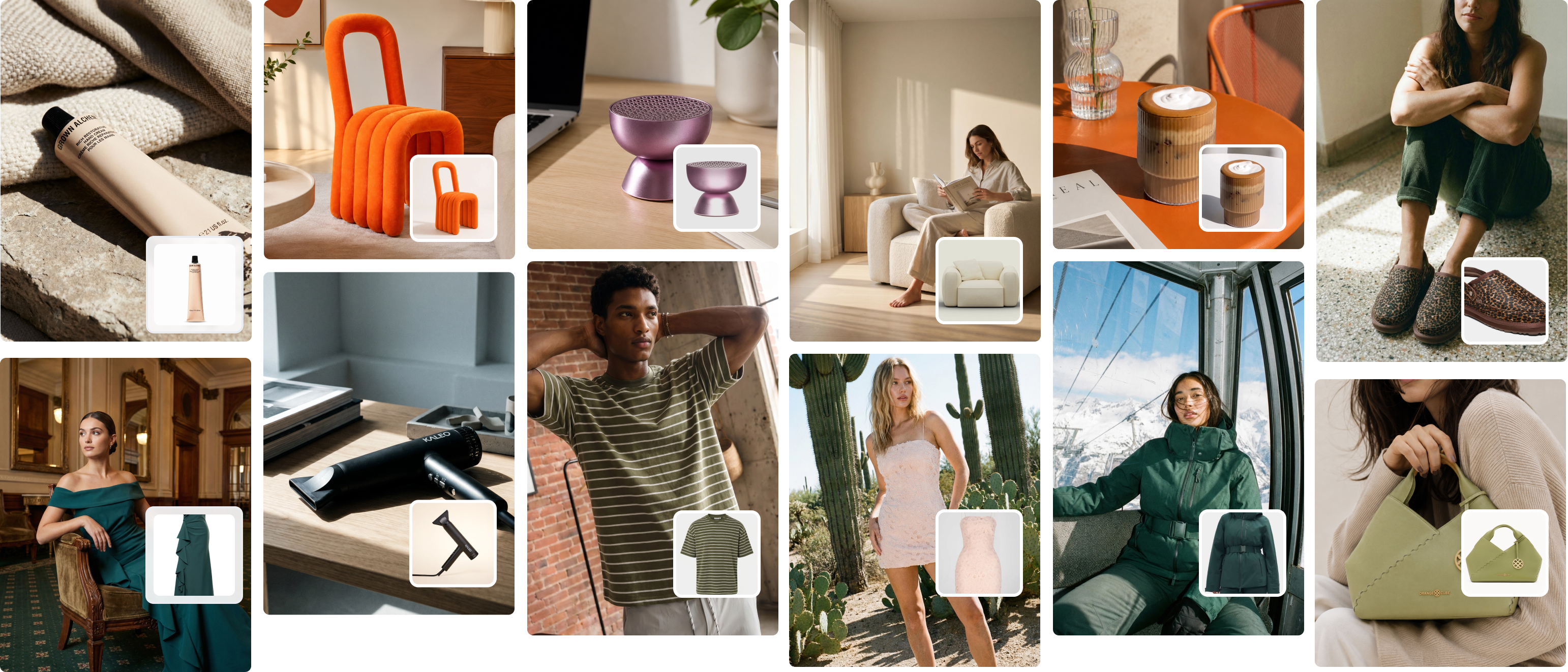
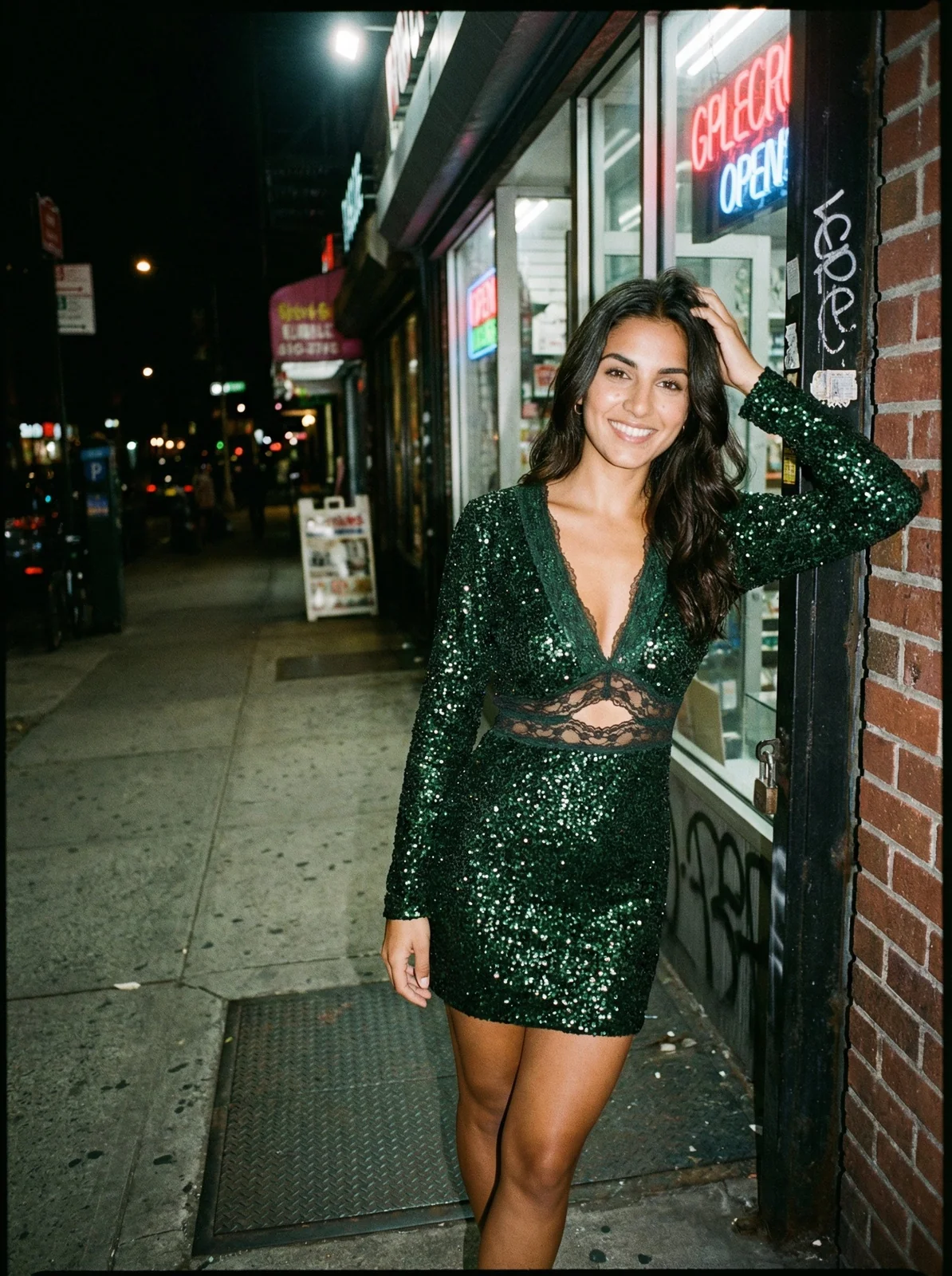
Flat lay to model AI is technology that takes a photograph of a garment laid flat on a surface — or hanging, or on a ghost mannequin — and generates a photorealistic image of that garment being worn by a digital model.
No retouching. No casting. No studio booking. The AI maps the garment's shape, fabric, and design onto a virtual human form, rendering natural draping, lighting, and shadows in a way that looks like a real photoshoot.
This matters for fashion brands because the number one conversion signal in clothing ecommerce is fit. Customers buy when they can picture themselves wearing the product. A flat lay tells them what the fabric looks like. A model photo tells them what it looks like worn — and that's the image that sells.
The technology has matured quickly. The best platforms in 2026 produce on-model images that are indistinguishable from traditional photography at standard web and mobile resolutions — accurate fabric drape, natural pose variation, skin-tone-accurate lighting.

Why Flat Lays Are the Best Starting Point for AI Photoshoots
Flat lays are actually the ideal input for AI model generation — better, in many cases, than ghost mannequin photos. A flat lay shows the full garment in two dimensions, without the visual noise of mannequin edges, neckline cutouts, or filling inserts. The AI has a clean, unobstructed view of every seam, detail, and fabric texture.
Ghost mannequins work too — often extremely well for structured garments like jackets and knitwear. Hanger shots are usable but tend to produce slightly less accurate draping on fitted styles because the garment shape is compressed.
The flat lay is what most brands already have. Even if you've been selling on Shopify for three years with product-only flat lay photography, you are sitting on an asset that can be converted to a full on-model library today.
One important caveat: the quality of your flat lay determines the quality of your on-model output. We go deep on that below — it's the section most tools skip, and it's the most important one.
For a deeper look at flat lay shooting techniques before you convert, see the complete guide to flat lay fashion photography for e-commerce.
How the Conversion Works: Step by Step
The workflow is fast. Here's what happens when you run a flat lay through a tool like Picjam:
- Upload your garment image. This can be a flat lay, ghost mannequin, or hanger shot. Most platforms accept JPG or PNG. Higher resolution gives better output — aim for at least 1,000px on the longest side, ideally 1,500px+.
- Select or generate your model. Choose from a built-in library of AI models varying in body type, skin tone, age, and gender — or upload your own brand model for consistency across your catalogue.
- Set your background and style. Choose a clean white, a lifestyle setting, or a custom branded environment. Some platforms let you specify lighting style at this step: natural, studio, or editorial.
- Generate. The AI maps your garment onto the model's form, renders fabric draping and shadows in context, and outputs a finalised image. This takes 10–30 seconds per image.
- Review and iterate. Check the output for accuracy — sleeve length, neckline, fit. If something's off, adjust your prompt or swap the model pose and regenerate. Batch tools let you run hundreds of images at once and review at the end.
Five steps. No photography equipment, no model booking, no post-production queue.
For a brand with 200 SKUs, this workflow replaces what would otherwise be a four-day studio shoot costing $8,000–$15,000. With Picjam's Studio plan at $99/month, the maths change significantly. See how AI batch photo generation works across a full catalogue.
What Makes a Flat Lay Convert Well? The 5 Input Quality Factors
This is the section most AI photography tools won't walk you through — because they want you to believe the conversion is automatic. It nearly is, but the quality of your output is directly linked to the quality of your input.
After working with 1,200+ clothing brands through Picjam, I've seen the same patterns consistently: brands that prep their flat lays properly get on-model photos they can publish directly. Brands that don't end up with images that need manual fixes — distorted fit, inaccurate drape, lighting that doesn't match the output model.
Here are the five factors that determine whether your flat lay converts well:
1. Background cleanliness
Your flat lay must be shot on a flat, uniform surface. White or light grey is best. Anything patterned, textured (like a bedsheet), or dark creates contrast confusion for the AI — it can't reliably separate garment edges from the background.
If you're shooting on a wooden floor or coloured surface, run a background removal pass first. Most AI photography platforms, including Picjam, do this automatically. Don't let a cluttered background be the reason your output fails.
2. Garment preparation
Steam or iron your garment before shooting. This is non-negotiable. Wrinkles don't just look bad in the flat lay — they corrupt the AI's understanding of the garment's silhouette. A heavily wrinkled sleeve makes the model ambiguous: the AI can't always tell where the garment ends and the background begins.
Lint rolling matters too. Pet hair, dust, loose threads — these appear in the output because the AI faithfully reproduces what it sees in the source image.
3. Resolution and lighting
Shoot at a minimum of 1,500px on the longest side. The AI uses pixel-level detail to understand fabric texture, and low-resolution images produce flat, slightly artificial-looking output even when the model generation is otherwise clean.
Light the garment evenly. A single window light source creates harsh shadows that the AI can interpret as garment features rather than environmental lighting. Use a diffused source or a lightbox for consistent, shadow-free results. Natural light on a cloudy day works well in a pinch.
4. Garment composition
Lay the garment flat and symmetrical. Spread the collar fully. Position sleeves at a natural angle — roughly 15–30 degrees from the body, not folded across. For bottoms, keep the legs parallel and the waistband clearly defined.
The AI uses composition to understand the garment's intended silhouette. A weirdly folded collar or a sleeve tucked under the body will produce a model output where that specific detail looks off — and it takes longer to diagnose than it does to fix at the shoot stage.
5. Garment complexity scoring
Not all garments convert with the same accuracy. Here's a guide based on what we see across thousands of generations at Picjam:
| Garment type | AI conversion accuracy | Recommended input |
|---|---|---|
| T-shirts, tanks, basics | Excellent | Flat lay |
| Fitted dresses | Excellent | Flat lay or ghost mannequin |
| Jeans, trousers | Very good | Flat lay (full leg visible) |
| Knitwear, hoodies | Very good | Ghost mannequin preferred |
| Jackets, blazers | Good | Ghost mannequin strongly recommended |
| Sheer or lace fabrics | Moderate | Clean background critical |
| Heavy embellishment | Moderate | High-resolution input essential |
| Underwear / swimwear | Variable | Check platform capability first |
Knowing this matrix upfront saves you from running a batch of 200 sheer dresses and expecting the same output quality as your basic tees.
The practical implication: Sort your SKUs by garment complexity before batching. Run your basics first — they'll produce near-perfect results you can publish immediately. Use those wins to build confidence in the workflow, then tackle your more complex styles individually and review before scaling.
One of our customers — a Melbourne-based womenswear brand — used this approach to convert their entire 180-SKU summer catalogue over a single weekend. They ran all their dresses, tees, and shorts through Picjam's batch tool using flat lays already photographed for supplier sheets. Result: 143 publish-ready on-model images in 48 hours. Three years earlier, the same brief was a four-day shoot with a model and photographer costing over $11,000.

How Picjam Converts Your Flat Lays Into On-Model Photos
Picjam was built specifically for fashion and apparel brands. Upload a flat lay, ghost mannequin, or hanger shot — get back a hyper-realistic on-model image in about 20 seconds. The platform was trained on fashion-specific data, which means it understands garment silhouettes, fabric draping, and how clothing actually fits a body. The output looks like fashion photography, not a composited image.
Brands use Picjam primarily for three workflows:
- Catalogue conversion: Converting existing flat lay or ghost mannequin libraries into on-model photos at scale — the most common use case for new customers
- New product launches: Getting on-model content live the same day a sample arrives, before a full shoot is scheduled
- Market testing: Generating lifestyle variants of the same product to A/B test across different audiences, platforms, and markets
For a DTC fashion brand spending $2,000–$5,000 per photoshoot, switching to Picjam's Studio plan at $99/month typically pays for itself within the first batch run. The platform also supports batch generation via CSV upload — a 500-image batch typically completes in under two hours, making a full seasonal library viable in a single day.
See the full breakdown of product photography costs in 2026 to understand where AI fits in your content budget.
View Picjam's pricing plans — Studio starts at $99/month, Enterprise pricing available on request.

Frequently Asked Questions
How does flat lay to model AI work?
The AI analyses the garment image to identify its shape, fabric, and design details. It maps those elements onto a selected digital model's body form, rendering realistic draping, lighting, and shadows. The process takes 10–30 seconds and produces an image that looks like a professionally shot on-model photo.
Is flat lay to model AI free?
Most platforms offer a free trial. Picjam offers a free trial so you can test the tool on your own garments before committing to a plan. Paid plans start at $99/month for the Studio tier, which covers the volume most small-to-mid-size fashion brands need. Try Picjam free here.
What clothing types work best for flat lay to model AI?
Basics (T-shirts, tanks, fitted dresses, trousers) convert with the highest accuracy from flat lays. Structured garments like jackets and knitwear convert better from ghost mannequin inputs. Sheer, heavily embellished, or complex layered garments convert with moderate accuracy and benefit from higher-resolution inputs and clean backgrounds. See the garment complexity table above for a full breakdown.
Can I use my own model with flat lay to model AI?
Yes. Picjam lets you upload your own brand model to generate consistent on-model images across your catalogue. This is particularly useful for brands that have established a specific model identity in their marketing, or that need consistent representation for a specific body type and skin tone.
Does flat lay to model AI work with ghost mannequin photos?
Yes, and often with excellent results — particularly for structured garments. If you already have a ghost mannequin library, those images are valid inputs for Picjam's conversion workflow. For tips on building a high-quality ghost mannequin library at scale, see how to produce ghost mannequin images at scale.
How long does it take to convert a flat lay to an on-model photo?
Individual images generate in 10–30 seconds. Batch processing via CSV upload handles hundreds of images simultaneously — a 500-image batch completes in under two hours on Picjam's Studio plan. For brands launching full seasonal collections, this means a complete on-model library can be live within a day of receiving product samples.
Bottom Line
If you're a fashion brand sitting on flat lay or ghost mannequin images and not showing them on model, that's a conversion problem with a direct fix. Flat lay to model AI converts your existing product photography into on-model content in seconds — no studio, no model bookings, no retouching queue.
The key is input quality. Prep your flat lays properly — clean background, ironed garments, adequate resolution, symmetrical composition — and you'll get publish-ready on-model images on the first pass. Sort your SKUs by garment complexity before batching, and the workflow scales cleanly across a full catalogue.
Picjam has run this workflow for 1,200+ fashion brands and holds a 4.3-star rating on Trustpilot and 4.7 stars on the Shopify App Store. The brands that use it consistently replace $5,000–$15,000 photography budgets with a $99/month plan. The ROI is not subtle.
Try Picjam free — convert your first flat lays to on-model photos today.
Michael Pirone
Co-Founder