AI Photoshoot Generator: How Fashion Brands Create On-Model Content Without a Studio
An AI photoshoot generator turns flat-lay clothing photos into on-model images in minutes. Cut shoot costs by 90% and get catalog-ready images with Picjam.
If you’re spending $2,000–$5,000 per shoot to photograph clothing on a model, there’s a faster way. An AI photoshoot generator turns your existing flat-lay or ghost mannequin images into realistic on-model product photos — in minutes, not weeks.
As of 2026, 67% of top-500 ecommerce fashion brands use AI-generated imagery for at least some product listings. The shift isn’t because brands have lowered their standards. It’s because AI output quality has caught up with customer expectations — and the cost savings are impossible to ignore.
This guide covers exactly how an AI photoshoot generator works, what produces the best outputs, and how to build a production-ready catalog workflow from flat lay to marketplace listing.
Table of Contents & What We'll Cover
- What is an AI photoshoot generator?
- How does an AI photoshoot generator work?
- How to get the best results from your input images
- The flat-lay-to-model workflow: step-by-step for fashion brands
- How Picjam handles this for fashion brands
- Frequently asked questions
- Bottom line
What Is an AI Photoshoot Generator?
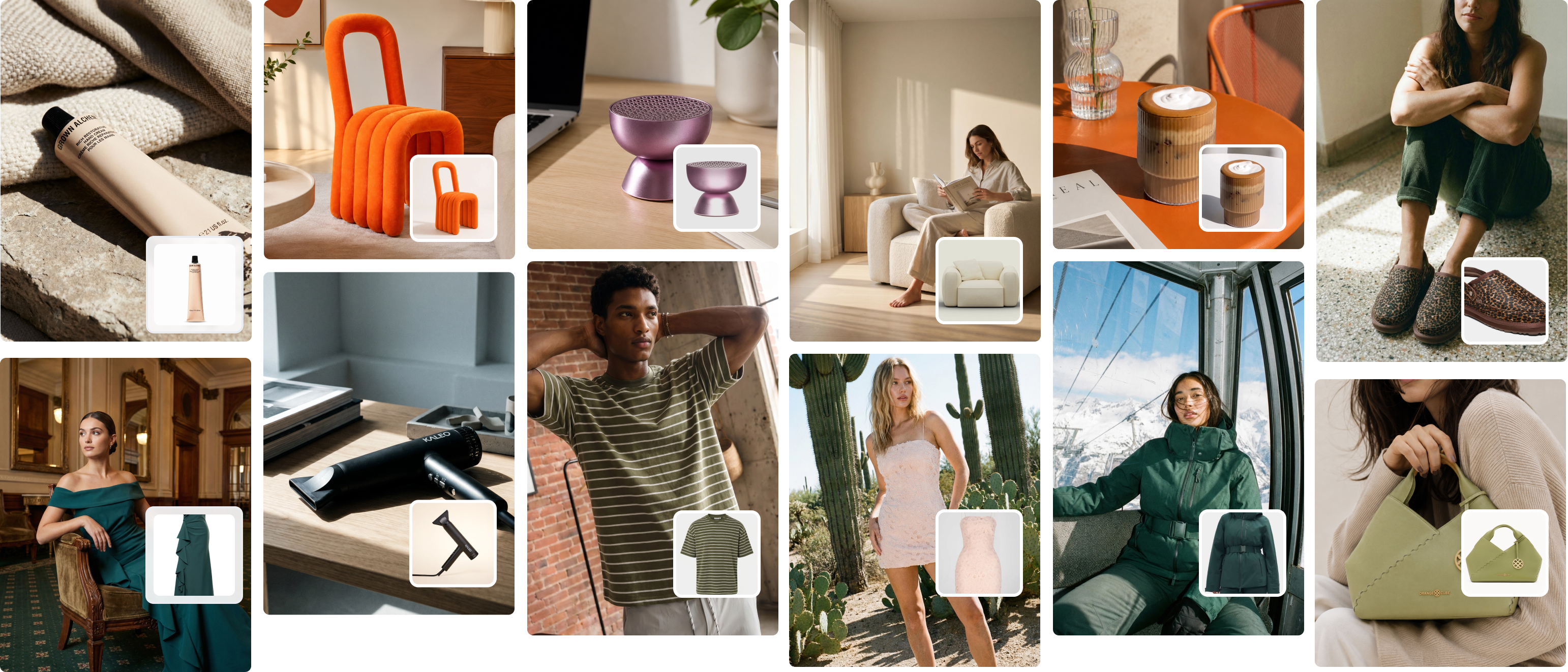
An AI photoshoot generator is software that creates professional product photography using artificial intelligence — without a physical camera, studio, or human model. You upload an existing product image and the system generates realistic on-model or lifestyle photos in seconds.
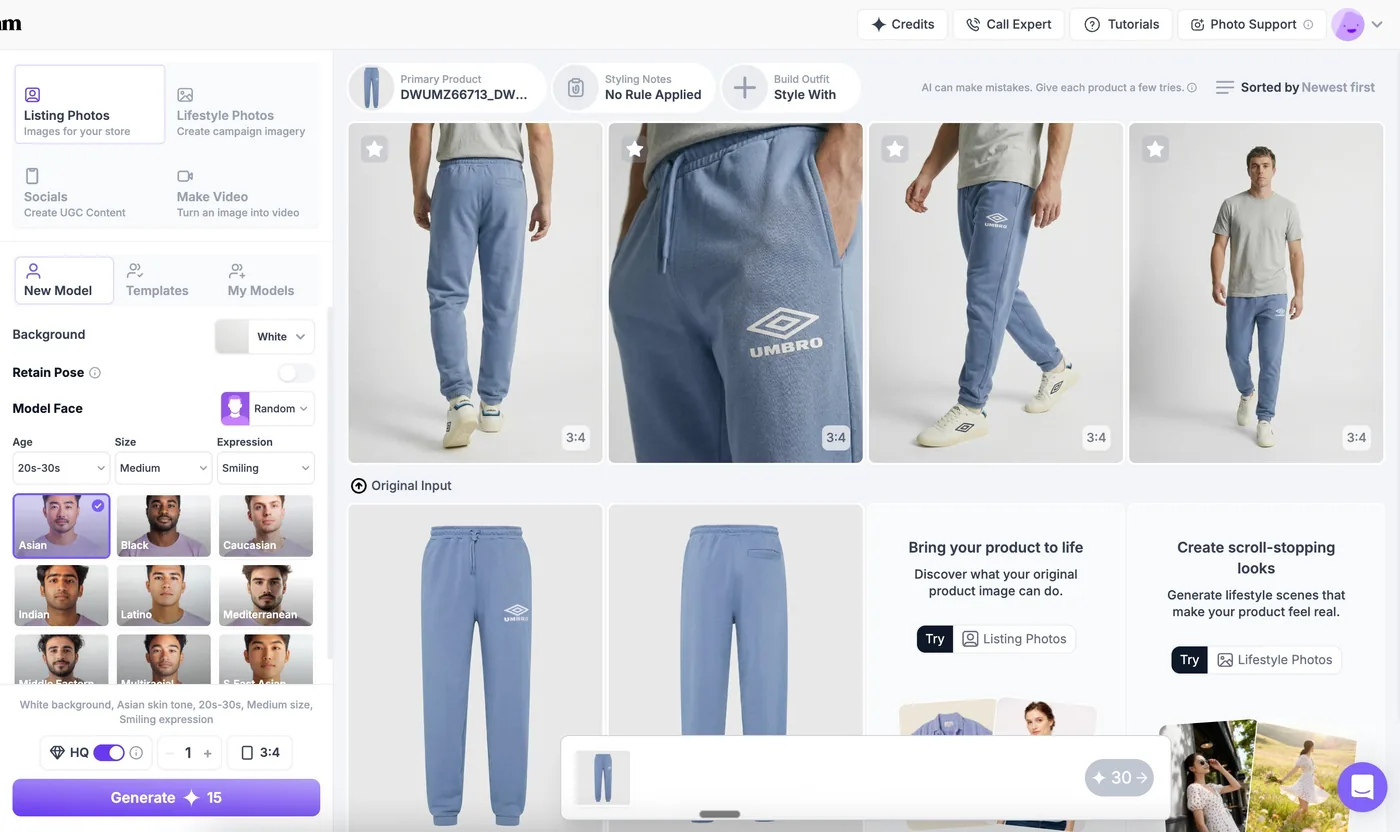
For fashion brands, this typically means uploading a flat lay, ghost mannequin, or hanger shot and receiving back a photorealistic image of the garment on a model — in your chosen pose, background, and lighting style.
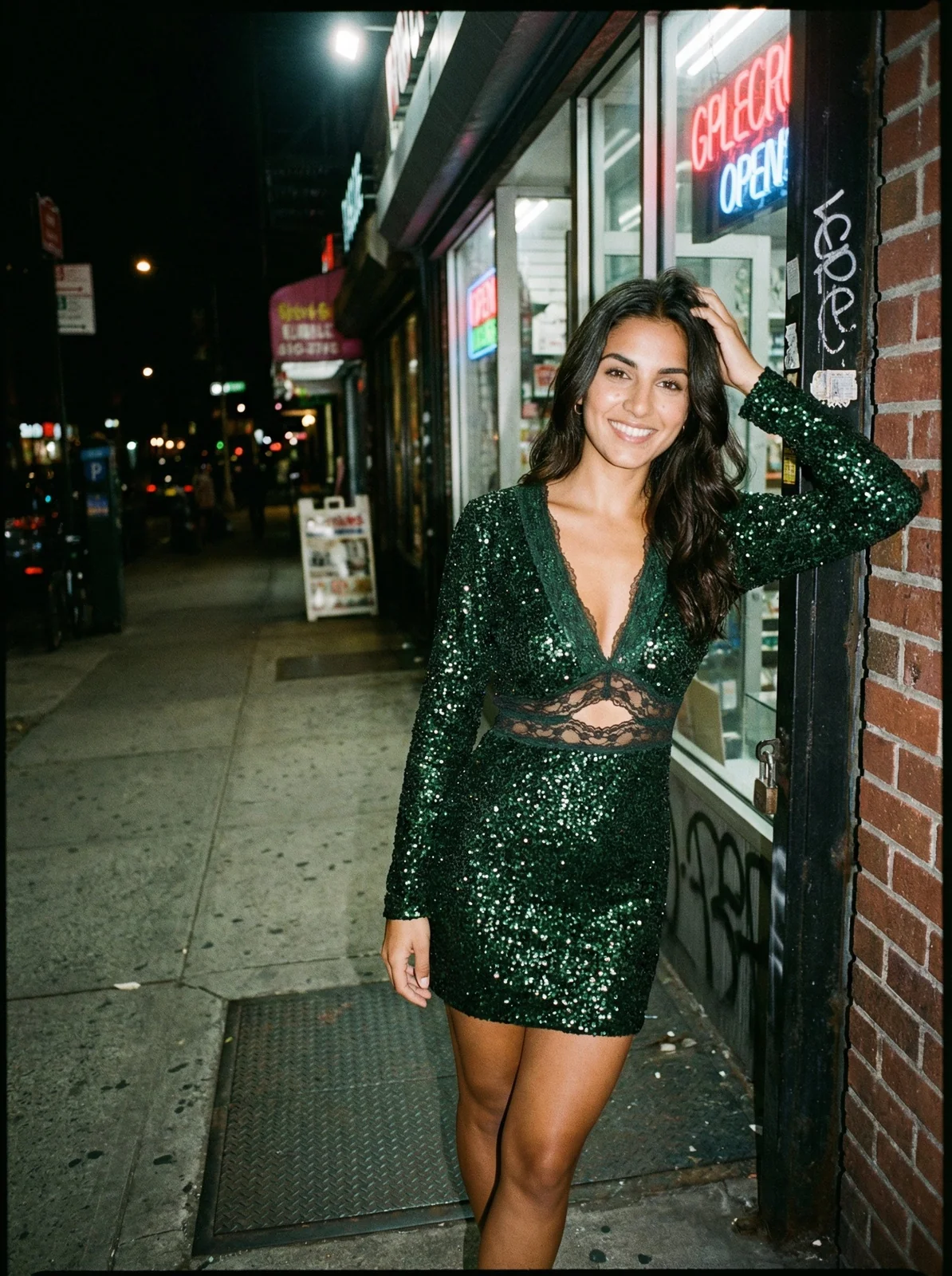
The technology uses diffusion models trained on millions of fashion images. Unlike early AI tools that produced obviously artificial results, modern platforms render fabric texture, garment fit, and skin tone with enough accuracy to pass quality review for Amazon, Shopify, and Farfetch listings.
After working with 1,200+ clothing brands through Picjam, the consistent finding is that most operators are surprised by how accurate the output is on their first generation run — especially on standard garment types like tees, pants, and dresses.
How Does an AI Photoshoot Generator Work?
The process is simpler than most brand operators expect.
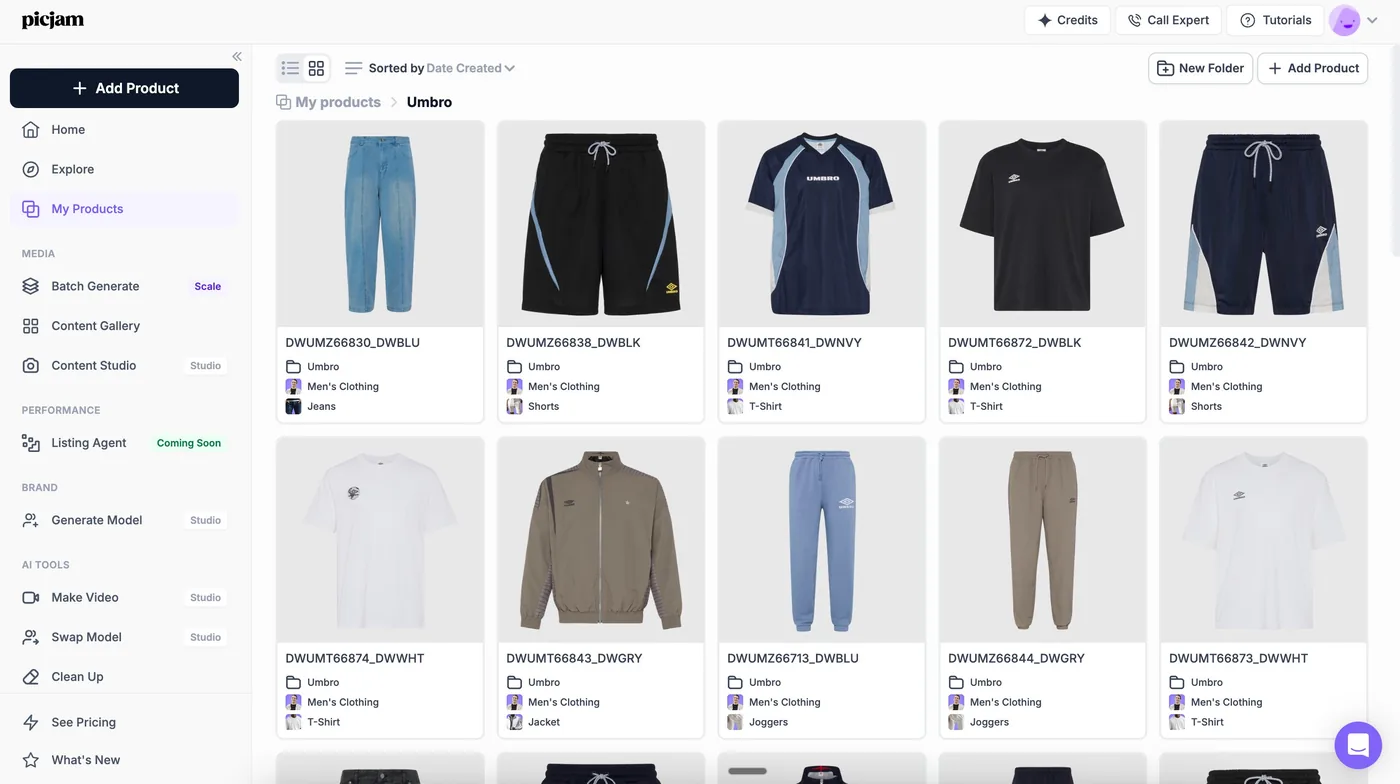
- Upload your product image. A clean flat lay, ghost mannequin, or hanger shot on a plain background works best. The AI needs to clearly see the garment — fabric texture, colour, and fit.
- Select your model and settings. Most platforms offer a model library with different body types, ethnicities, and poses. You specify background environments and lighting styles.
- Generate your images. The AI places your garment on the selected model and renders the full image — typically in under 60 seconds per asset.
- Review and export. You select the best outputs and export at high resolution — ready for marketplace listings, social, or ads.
The whole process for a single SKU takes roughly five minutes. For a 50-product catalog, you’re looking at a few hours rather than a three-day studio booking.
How to Get the Best Results From Your Input Images
This is where most brands stumble. The AI output quality is directly tied to the quality of your input.
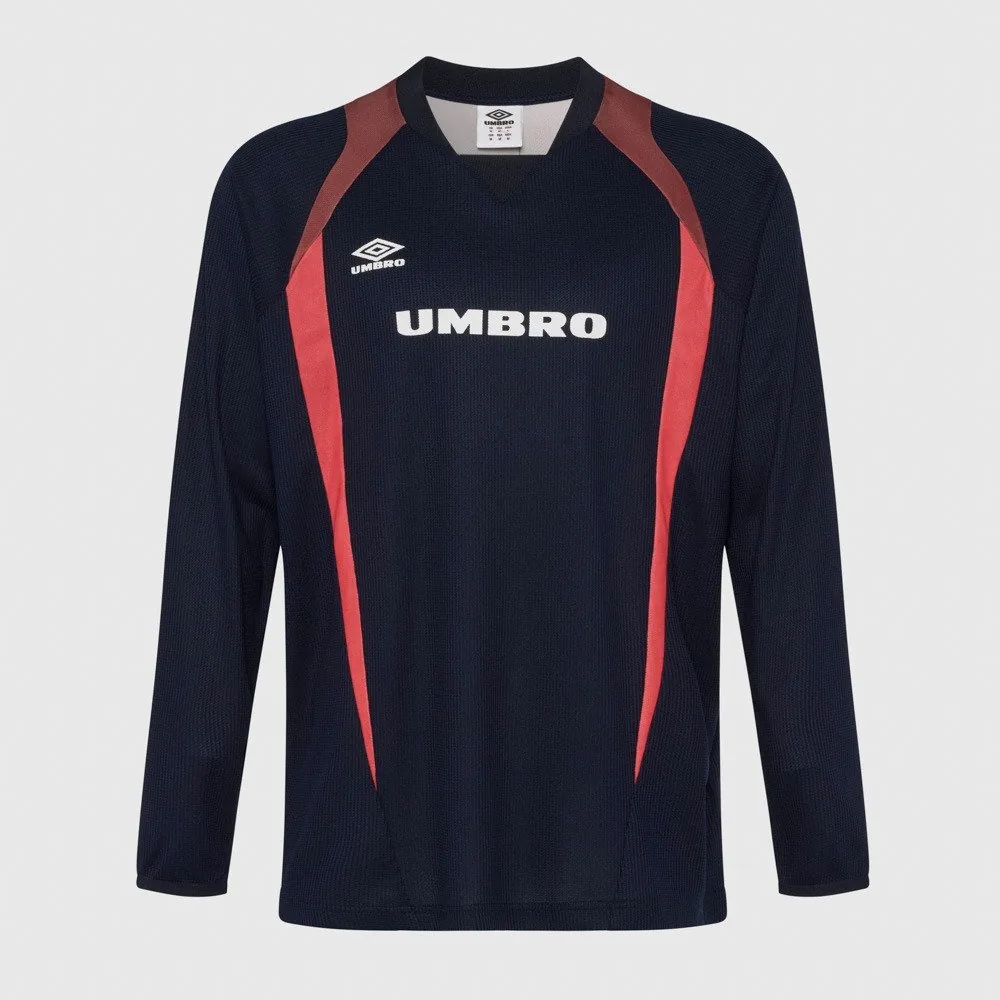
Plain or white background. The AI needs clear contrast to detect garment edges accurately. A busy or textured background causes artefacts in the generated output.
Full garment visibility. Don’t fold sleeves back or bunch fabric. The AI renders what it sees. If a sleeve is hidden in your flat lay, it will likely generate incorrectly.
Even lighting, no harsh shadows. Diffused light gives the AI the most accurate colour and texture data. Harsh shadows can distort the model rendering.
High resolution. Input at minimum 1000 x 1000px. The AI can upscale, but it cannot invent detail that isn’t there.
Multiple angles where possible. Uploading front and back shots gives platforms like Picjam enough data to generate consistent multi-angle outputs.
The brands that get the best AI photoshoot results treat their input photos seriously. A mediocre flat lay produces mediocre AI output. A clean, well-lit flat lay produces results that brand managers routinely struggle to distinguish from real shoots.
When we built Picjam, we noticed that brands coming from professional studio setups — where they already had clean, consistent input images — consistently got better AI outputs from day one. The photographers who understood lighting had unknowingly solved the hardest part of the AI workflow already. For flat-lay best practices, see our guide to flat lay photography for fashion brands.
The Flat-Lay-to-Model Workflow: A Step-by-Step Guide for Fashion Brands
Getting a single good AI image is one thing. Building a scalable, consistent content pipeline for an entire seasonal catalog is another. This is what most AI photoshoot guides don’t cover — and where the difference between AI photography as a curiosity and AI photography as a serious production system becomes clear.
Here is the workflow we’ve refined after working with 1,200+ clothing brands at Picjam.
Step 1: Prepare Your Catalog Batch Before You Start
Don’t upload garments one by one. Prepare your entire catalog batch first — same background, same lighting standard, same resolution. Group products by category: tops, bottoms, outerwear, accessories. Consistency in your inputs means the AI generates cohesive results across your full range, not a visual patchwork.
One of our Shopify customers — a Sydney-based activewear brand with 80 SKUs — restructured their flat-lay process before uploading to Picjam. They standardised their lighting setup, used the same neutral backdrop for every garment, and uploaded all 80 images in a single session. The result: 400 AI-generated images across five model variants in under four hours.
Previously, the equivalent catalog required three studio days, two models, and approximately $8,000 in combined photography and post-production costs. On Picjam’s Studio plan at $99/month, their cost-per-image dropped from $20+ to under 25 cents.
Step 2: Select Models That Match Your Customer Profile
In a traditional studio shoot, budget constraints mean you book one or two models. With an AI photoshoot generator, you can generate the same garment on five different models — different body types, ethnicities, and poses — at no extra cost per model.
For brands targeting a diverse customer base, this matters for conversion. Product pages with diverse model representation average 27% higher conversion rates compared to pages featuring a single model type (2025 data). Choose models whose proportions match your target demographic. A brand selling premium loungewear for women over 35 shouldn’t be generating imagery on a teenage-proportioned model — that’s a brand mismatch customers notice.

Step 3: Write a Consistent Brand Photography Brief
Don’t just generate random outputs. Before your first run, define your standards in writing:
- Background style. Studio white for marketplace listings. Lifestyle (indoor, outdoor, urban) for social and ads.
- Pose direction. Facing forward for primary listing images. Side profile and dynamic for secondary shots.
- Lighting mood. Clean and natural for catalog. Warmer for editorial and seasonal content.
Write this down as a photography brief — the same brief you’d hand a human photographer. Consistency is what makes AI photoshoot content look intentional rather than randomly assembled.
Step 4: Generate, QA, and Tier Your Outputs
Plan on generating 3–5 variants per SKU per model. Not every output will pass quality review. The AI occasionally misrenders complex details — very fine embroidery, thin straps, or reflective metallics can produce artefacts.
A simple QA checklist:
- Are garment boundaries accurate? No extra fabric or missing sections?
- Does colour match the source image accurately?
- Are face and hands natural-looking? Check for typical AI tells — unusual finger rendering, asymmetric features.
- Does the background match your brief?
- Is the resolution suitable for your marketplace? Check at 100% zoom before exporting.
For standard garments — tees, pants, dresses, jackets — 70–80% of generated images typically pass QA without additional editing. For complex items (sheer fabrics, detailed embroidery, metallic surfaces), plan for a 40–60% pass rate and adjust your generation volume accordingly.

Step 5: Structure Your Outputs for Each Marketplace
Different platforms have different image requirements:
- Shopify listings: Primary image on white or transparent background. Secondary images can include lifestyle outputs.
- Amazon: First image must show only the product on white background. Additional slots allow lifestyle and detail shots. Amazon permits AI-generated images as of 2025 provided they accurately represent the product.
- Instagram and TikTok ads: Square or vertical formats. The lifestyle outputs from your AI session are directly usable without reformatting.
Picjam’s export options let you size and format outputs for each platform in one step — no separate post-production workflow required for Amazon versus Shopify versus social.
Step 6: Build a Seasonal Refresh Cycle
The real power of an AI photoshoot workflow isn’t just the initial catalog. It’s the ability to re-shoot for seasonal campaigns without physically re-photographing your inventory.
Change the background to a summer outdoor setting. Swap the model selection for a winter campaign feel. Update poses for a festive mood. Same garments, new context — in hours, not weeks.
This is what lets small fashion brands compete visually with large ones. A brand on Picjam’s Studio plan at $99/month can generate content at the frequency that brands with $50,000 monthly photo budgets produce. That’s the structural advantage that makes AI photoshoot generation the default choice for growing fashion brands in 2026.
How Picjam Handles This for Fashion Brands
Picjam was designed specifically for fashion and apparel — not a general AI image tool with a fashion feature bolted on. The flat-lay-to-model workflow is the core product, built around how clothing brands actually operate their content pipelines.
The typical Picjam workflow: a brand uploads their flat-lay images, selects from Picjam’s diverse model library (different body types, ethnicities, and poses), sets their background preferences, and generates. Most brands get their first usable outputs within ten minutes of uploading.
Picjam’s Studio plan starts at $99/month. For large catalogs and agency work, Enterprise pricing is available — book a demo with the team to discuss volume requirements.
Compare that to the average cost of a professional fashion shoot in 2026: $1,500–$4,000 per day in Australia, $2,500–$8,000 per day in the UK and US, once you factor in photographer fees, model fees, studio hire, styling, and post-production. For a full breakdown of traditional versus AI photography costs, see our guide to product photography cost in 2026.
For more on how AI is transforming on-model imagery across the fashion industry, see our in-depth guide to AI fashion photography.
Frequently Asked Questions
What is an AI photoshoot generator?
An AI photoshoot generator is software that creates professional product images using artificial intelligence. For fashion brands, it takes an existing flat-lay or mannequin photo and generates a realistic on-model image — without a photographer, studio, or model booking.
How much does an AI photoshoot cost?
AI photoshoot platforms typically range from $20–$200/month depending on volume and features. Picjam’s Studio plan is $99/month. Compare that to a traditional fashion shoot, which costs $1,500–$8,000 per day when you include photographer, model, studio hire, and post-production.
Can I use AI-generated photos on Amazon?
Yes. Amazon permits AI-generated product images as of 2025, provided they accurately represent the product. The primary listing image must show only the product on a white background — AI-generated images that meet this standard are fully compliant.
How do I get the best results from an AI photoshoot generator?
Start with a clean input image: plain or white background, even lighting, full garment visible, minimum 1000 x 1000px resolution. AI output quality is directly tied to input quality. Brands that standardise their flat-lay photography before uploading consistently get better results first time.
Is there a free AI photoshoot generator for fashion brands?
Most AI photoshoot platforms offer free trials rather than permanent free tiers. Picjam offers a free trial so you can test output quality on your actual products before committing to a plan. Start at beta.picjam.ai.
How long does an AI photoshoot take?
A single AI-generated image takes 30–60 seconds to generate. A full catalog of 50 SKUs across five model variants — 250 images — can be completed in a few hours, compared to two to three studio days for an equivalent traditional shoot.
Bottom Line
If you’re a fashion brand still booking studio shoots for every SKU update, you’re paying 10–20x more than the market rate for the same result. An AI photoshoot generator delivers catalog-ready, marketplace-compliant images in a fraction of the time — and the workflow scales with your catalog size.
Picjam is purpose-built for fashion and apparel. With 1,200+ brands using it and a 4.3-star rating on Trustpilot (114 reviews), the output quality has been validated at real production volumes across Shopify stores, Amazon listings, and DTC brands. If you want to see what it produces with your actual products, the fastest way is a free trial.
Try Picjam free — generate your first AI on-model images in minutes →
Michael Pirone
Co-Founder