
Creative Product Photography: A Guide for Fashion Brands
Learn a step-by-step workflow for creative product photography. This guide covers AI-powered techniques to produce high-converting fashion photos at scale.
When a fashion team has 1 hero sample and 3 sales channels to feed by Friday, creative product photography stops being an art debate and becomes an operations problem. I’ve seen brands get stuck between polished campaign imagery they can’t scale and basic catalog shots that don’t carry the brand.
That gap is where a hybrid workflow works best. Instead of treating creative output and production efficiency as opposites, smart teams build both into the same system.
Author: Michael Pirone, Founder of Picjam & Vidico
The Modern Challenge of Fashion Visuals
Reformation and Ganni helped set a standard for fashion imagery that feels branded, editorial, and immediate. The problem isn’t whether that kind of visual direction works. It does. The problem is producing enough of it across product pages, paid social, email, wholesale decks, and marketplaces without turning every launch into a production bottleneck.
Most advice on creative product photography still comes from a traditional studio mindset. It focuses on isolated products, standard shot types, and one-off manual setups. That’s useful up to a point, but it doesn’t solve the primary workflow issue most apparel brands face now.
Where most guides fall short
A major gap in existing guidance is dynamic model integration at scale. One cited review of the space notes that content on creative product photography overwhelmingly focuses on standard shots for isolated products, while guidance for model-led, multi-perspective apparel imagery is thin. The same source says lifestyle images with models can boost conversion rates by 20 - 30%, 68% of apparel buyers prefer model shots, and only 15% of tutorials address AI-assisted virtual modeling for rapid angle variation (Pro Photo Studio).
That mismatch shows up in production calendars every season. Teams know they need stronger on-body storytelling, but they’re still using workflows built for static product capture.
Practical rule: If your visual system depends on booking a full crew every time you need new variation, it won’t scale with modern fashion merchandising.
What works in practice
The strongest teams separate the process into 2 layers:
- Capture a reliable physical source asset
- Expand creatively from that asset through controlled generation and testing
That hybrid model matters because pure studio production is slow, while pure generation without a clean source often creates inconsistency. Fashion buyers notice small mistakes. Fabric sheen, hem shape, fit, and color tone can drift fast if the source image is weak.
A workable creative product photography system needs to do 3 things at once:
- Preserve product truth so the garment still looks like the garment
- Create visual range so campaigns don’t look repetitive
- Reduce production drag so teams can publish faster
The Fundamental Trade-Off
Brands usually think they’re choosing between creative ambition and operational discipline. They’re not. They’re choosing whether to keep using a production model that was designed for fewer outputs, fewer channels, and slower merchandising cycles.
The better approach is simpler. Use lean in-house capture for the base garment image. Build a strong visual brief before generation starts. Then produce multiple campaign-ready variations without rebuilding the shoot from scratch each time.
That’s the missing middle in creative product photography today. Not a replacement for taste, and not a shortcut around art direction. It’s a tighter system for turning one solid product asset into a full set of usable visuals.
Your Pre-Production Creative Blueprint
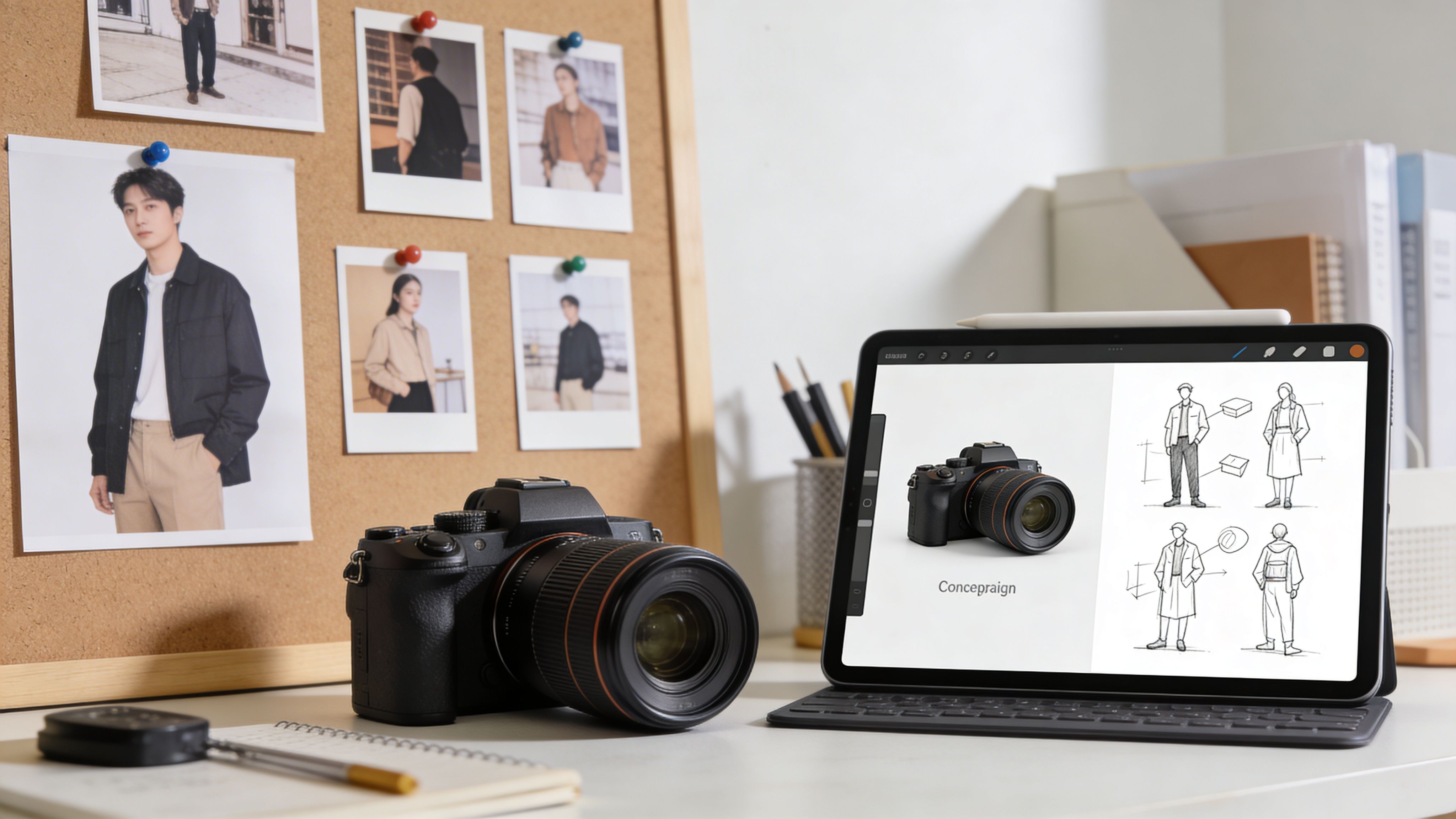
Before anyone touches a camera, the strongest work happens in the brief. In fashion, inconsistency rarely starts in post. It starts when the team hasn’t agreed on what the product should feel like on the page.
For apparel brands, visual quality carries direct commercial weight. The product photography services market research cited by Business Research Insights notes that 76.1% of apparel brands use diverse photography styles, including 95.6% with models, and 67% of online shoppers rank image quality as the top purchase factor (Business Research Insights).
Start with the brand signal, not the shot list
SKIMS is a useful reference point because its visuals are tightly controlled. The brand doesn’t rely on random variety. It repeats a recognisable visual language: minimal setting, confident styling, clear product focus, and restrained color treatment.
That’s how creative product photography should be planned. Not as “let’s get a mix of assets,” but as a system of repeatable signals.
Write the brief around these decisions:
- Customer aesthetic: Is the shopper responding to polished minimalism, soft luxury, sport utility, downtown edge, or clean essentials?
- Garment role: Is the product meant to feel foundational, directional, occasion-led, or trend-led?
- Channel priority: A PDP image needs clarity. A paid social image needs interruption. Email often needs cleaner storytelling.
- Casting intent: Decide the kind of presence the product needs. Relaxed, refined, youthful, sharp, understated.
- Scene logic: Keep environments aligned with merchandising goals. A strong concept still has to support selling.
Build a brief that can survive scale
A lot of teams make the mistake of creating a mood board that looks good in a deck but doesn’t translate into repeatable output. If the brief can’t guide 50 assets as well as 5, it isn’t production-ready.
Use a short operating brief, not just inspiration slides.
| Decision area | What to lock before production |
|---|---|
| Color handling | Define how warm, cool, muted, or contrast-heavy the final imagery should feel |
| Model presence | Clarify whether the model supports the garment subtly or drives more attitude |
| Styling tension | Decide how fitted, oversized, relaxed, or structured the silhouette should appear |
| Background world | Pick 2 or 3 repeatable environments, not 10 disconnected ideas |
| Crop behavior | Set rules for full-length, mid-length, and detail framing |
| Use case | Separate images for PDP, ads, marketplaces, and social before production begins |
The cleanest fashion visuals usually come from narrow creative constraints, not endless options.
Plan for consistency across channels
The brands that look expensive are often just disciplined. They don’t reinvent their visual language with each drop.
A useful pre-production checklist looks like this:
- Choose 1 visual priority per product family: Knitwear may need texture and softness. Tailoring may need structure and line.
- Set no-go zones: If your brand is minimal, don’t suddenly introduce chaotic urban backdrops or aggressive retouching.
- Define acceptable variation: Change mood, cast, or scene selectively. Keep product interpretation stable.
- Document examples: Include reference frames that show what “correct” looks like, and what’s too far off-brand.
Think like a merchandiser, not only a creative director
This stage often improves briefs. The question isn’t only whether the image is beautiful. It’s whether it helps the shopper understand the product faster and feel aligned with the brand while doing it.
In practice, that means balancing aspiration with legibility. The garment should still read clearly at thumbnail size. Details should still support confidence. The story should never overpower the item being sold.
That planning discipline is what makes the rest of the workflow efficient. When the brief is precise, output stays coherent. When the brief is vague, every asset turns into a subjective debate.
Capturing the Perfect Base Image for AI
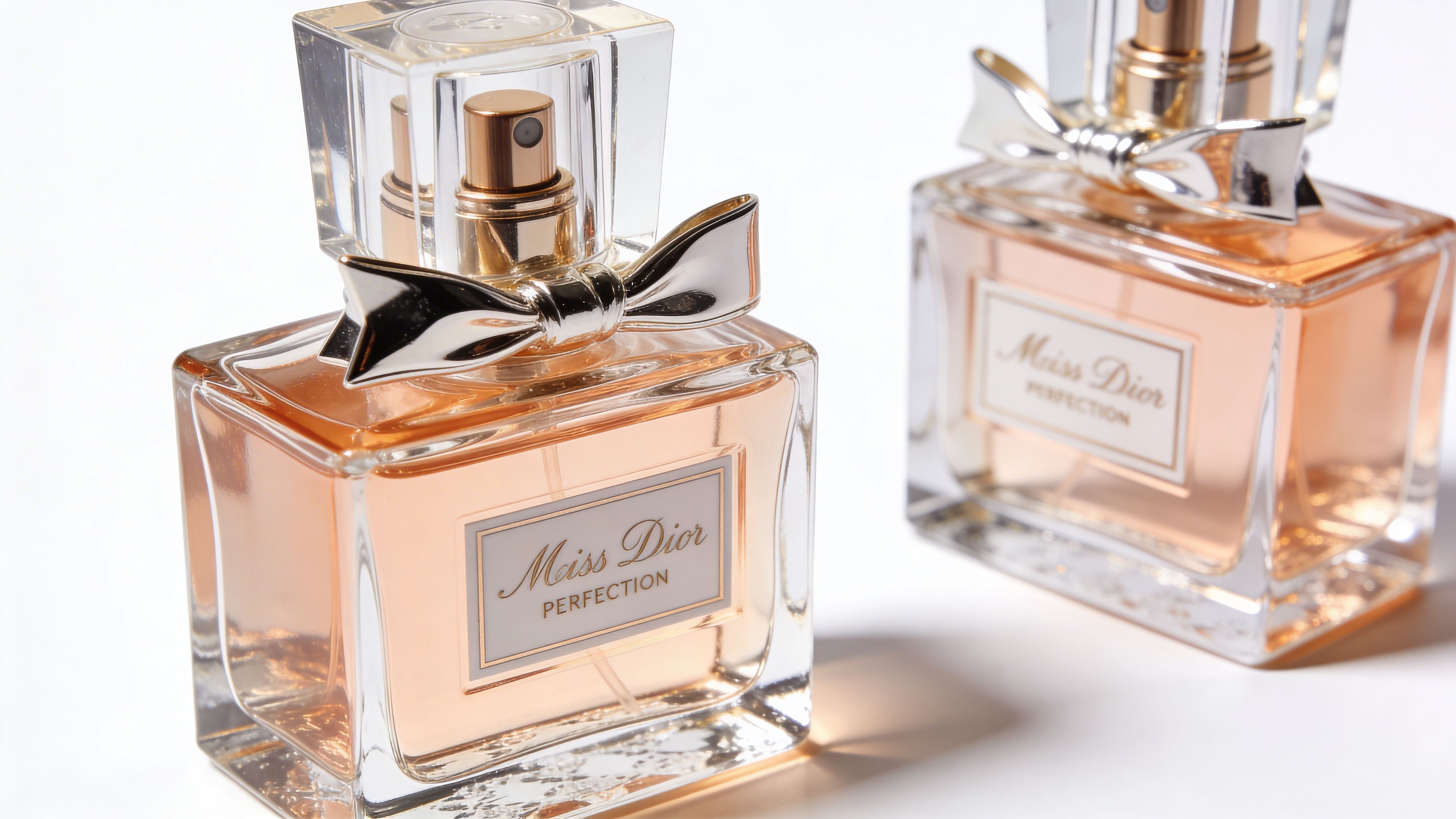
The best hybrid workflows don’t begin with a dramatic setup. They begin with a clean base asset. That’s the image doing the heavy lifting behind every later variation.
Traditional guides often push manual experimentation first, but that leaves a gap for teams trying to scale. One cited review says guides on creative product photography often emphasize dramatic techniques while overlooking newer AI workflows. It also notes that AI-generated videos from stills increased engagement by 35% for Etsy sellers, and adoption of AI tools among marketplace sellers rose 150% in the last 12 months (Tamron Americas).
What the base image needs to do
For fashion, the source image has one job. It has to describe the garment accurately enough that every later creative variation remains believable.
That means the base image should preserve:
- True silhouette
- Fabric texture
- Construction detail
- Color reliability
- Clean edges
If any of those are weak, later outputs tend to drift.
The capture rules that matter most
You don’t need a complex set. You need discipline.
Use this framework:
- Keep lighting even: Diffuse light works better than contrast-heavy lighting for a source asset. Harsh shadows create interpretation problems later.
- Stay straight and controlled: A clean, undistorted view gives the system a dependable read on shape and proportion.
- Show the whole garment clearly: Don’t let hems, sleeves, collars, or straps disappear into folds.
- Prioritize sharpness in key areas: Seams, trims, knit texture, buttons, and labels often determine whether the garment reads as premium or approximate.
- Prepare the sample properly: Steam it, shape it, and remove distractions before capture. Editing around bad prep is slower than fixing the garment upfront.
What brands usually get wrong
The most common mistake is trying to make the source image look like the final campaign image. That’s backwards.
A base asset isn’t there to impress anyone. It’s there to hold product truth. If the shirt is photographed with stylized shadow, exaggerated perspective, or messy folds, every future asset inherits that instability.
Another mistake is underestimating detail images. If a product’s value sits in ribbing, stitching, wash texture, or hardware, capture those details cleanly. Even if they don’t become the primary source asset, they help teams keep outputs anchored to the actual product.
A single well-prepared garment image is often more useful than a folder full of inconsistent shoot leftovers.
A simple production split
In-house teams usually benefit from splitting capture into 2 asset types:
| Asset type | Purpose |
|---|---|
| Primary base image | The clean, full garment image used to generate most variations |
| Reference detail set | Supporting close crops that verify texture, trims, branding, and finish |
That’s usually enough to create a stable starting point for scaled creative product photography.
Keep the workflow practical
For smaller teams, the goal isn’t to build a mini studio culture. It’s to create repeatable source material without friction. If your current process is messy, start with one product family, document the setup that works, and repeat it.
If you need a more detailed operational guide for base capture, this walkthrough on how to shoot product photography is a practical reference for tightening that first step.
The big shift is mental. Stop judging the source image like a finished ad. Judge it by how reliably it can generate and support the rest of your visual system.
How AI Generates Your Entire Photoshoot
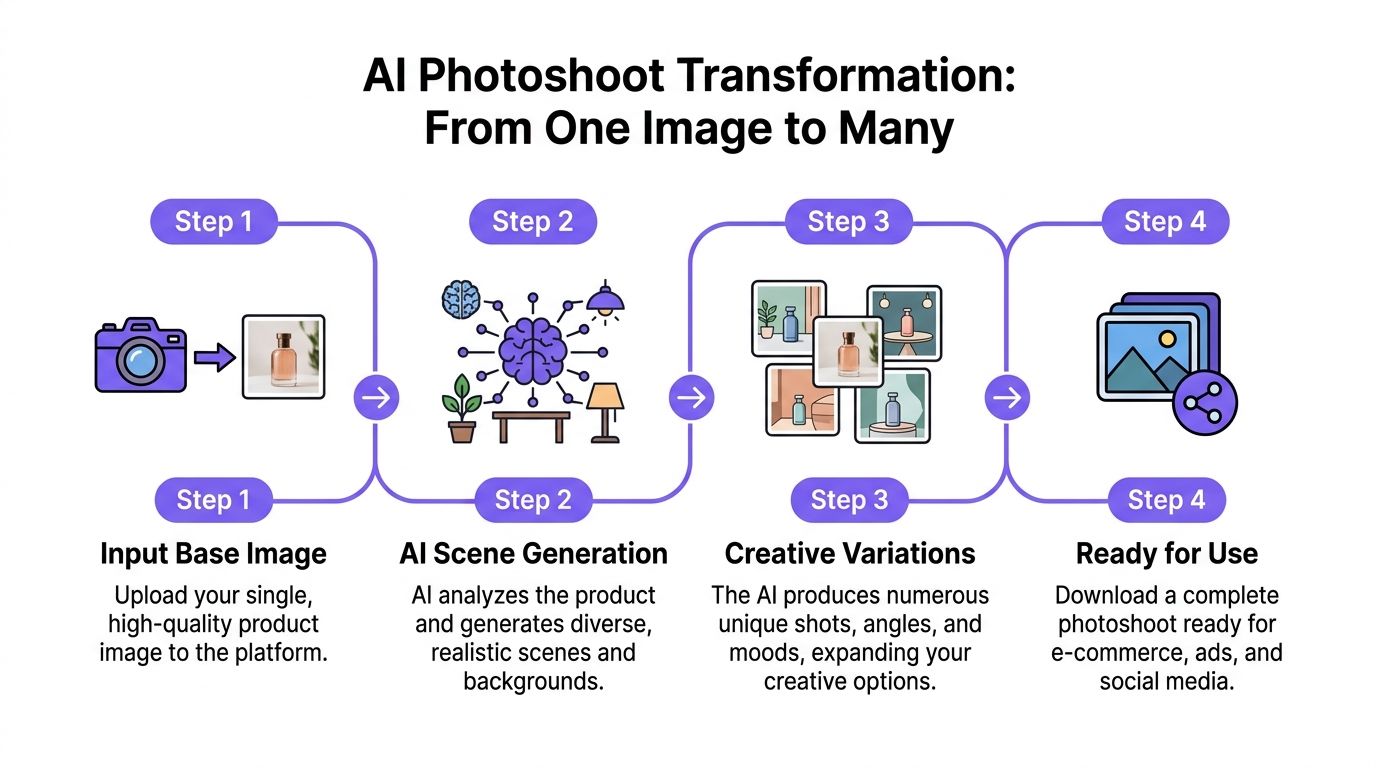
A good example is a new hoodie drop. The team has one clean source image, a launch date, and multiple destinations to cover: PDP, paid social, email, and marketplace listings. In a traditional setup, each variation creates another layer of planning, coordination, and revisions.
In a hybrid workflow, the source asset becomes the production anchor. The creative process moves from “book another shoot” to “generate the next approved variation.”
One product, many usable outputs
Start with the clean hoodie image. From there, the team defines the output set by use case.
For the PDP, the image set needs clarity and consistency. For paid social, the same hoodie might need a stronger environment and more attitude. For email, a tighter crop and cleaner scene often works better. None of those uses require changing the garment itself. They require changing context while keeping the product believable.
Controlled generation becomes useful here.
A tool such as this AI fashion photoshoot guide shows the practical logic behind turning one source product image into a broader content set without rebuilding production each time.
What a strong generation workflow looks like
The output improves when teams make deliberate choices in sequence:
Lock the product-first frame
Keep the garment as the visual priority. The product has to remain readable before anything else gets layered in.
Match the cast to the collection
A minimal essentials brand and a street-led outerwear brand shouldn’t use the same model presence or styling energy.
Generate by channel
Don’t make one image and force it everywhere. Build variants for product page, social, ads, and marketplace use.
Expand creatively in controlled ranges
Shift mood, crop, or environment, but don’t let every image become a different brand.
Why speed changes the creative standard
The biggest advantage isn’t novelty. It’s iteration.
According to Perfect Retouching, AI-generated shoots can boost conversion by 35 - 50% over traditional methods by enabling faster iteration. The same source says 70% of fashion brands using these workflows report 60 - 80% cost savings, and that maintaining a product-first composition lifts add-to-cart rates by 28% (Perfect Retouching).
Those numbers line up with what operators care about most. Not whether the process feels futuristic, but whether the team can produce more high-utility visual options without dragging every campaign through the same expensive production cycle.
Working principle: Creative range helps only when the product still reads instantly and accurately.
Extend stills into motion carefully
Once the still set is approved, some teams extend the same assets into motion for social or PDP use. If you’re exploring that part of the workflow, our guide to creating product videos covers how still-based assets can be adapted into short-form motion content.
The key is restraint. Motion should add context and energy, not hide product information.
What doesn’t work
The weak outputs are predictable:
- Model dominates the frame
- Environment competes with the garment
- Styling shifts too far from the base product
- Every variation feels like a separate campaign
- Teams generate volume before approving a visual system
That last one matters most. Scale amplifies mistakes fast. If the first approved direction is off, the workflow just produces more off-brand assets, faster.
The best hybrid systems don’t replace art direction. They make it executable across a much larger output set.
Refining and A/B Testing Creatives for Conversion
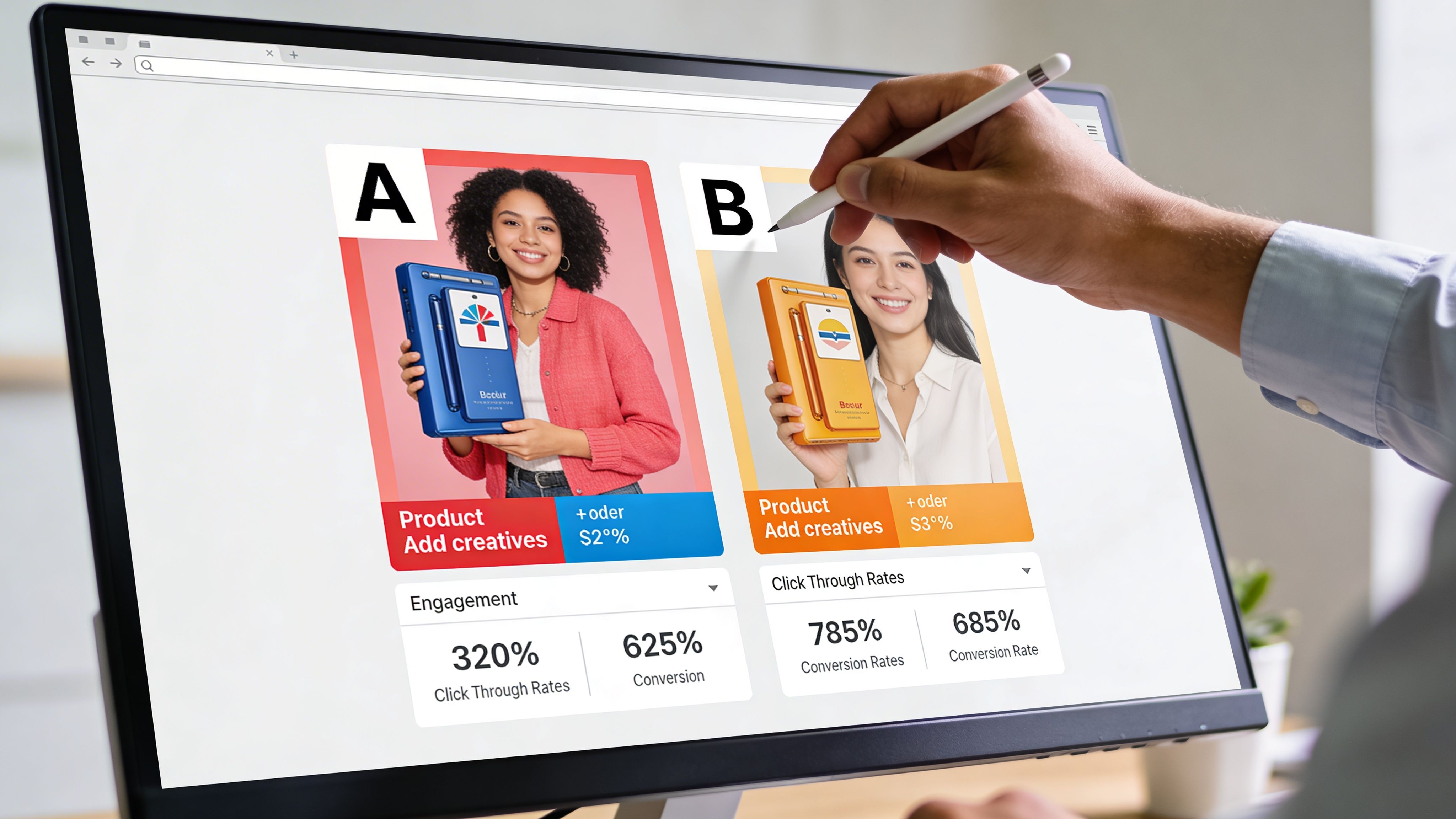
Creative product photography doesn’t prove its value when the team approves the gallery. It proves its value when the images help shoppers move.
That’s why refinement matters. The strongest teams treat generated imagery as a high-quality draft set, then tighten it for accuracy, consistency, and channel fit before rollout.
Clean up what affects trust
The final pass should focus on buyer confidence, not decorative polish.
Check for:
- Color drift: The garment should still align with the actual sample.
- Material realism: Satin, denim, knitwear, and technical fabrics need believable surface behavior.
- Edge errors: Small distortions near hems, cuffs, or hardware can weaken trust fast.
- Consistency across the set: Cropping, grading, and visual tone should feel related. Often, many teams overdo it, pushing dramatic treatment after the image is already strong enough to sell. That usually hurts more than it helps.
Why restraint beats visual tricks
Tom Crowl’s review of common mistakes in product photography notes that overuse of artistic techniques or inconsistent editing can cause a 15 - 25% drop in conversion rates. The same source says standardized style guides can cut post-production revisions by 40%, and that consistency drives 85% of purchase decisions on major marketplaces (Tom Crowl).
That’s the commercial case for discipline. Creative distinction matters, but shoppers still need visual continuity to evaluate product confidently.
If your best-performing image looks slightly less “creative” than the internal favorite, trust the buyer signal.
A practical A/B structure
Most fashion teams don’t need complicated test design. They need cleaner variables.
Use a simple matrix:
| Test area | Version A | Version B | What to watch |
|---|---|---|---|
| Scene style | Clean studio feel | Contextual branded environment | Add-to-cart behavior, bounce behavior |
| Model energy | Neutral stance | More expressive posture | Click behavior, ad engagement |
| Crop | Full-length emphasis | Tighter waist-up or detail-led crop | Product page interaction |
| Image order | Product clarity first | Brand storytelling first | Conversion path quality |
Only test one meaningful difference at a time. If you change model, crop, styling mood, and environment together, you won’t know what caused the result.
Build a review loop the team can sustain
A/B testing breaks when it becomes too heavy to maintain. Keep the review rhythm simple.
- Merchandising team: Check product accuracy
- Performance team: Watch conversion behavior
- Creative team: Identify patterns worth repeating
- Retention team: Note whether the same imagery works in email and post-purchase touchpoints
For broader ecommerce decision-making, this article on how to improve ecommerce conversion rates pairs well with visual testing because it connects image decisions to the rest of the purchase journey.
If your team wants a wider testing framework beyond imagery, these actionable conversion rate optimization best practices are a practical companion resource.
What winning teams learn fast
The useful insight usually isn’t “lifestyle wins” or “studio wins.” It’s more specific.
A brand might learn that clean front-loaded product images work best on PDPs, while more atmospheric creative performs better in prospecting ads. Another may find that a more restrained model expression improves product comprehension for premium basics.
That’s the point of testing. Not to chase constant novelty, but to identify which creative choices move buyers with the least friction.
Takeaway Your Actionable Workflow
A workable creative product photography system doesn’t need to be bloated. It needs to be repeatable.
3 moves worth implementing now
Plan the visual system before the shoot
Define the brand signals first. Set the aesthetic, cast direction, scene boundaries, and channel use before capture starts. That’s what keeps scaled output consistent.
Treat the base image like the master asset
The cleanest source image is usually the most impactful file in the whole workflow. If the garment reads clearly, later creative expansion gets much easier.
Test creative choices where they matter
Don’t judge final images only by internal taste. Compare scene style, crop, and model energy against commercial outcomes, then keep the combinations that help shoppers move confidently.
The brands that get ahead here aren’t always the ones with the biggest shoot budgets. They’re the ones with the clearest visual rules and the fastest feedback loop.
Ready to compare your current production approach with a leaner workflow? Use the savings calculator at https://beta.picjam.ai/pricing-plans#pricing-calculator to see the difference.
If you want to put this workflow into practice, Picjam gives fashion teams a way to turn simple product shots into broader campaign-ready visual sets without rebuilding production from scratch. It’s a practical option for brands that want more creative output, tighter consistency, and a faster path from sample to publish.

Picjam team
The Picjam team blends AI, product, and creative expertise to eliminate the cost and delay of traditional photography for modern eCommerce brands.

