
How AI is Shaping the Future of Product Photography for Fashion
A complete guide on how to take product photos that drive sales. From garment prep and lighting to AI-powered on-model photoshoots, learn the essentials.
How to start saving money
Lorem ipsum dolor sit amet, consectetur adipiscing elit lobortis arcu enim urna adipiscing praesent velit viverra sit semper lorem eu cursus vel hendrerit elementum morbi curabitur etiam nibh justo, lorem aliquet donec sed sit mi dignissim at ante massa mattis.
- Neque sodales ut etiam sit amet nisl purus non tellus orci ac auctor
- Adipiscing elit ut aliquam purus sit amet viverra suspendisse potent i
- Mauris commodo quis imperdiet massa tincidunt nunc pulvinar
- Adipiscing elit ut aliquam purus sit amet viverra suspendisse potenti
Why it is important to start saving
Vitae congue eu consequat ac felis placerat vestibulum lectus mauris ultrices cursus sit amet dictum sit amet justo donec enim diam porttitor lacus luctus accumsan tortor posuere praesent tristique magna sit amet purus gravida quis blandit turpis.

How much money should I save?
At risus viverra adipiscing at in tellus integer feugiat nisl pretium fusce id velit ut tortor sagittis orci a scelerisque purus semper eget at lectus urna duis convallis. porta nibh venenatis cras sed felis eget neque laoreet suspendisse interdum consectetur libero id faucibus nisl donec pretium vulputate sapien nec sagittis aliquam nunc lobortis mattis aliquam faucibus purus in.
- Neque sodales ut etiam sit amet nisl purus non tellus orci ac auctor dolor sit amet
- Adipiscing elit ut aliquam purus sit amet viverra suspendisse potenti
- Mauris commodo quis imperdiet massa tincidunt nunc pulvinar
- Adipiscing elit ut aliquam purus sit amet viverra suspendisse potenti
What percentage of my income should go to savings?
Nisi quis eleifend quam adipiscing vitae aliquet bibendum enim facilisis gravida neque. Velit euismod in pellentesque massa placerat volutpat lacus laoreet non curabitur gravida odio aenean sed adipiscing diam donec adipiscing tristique risus. amet est placerat imperdiet sed euismod nisi.
“Nisi quis eleifend quam adipiscing vitae aliquet bibendum enim facilisis gravida neque velit euismod in pellentesque massa placerat”
Do you have any comments? Share them with us on social media
Urna ut fermentum imperdiet lacus, elementum etiam maecenas libero nunc, suspendisse massa, nisl, elit curabitur feugiat in quis ut nibh enim in tristique aliquam sed vitae dui, dis adipiscing pharetra aliquam turpis turpis nibh rhoncus enim, pellentesque leo laoreet neque in sed bibendum fermentum suspendisse tempus non purus adipiscing suscipit fringilla adipiscing convallis dolor nulla fermentum facilisis ullamcorper ut vehicula tortor libero metus donec velit, tristique fermentum, dictum euismod diam scelerisque enim non pharetra tristique lectus habitant pharetra est id
When fashion brand Reformation planned their content strategy, they knew every dress needed to look sharp and structured online. Traditionally, that meant expensive photoshoots. Today, they achieve a similar polished look using a mix of smart in-house photography and streamlined digital workflows — a model that AI is making accessible to everyone.
To create a product photo that sells, you only need to nail three things: a perfectly prepped garment, good lighting, and a clean background. This simple formula is the secret to making your apparel look incredible while slashing your editing time.
It's the perfect canvas for any e-commerce platform or marketing campaign. With a solid source image, AI tools like Picjam can transform a single shot into a complete, on-model campaign, saving thousands in production costs.
Your Foundation: How to Create Flawless Source Images
Long before you pick up a camera, the work for a great product photo has already begun. The most advanced AI tools can’t fix a wrinkled shirt or rescue a shot taken in bad lighting.
A high-quality source image is the non-negotiable first step. It’s the foundation for everything else.
According to a McKinsey report, 76% of consumers are more likely to buy from brands offering a personalized experience. That journey starts with a photo that clearly and attractively shows your product.
Getting this right from the start saves significant time and money.
Garment Preparation Perfection
Every professional fashion shoot starts with a steamer, not a camera. Wrinkles and creases are distracting and signal low quality to a potential customer.
Steaming is non-negotiable: A simple handheld steamer is a smart investment. Steam every garment from top to bottom, paying extra attention to collars, cuffs, and hemlines.
Clip for the perfect fit: When shooting on a mannequin, use small styling clips to pull any extra fabric taut at the back. This creates a clean, tailored silhouette.
Lint rolling is a must: Go over every inch of the garment with a lint roller. It removes the tiny specks of dust and hair that become glaringly obvious in high-resolution photos.
Essential Equipment on a Budget
You don’t need a thousand-dollar setup to learn how to take product photo assets that convert. Your smartphone is an incredibly powerful tool.
With a little support, it can produce stunning results. For a deeper look, see our complete guide on essential equipment for product photography.
Here's a quick comparison of what you'll need.
Essential Fashion Photography Kit Comparison
A clean, neutral background is critical. A simple roll of white seamless paper makes background removal — whether manual or with an AI tool — a breeze.
Lighting Your Apparel Correctly
Lighting is everything. It sets the mood, defines texture, and ensures your colors are accurate. Get it wrong, and you risk higher return rates.
Good lighting isn't about being bright; it's about being soft. Soft, diffused light wraps around the garment, minimizes harsh shadows, and flatters the fabric.
Think about how a brand like Allbirds showcases its materials. Their photos often use soft, natural-looking light to highlight the unique texture of their wool shoes.
Natural Window Light: This is your best friend. Set up your gear near a large window on a slightly overcast day. If the sun is too direct, hang a thin white sheet over it.
A Single Softbox Kit: If you need more control, a budget-friendly softbox kit is a fantastic investment. It mimics the softness of window light, so you can shoot anytime.
By mastering this foundation, you're creating clean, high-quality source images. These are the perfect inputs for AI, allowing you to transform basic shots into on-model campaigns.
Your Workflow for Shooting Clean Raw Images
All that prep work pays off right here. This is where your camera workflow turns a styled piece of clothing into a killer raw image.
Whether you’re using a DSLR or your phone, the mission is the same: capture clean, crisp, and evenly lit shots. This means less time editing and a better foundation for AI.
High-quality visuals are a massive driver of sales. According to the GrabOn blog, a whopping 90% of online shoppers say top-notch product images are a key factor in their buying decisions.
Think of your process as a simple, repeatable loop.

Notice how "shooting" is the last step. It’s built on a solid foundation of good prep and proper lighting. Don't rush it.
Mastering Smartphone Photography
Your phone’s camera is a powerhouse, but leaving it on auto can sabotage your shoot. To get shots that look genuinely professional, you need to take back control.
Lock Your Focus and Exposure. On your screen, tap and hold on your product until you see a yellow box labeled "AE/AF LOCK." This stops the camera from adjusting brightness or focus.
Turn On the Gridlines. Go into your camera settings and enable the grid. This simple overlay is your best friend for making sure every product is perfectly centered and straight.
Use Portrait Mode (Wisely). Portrait mode can create a beautiful, blurry background, which looks great for creative detail shots. For main product images, stick with the standard photo mode.
The DSLR Manual Mode Advantage
If you’re working with a DSLR or mirrorless camera, shooting in Manual mode is non-negotiable. The key is understanding the "exposure triangle" — aperture, ISO, and shutter speed.
"Consistency is the key to working with brands... Each [product] needs to look similar so that they look good grouped together."
— Nick Bumgardner, Commercial Photographer
This is exactly why manual settings are so important. They let you lock in a specific look, so every photo from the session feels like it belongs together.
Aperture (f-stop)
Aperture controls how much of your photo is in focus.
For full product shots: Use a higher f-stop, like f/8 or f/11. This creates a deep depth of field, making sure the entire garment is tack-sharp.
For creative detail shots: Use a lower f-stop, like f/2.8 or f/4. This blurs the background and pulls the viewer’s eye to a specific detail.
ISO and Shutter Speed
ISO is your camera's sensitivity to light; shutter speed is how long the sensor is exposed. Since your camera is on a tripod, your goal is to keep the ISO as low as possible.
Set Your ISO First. Start with your camera's lowest native ISO, usually ISO 100 or 200. This gives you the least digital noise and the richest colors.
Set Your Aperture Next. Dial in your f-stop based on what you’re shooting. For a full product shot, f/9 is a great starting point.
Adjust Shutter Speed Last. Now, adjust your shutter speed until the exposure meter in your viewfinder hits '0'. That's what the tripod is for.
Your Essential E-commerce Angle Checklist
A consistent set of angles across your catalog makes your store look polished. Take a look at Reformation; their product pages use the same clean angles for every item.
Here are the must-have shots for any apparel product:
- The Full Front: Your main hero shot. Perfectly centered and clean.
- The Full Back: Shows the fit and any details on the reverse side.
- The 45-Degree Angle: Gives the garment a sense of dimension and shape.
- The Detail Shot: A close-up on unique fabric, hardware, or stitching.
- The Lifestyle Shot: Traditionally expensive, but with AI you can now generate on-model images from your simple front shot.
Following a structured workflow gives you a set of high-quality raw images, ready to be turned into a full-scale, on-model campaign.
How AI Cuts Post-Production Costs and Time
Post-production is the bottleneck where perfectly good images sit for weeks, racking up costs and delaying campaigns. For a long time, the only options were hours of manual work or expensive outsourcing.
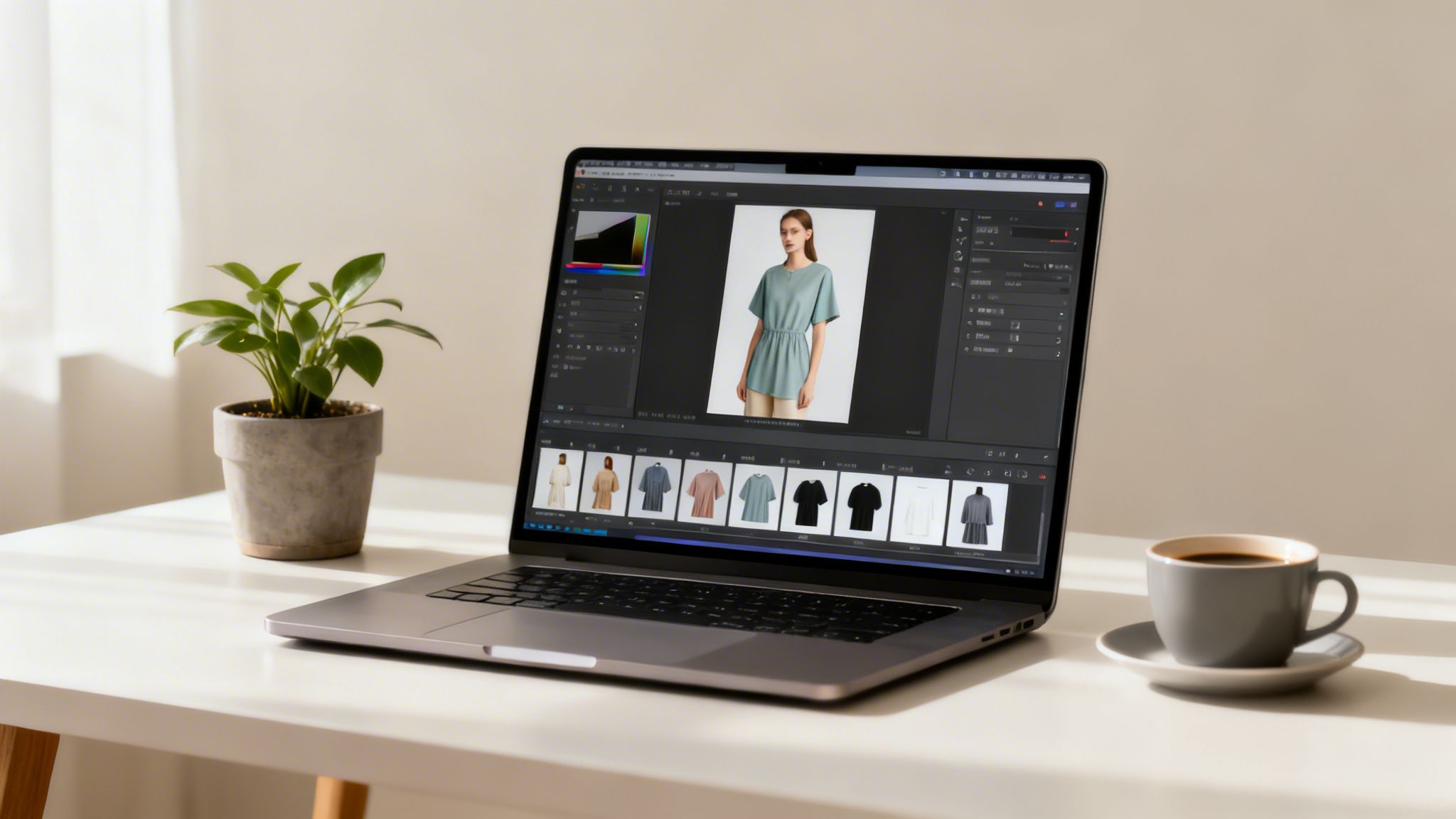
AI is changing the game by automating the most time-consuming tasks. Platforms like Picjam handle background removal, blemish cleanup, and image upscaling in minutes, not days.
This shift gives small brands the same polished look as major retailers like Zara, which drops thousands of new SKUs online every month. AI-driven editing now makes that scale accessible to everyone.
The True Cost of Manual Editing
The conversation around how to take product photo must include what happens after the shutter clicks. Outsourcing piles up fast. A freelance retoucher can charge anywhere from $5 to $25 per image.
For a 50-piece collection with 5 images per product, that’s 250 photos. At $10 an image, you're looking at a $2,500 bill and a turnaround time of several days, if not weeks.
Batch Processing and Instant Background Removal
This is where AI delivers immediate, tangible savings. Instead of sending photos out one by one, you can upload entire batches for instant processing.
One-Click Background Removal: Upload hundreds of photos at once, and an AI tool can strip the backgrounds with near-perfect accuracy in minutes.
Automated Cleanup: AI can spot and remove minor flaws like dust, stray threads, or small creases you missed during prep.
Resolution Upscaling: AI upscaling tools can increase an image’s resolution by 2x or 4x without the usual pixelation from traditional resizing.
These automated processes slash time and operational costs. For a more detailed breakdown, check out our guide on essential eCommerce photo editing.
The impact is huge. The AI product photography market is projected to hit $8.9 billion by 2034, driven by its proven ability to scale production and lift sales. You can dive deeper into these numbers over at PhotoRoom.
Creating On-Model Campaigns from a Single Photo
This is where your clean product photos get to do the heavy lifting. Ghost mannequin and flat-lay shots are your bread and butter, but they don't sell a lifestyle. On-model imagery is what forges an emotional connection.

Traditionally, this meant model casting, studio bookings, and a massive expense. Now, one single product photo is all you need to generate an entire on-model campaign.
Platforms like Picjam are built to bridge this gap, turning static images into dynamic, diverse campaign assets. It completely changes the economics of content production.
From Static Shot to Dynamic Campaign
The core idea is beautifully simple: take your clean, background-removed product image and use AI to place it onto a hyper-realistic virtual model.
Advanced AI ensures the garment drapes naturally, conforms to the model's body, and keeps its original texture and details intact.
Imagine a startup swimwear brand. Instead of dropping thousands on a beach photoshoot, they can use one perfect image to generate dozens of unique on-model shots featuring different ethnicities, body types, and backgrounds.
This workflow doesn't just save money; it unlocks creative velocity. Brands can A/B test ad creative with unprecedented speed, a strategy once exclusive to industry giants.
The ability to generate varied on-model assets from one photo democratizes high-level marketing.
Key Features That Make It Possible
A few core AI features work together to create these realistic on-model images.
Swap Model: This lets you pick from a diverse library of AI-generated models and instantly place your garment on them. This is critical for authentic representation.
Fit to Model: The tech analyzes the shape of your garment and the posture of the AI model, then realistically drapes the fabric, adding subtle shadows and highlights.
Fixed Product: Have a prominent logo or graphic? This feature locks those key details in place, ensuring they never get distorted when the garment is fitted to a new model.
These tools are designed to work in concert. To see this in action, our article on using an AI body swap for apparel offers a much deeper dive.
How AI Transforms Photoshoot Economics
The savings here are staggering. A traditional photoshoot is a long list of expenses: studio rental, photographer fees, model day rates, hair and makeup, and retouching.
An AI-driven approach wipes out nearly all of them. Your only cost is a platform subscription, a fraction of the traditional expense.
Traditional Photoshoot vs. Picjam AI Photoshoot Cost
This financial shift frees up capital that can be poured back into product development, marketing spend, or other areas of growth.
Final Step: Optimize Your Visuals for SEO
Getting a beautiful photo is only half the battle. Making sure people actually see it is what drives sales.
Your stunning new AI-generated visuals need to be optimized for search engines and marketplaces. This is the final step that makes your images work harder for you.
Image SEO is a crucial, often-overlooked part of knowing how to take product photo assets that truly perform. Skipping it is like building a gorgeous storefront but forgetting to put a sign on the door.
Mastering the Technical SEO for Your Images
Search engines can't "see" images. They rely on text-based data — like file names and descriptions — to figure out what an image contains.
A well-optimized image also improves your site's accessibility for visually impaired shoppers.
Get Your File Names Right
Never upload an image with a generic camera name like IMG_8502.jpg. That tells Google nothing.
Create a simple, descriptive naming convention like brand-name-product-name-color.jpg. This small habit immediately helps platforms categorize your product.
- Good:
everlane-dream-pant-black.jpg - Bad:
DSC10049.jpg - Good:
reformation-frankie-silk-dress-emerald.jpg - Bad:
Final_Image_V2.png
Write Alt Text That Actually Works
If you only do one thing for image SEO, make it this. Alt text is a short, written description of an image that shows up if the image fails to load.
Your alt text needs to be descriptive but concise. Imagine you're describing the photo to someone over the phone. Make sure to include the product type, key features, and color.
For example, alt text for a shot could be: "Woman wearing a navy blue cashmere crewneck sweater against a neutral studio background." That’s much more useful than just "blue sweater."
Nail the File Format and Size
Page speed is a huge ranking factor for Google. A 1-second delay in mobile page load time can torpedo conversion rates by up to 20%, according to Statista. Large images are a common culprit.
Here’s how to keep your files lean and fast:
- Use WebP: This modern image format gives you fantastic compression and quality, which means smaller files and faster load times.
- Compress Your Images: Before you upload anything, run your images through a compression tool to shrink the file size without hurting quality.
- Meet Marketplace Specs: Platforms like Amazon and Shopify have rules for image dimensions and file sizes. Always double-check their latest guidelines.
Once your product images are perfected, they deserve an online store that can show them off. A robust Wix Ecommerce platform, for example, ensures your hard work translates into a smooth shopping experience.
Takeaway
Creating product photos that sell doesn’t require expensive gear, just a smarter process. Here are three actionable takeaways for any fashion brand.
Master the source image. A clean, perfectly steamed, and evenly lit garment is the non-negotiable starting point for every great image. You can’t fix a bad source photo later.
Use AI for on-model generation. Automate background removal and other tedious tasks, but the real savings come from transforming a single product shot into a full on-model campaign. This is how brands can create high-volume visuals without the crippling cost of traditional photoshoots.
Don't skip image SEO. Meticulously naming your files and writing sharp, descriptive alt text is what gets your stunning new photos in front of actual customers on Google. It’s the critical last mile.
Curious how an AI-powered workflow stacks up against what you're currently spending on photography? Plug your numbers into our savings calculator and see for yourself.
FAQ
Here are a few common questions we hear from fashion founders and marketers.
What's the best lighting for product photography at home?
The best and most budget-friendly light is natural, diffused light from a big window. Position your product to the side of the window to create soft shadows that give the garment shape.
If you don't have good natural light, a single softbox or a large ring light is your next best bet. Avoid your camera's built-in flash at all costs.
How many photos should I have for each product?
Aim for a minimum of 5–8 photos per product. That lineup should include a full shot of the front, back, and side, plus several detail shots of the fabric, hardware, and stitching.
Crucially, at least one on-model shot is non-negotiable for boosting conversions. This is where AI lets brands like Ganni turn a single flat-lay into multiple on-model images to show fit and context.
Can AI really make my product photos look professional?
Absolutely. Modern AI tools are built to turn clean, simple product shots into studio-quality assets. Platforms like Picjam can instantly remove backgrounds, upscale resolution, and place your apparel onto incredibly realistic AI models.
How do I keep my product colors accurate in the photos?
Getting accurate color starts with good lighting and the right camera settings. If possible, shoot in RAW format. It captures more color information than a standard JPG.
Use a white balance card (or a plain white piece of paper) to set your camera’s white balance. This tells the camera what "true white" looks like, ensuring all other colors fall into place correctly.
Curious how an AI-powered workflow stacks up against what you're currently spending on photography? Pop your numbers into the Picjam savings calculator to see exactly how much you could save.

Picjam team
The Picjam team blends AI, product, and creative expertise to eliminate the cost and delay of traditional photography for modern eCommerce brands.

