
Supplement Product Photography: Bottles, Labels & Lifestyle
Supplement product photography: label heroes, glare control, facts panels, capsule and powder close-ups, lifestyle shots, setup, mistakes and FAQs.
Short answer: To photograph supplements for ecommerce, shoot a clean front-label hero of the bottle or tub on white, then add side and back views so the facts panel is readable, a close-up of the capsules, gummies or powder, a scale or in-hand shot, a lifestyle frame and every flavour or size on the same set. Use large soft light, control glare on glossy labels and keep label text sharp.
Supplement buyers read labels before they buy, so a supplement photo has to be honest, legible and consistent across a range. This guide covers the supplement product photography shot list, label and glare control, capsule and powder close-ups, lifestyle frames, a simple setup, common mistakes and ideas that help supplement listings sell.
- The supplement shot list
- Sharp labels without glare
- Capsules, gummies and powder close-ups
- Lifestyle and scale shots
- A simple setup
- Common mistakes
- Supplement photography ideas
- Skip the shoot
- FAQs
The Supplement Product Photography Shot List
- Front-label hero. The bottle, tub or pouch square to the camera on white, label centred. This is usually the main listing image.
- Side and back views. Every label panel, so buyers can read directions and the facts panel.
- Facts panel close-up. A straight, sharp shot of the nutrition or supplement facts panel as printed.
- Contents shot. Capsules, tablets, gummies or a scoop of powder next to the pack.
- Scale shot. The bottle in a hand, or a single capsule beside a common object.
- Lifestyle frame. A kitchen bench, gym bag or desk that matches the product's use.
- Every flavour, size and bundle you sell, on the same background and crop.
For more on angles, see our product photography angles guide. Bottles and jars share many of the same problems as drinks; our bottle product photography guide covers curved labels in more depth.

Sharp Labels Without Glare
- Use two large soft lights at about 45 degrees left and right, or one big source plus a white reflector.
- Move lights back and to the side until the bright stripe on a glossy label falls off the text.
- Try a circular polariser on the lens to cut reflections on shiny tubs and foil pouches.
- Flag light from above with a black card if the lid or shoulder blows out.
- Rotate curved bottles and shoot several frames, so the whole label can be read across the gallery.
- Focus on the label, not the cap. Use f/8 to f/11 on a camera so the full label stays sharp.
More on light size and direction in our photography lighting basics guide.

Capsules, Gummies and Powder Close-Ups
| Format | How to shoot it | Watch out for |
|---|---|---|
| Softgels | Backlight or side light so the gel glows | Hot specular spots on every capsule |
| Capsules and tablets | A small spill from the tipped bottle, sharp front edge | Dust and broken tablets in frame |
| Gummies | Soft light, slight angle to show shape and colour | Sugar coating looking dull or sticky |
| Powder | A level scoop plus a small mound, darker surface if the powder is white | White powder vanishing on white |
Keep the contents true to the real product. Colour and size should match what arrives.

Lifestyle and Scale Shots
- Match the use case. Protein beside a shaker in the kitchen; sleep supplements on a bedside table; travel packs in a gym bag.
- Keep the label facing camera in lifestyle shots so the brand reads at thumbnail size.
- Use real scale cues: a hand, a glass or a spoon.
- Do not imply results the label does not support. Lifestyle images should show use, not before-and-after promises.
See our product lifestyle photos guide for styling tips.

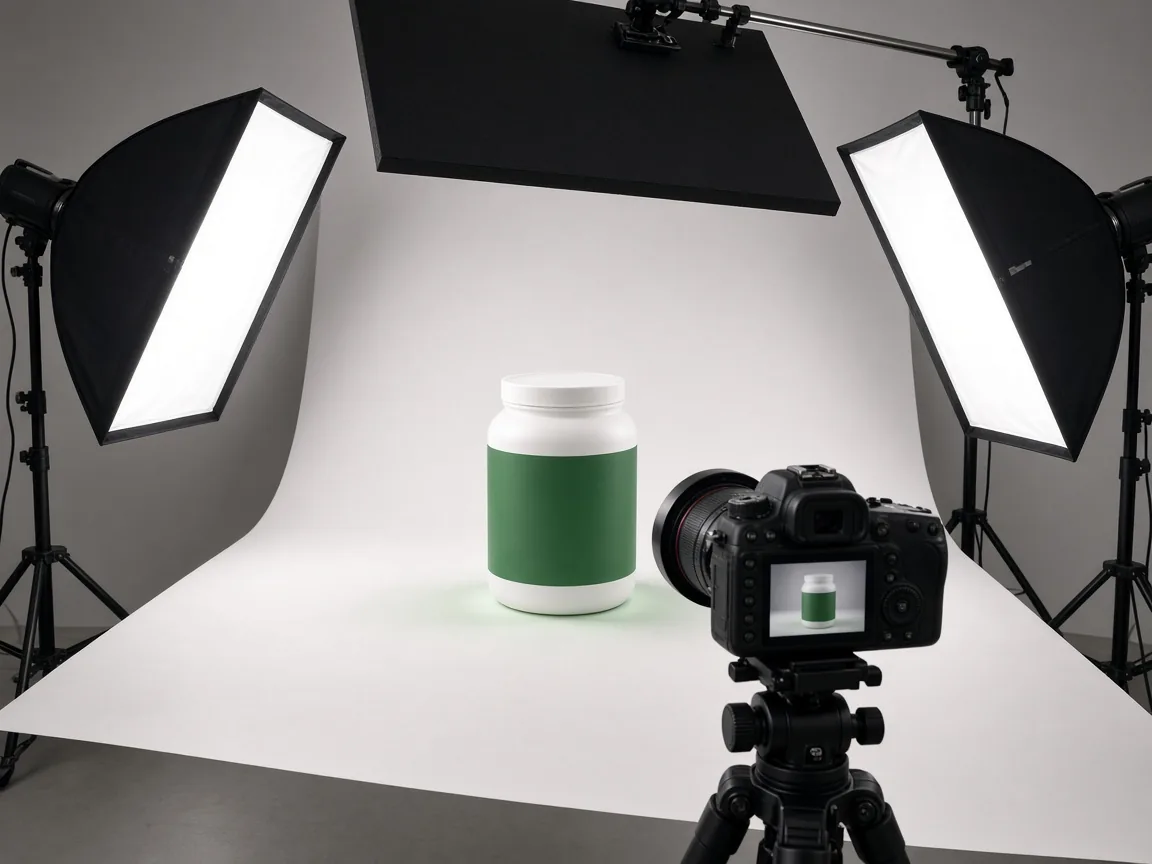
A Simple Supplement Photography Setup
- A white tabletop sweep or a light box big enough for your largest tub.
- Two softboxes at 45 degrees, or a window plus a white reflector.
- A black card above or beside the product to control glare.
- A camera or phone on a tripod, marked so every SKU lands in the same crop.
- A lint-free cloth to clean fingerprints and dust off bottles and lids.
- Review labels at 100% before you move on.
Common Supplement Photography Mistakes
- A glare stripe across the product name or facts panel.
- Only the front label, so buyers cannot read ingredients or directions.
- White powder or white tablets lost on a white background.
- Flavours shot on different days with different colour and crop.
- Lifestyle images that hint at health results the product cannot claim.
Supplement Photography Ideas
- A morning routine scene with the bottle beside coffee and a glass of water.
- A scoop mid-pour into a shaker, frozen with fast light.
- A monthly bundle laid out as a neat grid.
- Gummies arranged by flavour colour around the pouch.
- A travel kit shot with daily packs in a toiletry bag.
Skip the Shoot
If you have one clean photo of each bottle or tub, Picjam can help you build the rest of the gallery: extra packshots, angles and kitchen or gym-style lifestyle scenes, with no prompts to learn. Free to start, no card required. Start at the AI product photography and packshot generator, or check gaps with the Listing Image Score. Always keep label text as printed on the real product.
Frequently Asked Questions
How do you photograph supplements for ecommerce?
Shoot a front-label hero on white, then side and back views, a facts panel close-up, a contents shot, a scale shot and a lifestyle frame, and repeat the hero for every flavour and size.
How do you stop glare on supplement labels?
Use large soft lights at about 45 degrees, move them back and to the side until the bright stripe leaves the text, add a black card above, and try a circular polariser on the lens.
Should supplement photos show the facts panel?
Yes. Buyers often check ingredients and serving size before buying, so include a sharp, straight image of the facts panel as printed.
What background is best for supplement product photos?
White for the main image so marketplace grids stay consistent. Use a slightly darker surface for white powders and tablets, and kitchen or gym scenes for lifestyle images.
How many photos does a supplement listing need?
Plan for a hero, two label views, a facts panel close-up, a contents shot, a scale shot and a lifestyle frame. Marketplaces vary, so check each one's image limits.
Can I use AI for supplement product photography?
Yes, to extend a gallery from a real product photo: extra angles, packshots and lifestyle scenes. Keep the label text, pack size and contents true to the real product.

Picjam team
The Picjam team blends AI, product, and creative expertise to eliminate the cost and delay of traditional photography for modern eCommerce brands.

