The AI Photo Background Changer: Your New On-Brand Content Engine
Discover how ai photo background changer helps fashion e-commerce create on-brand imagery faster, cut costs, and accelerate product content.
When Crocs tested AI-generated photos for their spring collection, they discovered a 60% faster campaign rollout. They didn't just swap backgrounds; they reimagined their entire content workflow. An AI photo background changer isn't just a tool for removing backgrounds — it's a strategic asset for creating on-brand lifestyle imagery at scale, saving brands significant time and money.
It works by using artificial intelligence to precisely isolate a product from its original photo and place it into a new, brand-aligned setting — often one that's also generated by AI. This allows brands to create entire campaigns from a single product shot.
Platforms like Picjam are built for this specific purpose, transforming simple, in-house photos into complete, on-brand visual campaigns without the logistical overhead of traditional shoots.
How AI Slashes Content Costs for Brands like Zara
A global retailer like Zara needs to launch new collections with speed and visual consistency. Instead of coordinating expensive, time-consuming photoshoots for every background, leading brands now use AI to elevate their creative output.
An AI photo background changer is no longer just an editing tool; it's a core part of their growth strategy.
Imagine a brand like Allbirds planning a launch for a new sneaker. In one afternoon, its marketing team can test a dozen different lifestyle settings — from a clean, urban streetscape to a quiet nature trail — all without booking a single flight or photographer.
This is a process that once consumed weeks of planning and tens of thousands of dollars in production costs.
Unlock Major Efficiency Gains in Your Workflow
This shift is creating huge efficiency gains. The AI product photography market is projected to grow from USD 450 million in 2024 to USD 5 billion by 2035, according to industry reports.
This growth is fueled by the relentless demand for high-volume, diverse visuals for marketing campaigns, social media feeds, and product pages.
Let's compare the old way of working with the new AI-powered approach.
See the Difference: Traditional vs. AI-Powered Creation
The table below breaks down the key differences between a traditional photoshoot and using an AI tool to generate backgrounds. The advantages for modern brands are clear.
The takeaway is simple: AI offers speed and flexibility that traditional methods cannot match, opening up creative possibilities that were once out of reach for most brands.
This infographic drives home the dramatic savings in time, cost, and image output that these tools deliver.
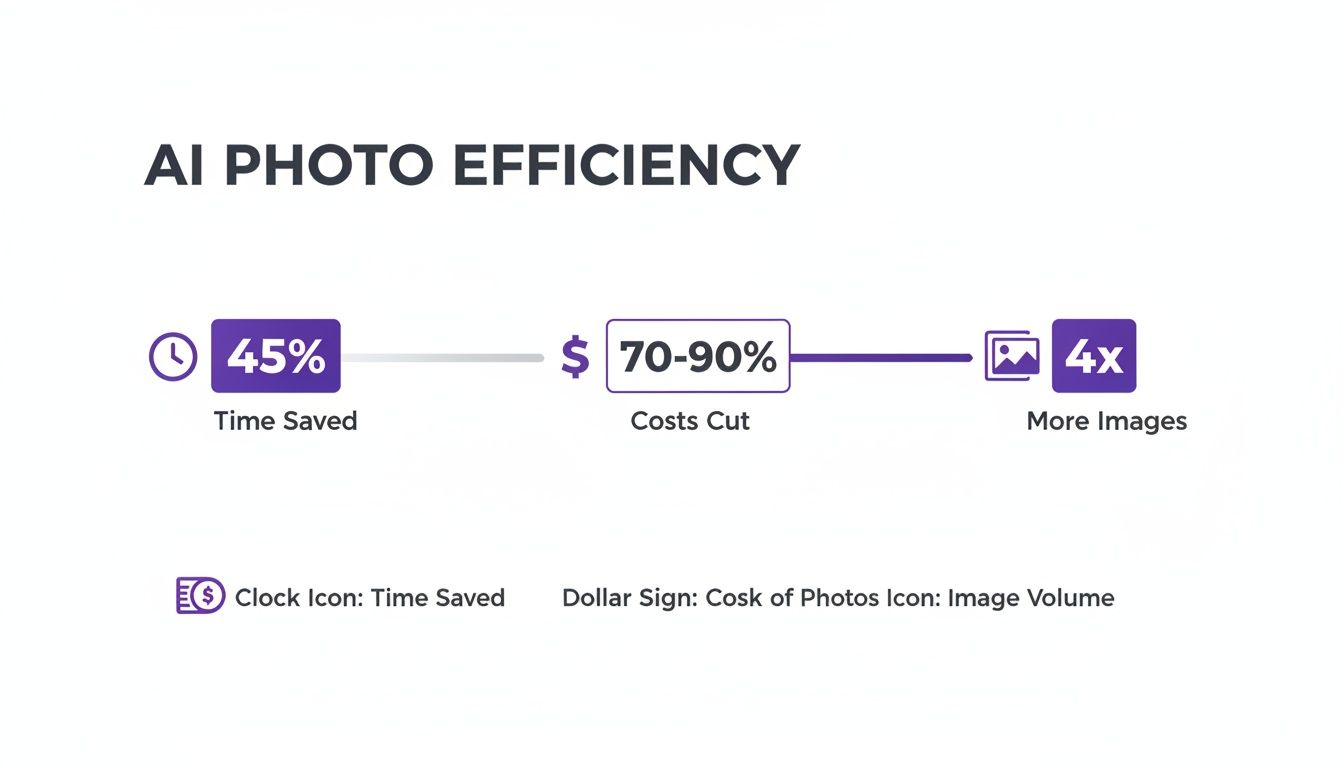
As the numbers show, brands aren't just saving money; they are also 4x-ing their creative output. For more on this, see our guide on choosing the best background for clothing photography.
From Simple Tool to Creative Partner
To get the most out of this technology, you must weave it into your broader campaigns. It's about more than just swapping backgrounds; it's about understanding the creative and storytelling principles of fashion advertising to build compelling narratives around your products.
An AI background changer gives you the assets, but a strong creative vision gives them power.
How to Prep Shots for a Flawless AI Workflow
The final quality of your AI-generated image is only as good as the photo you start with. Even the most powerful AI photo background changer needs a clean, well-prepped source image to work its magic.
Think of it like cooking: the best chef in the world can't make a masterpiece with subpar ingredients. For fashion brands, this initial step is non-negotiable if you want to preserve the integrity of your garments.

The good news? You don't need a high-end studio. A modern smartphone and a little know-how are more than enough to create assets that AI can transform into campaign-worthy shots.
The Foundation of a Great AI Shot
Imagine you're a boutique owner shooting a new line of dresses on a mannequin. Your main goal is to capture the garment's true texture, color, and shape. This is where lighting becomes your most important tool.
Lighting is Everything: Aim for soft, diffused, and even lighting. A simple ring light works, but so does placing your mannequin near a large window on an overcast day. This approach minimizes harsh shadows that can confuse an AI.
Keep Your Background Clean: Shoot against a solid, contrasting background. A plain white or light gray wall is perfect. This gives the AI a clear path to isolate the product. Brands like Everlane have mastered this minimalist approach for their initial product shots.
Frame the Entire Product: This sounds obvious, but it's a common mistake. Always make sure the full garment is in the frame. If part of a sleeve is cut off, the AI can't invent what isn't there.
Angle and Perspective Matter
The angle you choose has a huge impact on how a customer perceives the garment's fit and details. A straight-on shot is standard, but don't stop there. Capture a few variations.
Shooting from a slightly lower angle can make a product feel more aspirational. An eye-level shot is better for showcasing an accurate fit. These subtle choices give you more creative options later.
Taking a few extra minutes to master these prep steps feeds the AI the highest quality data possible. This ensures your final images look authentic, professional, and completely on-brand.
Master Background Removal and Selection
With your product shots prepped, this is where the magic happens. A simple, clean image gets turned into a powerful marketing asset. Modern AI tools do this in a single click, instantly and accurately isolating the product.
Unlike older software that struggled with complex edges, today's advanced platforms like Picjam preserve the finest details — think delicate sheer fabric or the loose threads on distressed jeans.

This precision is why the market for this tech is exploding. According to Fortune Business Insights, the image background remover market was valued at USD 1.47 billion and is projected to hit USD 2.38 billion by 2032. You can read the full research on this growing market.
From Removal to Creative Strategy
Once your product is isolated, the focus shifts from a technical task to a creative one. The background you choose isn't just a backdrop; it's a storytelling device.
Take a sustainable fashion brand like Reformation. Their ethos is built on eco-consciousness and effortless style. They could use an AI tool to generate an endless array of on-brand backgrounds without leaving the studio.
- Serene natural landscapes: A new linen dress set against a sun-drenched meadow or a windswept coastal bluff.
- Minimalist, eco-friendly interiors: A recycled-cashmere sweater featured in a bright, airy room with reclaimed wood floors.
This approach gives Reformation the power to create contextually rich lifestyle images at scale, reinforcing their brand message in every shot.
Craft Custom Worlds with Text Prompts
The real creative control comes from generating entirely new backgrounds using simple text prompts. This feature moves beyond stock images and lets you create unique, custom-tailored scenes.
Using specific, descriptive prompts is key. Instead of "a nice room," a brand could use "a minimalist Parisian apartment with soft morning light filtering through sheer curtains, highlighting the herringbone wood floor."
This level of detail gives you infinite control, allowing you to produce visuals that are not only beautiful but also strategically designed to resonate with your target audience.
Elevate Imagery with Virtual Models
A slick new background is a great start, but placing your apparel on a realistic, diverse model transforms the image. This is where an AI photo background changer becomes an in-house virtual photoshoot studio.
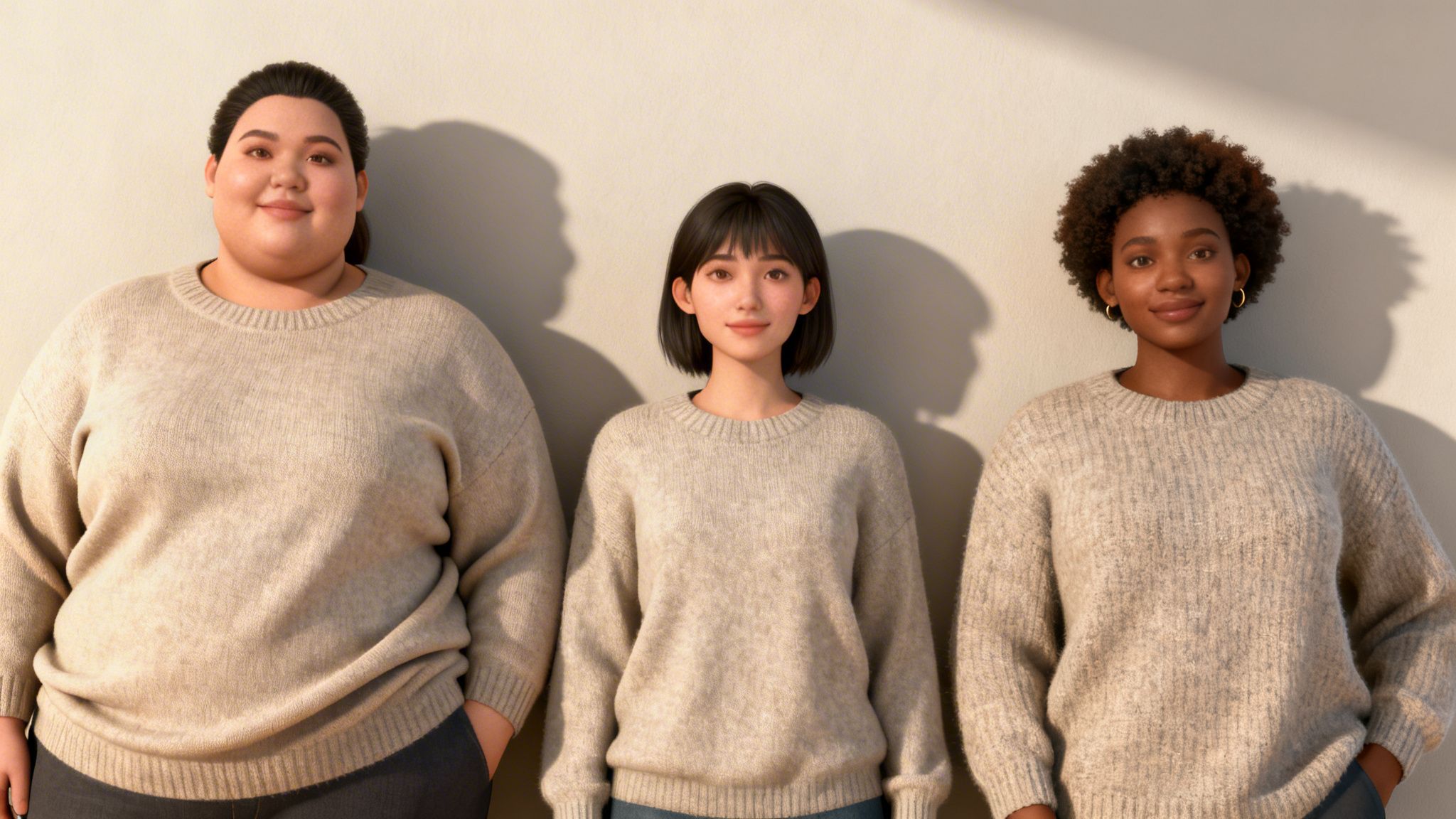
You can take a single flat-lay shot of a sweater and, within minutes, generate a dozen images of it on models with different ethnicities, body types, and styles. This is the kind of tech that allows brands like SKIMS, known for its focus on inclusivity, to show products on a huge range of body shapes without the logistical challenges of casting and shooting multiple models.
Maintain Garment Authenticity
Does it look real? The secret lies in how the AI handles the clothing's physical properties. The best platforms preserve every detail of a garment while intelligently adapting it to a model's pose.
This means the fabric's drape, natural shadows, and texture look completely authentic. Picjam's tech is designed to maintain the garment's integrity, so you don't get that stretched or "pasted-on" look.
The Power of Virtual Model Swaps
This technology is driving a massive shift. The broader AI image editor market was valued at USD 5.121 billion in 2024 and is projected to hit USD 48.74 billion by 2035, per Market Research Future.
For fashion brands, that growth reflects a move toward automated tools that can cut production time by 45% while keeping the final product looking real. You can dig into the numbers in the full AI image editor market report.
This efficiency opens up opportunities for personalization. A brand can instantly see how a new jacket looks on models representing its key customer demographics in North America, Europe, and Asia — all without booking a new photographer.
If you're ready to dive deeper, our guide on the AI fashion model generator offers a closer look at creating diverse and realistic on-model imagery.
Finalize and Optimize Your Assets for Performance
Once you've done the creative work, the job isn't finished. The final step is getting your new images ready for the real world. This ensures your assets load fast, look sharp on every device, and are set up to be found by search engines.
A little post-processing can make a world of difference. Many platforms now come with AI-powered cleanup tools. Another game-changer is 2x upscaling, which ensures your images are high-resolution enough for customers to zoom in and inspect every stitch.
Drive Sales with SEO-Ready Images
An AI photo background changer can become a secret weapon for efficiency. Forget manually renaming dozens of files. Platforms like Picjam can automatically generate SEO-friendly filenames for every image.
A generic name like IMG_8475.jpg does nothing for you. An optimized filename like reformation-linen-midi-dress-blue.jpg gives search engines like Google all the context they need. This helps your products rank higher on Google Shopping and get noticed on marketplaces.
Consider a brand like Ganni, known for its distinctive, playful vibe. With AI, they can take a single studio photo of a new blouse and instantly generate a suite of on-brand assets — from clean e-commerce shots to vibrant, on-model lifestyle images for social media.
This approach locks in a unified look across an entire collection. It also means they can populate their entire catalog from one source image, ensuring every customer touchpoint reinforces who they are.
Optimize for Speed and Performance
Once your AI-generated images look perfect, optimizing them for web is a must. Huge, uncompressed images are one of the biggest culprits behind slow-loading sites.
Compressing your images — without trashing the quality — keeps your site fast and responsive. And for times you need more traditional tools, it's still useful to know how to put a background in Photoshop. Combining AI with manual skills gives you the best of both worlds.
Takeaway
Here are 2 actionable takeaways for your brand:
Start with a Small-Scale Test: You don't need to overhaul everything overnight. Grab 5–10 of your core product photos and run them through an AI photo background changer. Test different on-brand backgrounds and model variations to see what's possible for your brand.
A/B Test Your New Visuals: Deploy your newly generated assets in a targeted social media ad campaign. Run A/B tests to see which backgrounds, models, and styles drive the highest engagement and conversions. Let real customer data guide your creative direction before a site-wide rollout.
Ready to see how much your brand could save?
Compare your current photography costs with Picjam's AI solution using our savings calculator.
Your Questions Answered
Thinking about using an AI photo background changer is a big step. Here are the questions we hear most often from fashion brands.
Can AI Handle Tricky Details Like Lace or Sheer Fabrics?
Yes. Modern AI models are trained on gigantic libraries of fashion photos, so they have learned to recognize and preserve the finest details.
We're talking about everything from delicate lace edges and fuzzy fur textures to sheer fabrics and intricate embroidery. The best tools keep those textures intact, so the final shot looks natural.
How Do I Keep New Backgrounds and Models On-Brand?
This comes down to intentionality. Start with your brand's style guide and use specific, descriptive prompts to guide the AI.
A brand like Staud, for example, wouldn't just ask for a generic background. It would use a prompt like, 'minimalist Los Angeles villa with terrazzo floors and bright natural light.' That specificity creates a unique, on-brand look.
The same goes for AI models. Select models that genuinely reflect your target customer's style. Consistent prompts and model choices build a recognizable visual identity.
Will Using AI-Generated Images Hurt My Marketplace Rankings?
No, when done right, it can provide a boost. Platforms like Amazon and Etsy reward high-quality, engaging visuals that keep shoppers on the page.
By using an AI tool to create a range of lifestyle shots, you're not just showing a product; you're telling a story. This makes your listings more interesting, which often leads to more clicks and better engagement signals for the algorithm.
Plus, tools like Picjam can generate SEO-optimized filenames for your images, helping you show up more often in places like Google Shopping.
Ready to see exactly how much time and money you could save? Use the Picjam savings calculator to compare your current photography costs with our AI-powered solution.

Picjam team
The Picjam team blends AI, product, and creative expertise to eliminate the cost and delay of traditional photography for modern eCommerce brands.